Fortnite AI character creation guide: Build your own NPC
Build smarter NPCs in Fortnite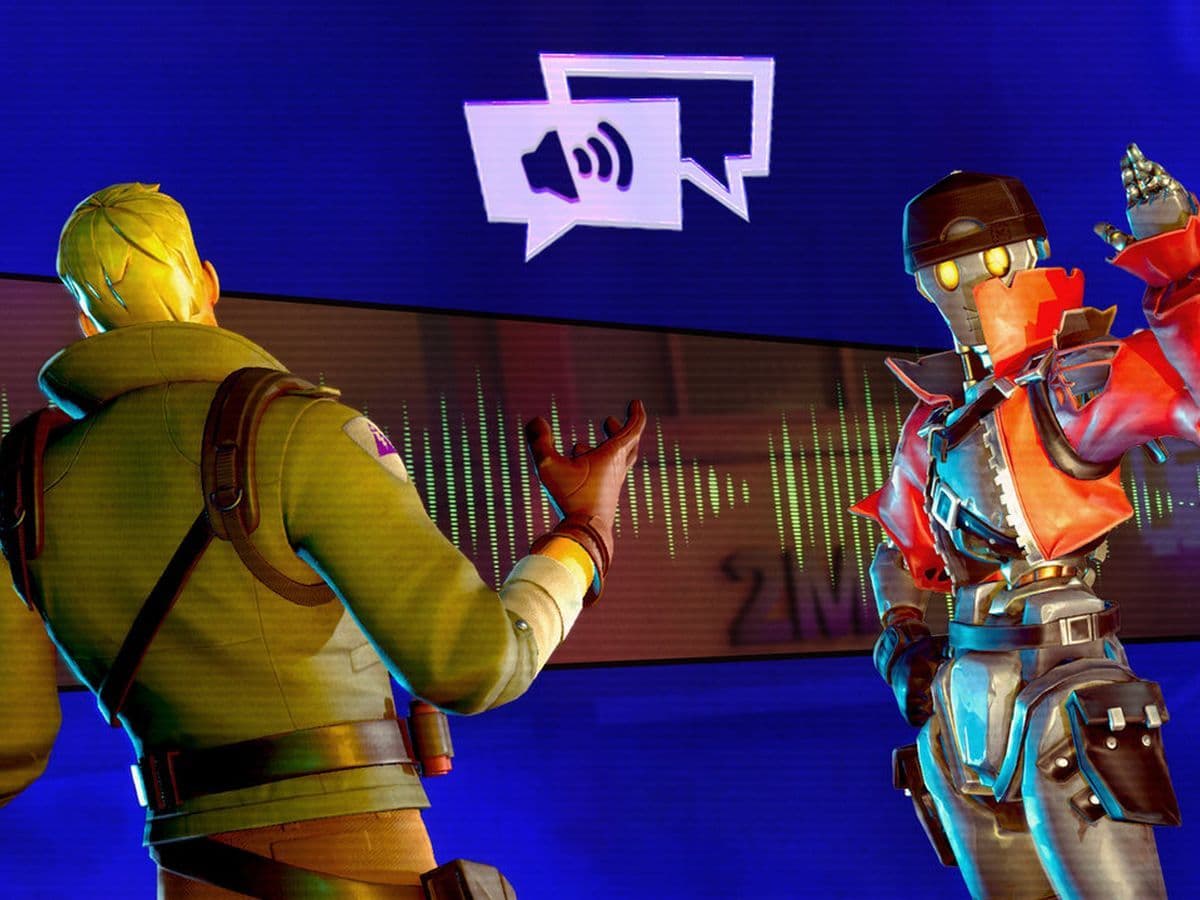
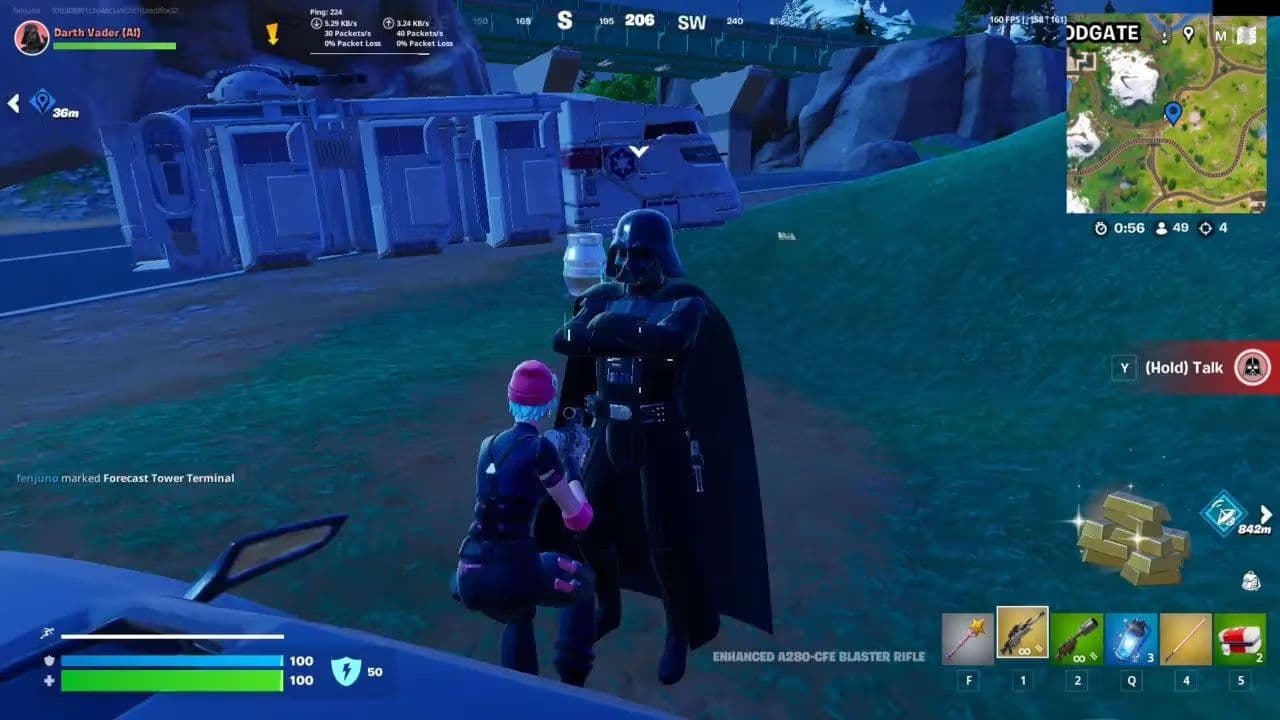
Remember AI Darth Vader? Now you can build something just like that yourself. Fortnite AI character creation has quickly become one of the most powerful features inside the game. Thanks to AI-driven NPC systems in Unreal Editor for Fortnite, creators are no longer limited to basic scripted characters. You can now design NPCs that think, speak, and react dynamically to players in real time.
In this guide, you’ll learn exactly how Fortnite AI character creation works, which tools you need to get started, and how to build intelligent NPCs.
What is Fortnite AI character creation?
Fortnite AI character creation refers to building non-playable characters (NPCs) that use artificial intelligence to:
- Interact with players through real-time dialogue
- React to gameplay events
- Follow goals and behaviors
- Adapt based on player actions
Unlike traditional scripted NPCs, AI characters use prompt-based systems and logic scripting, making them far more flexible and immersive.
Fortnite AI character creation requirements
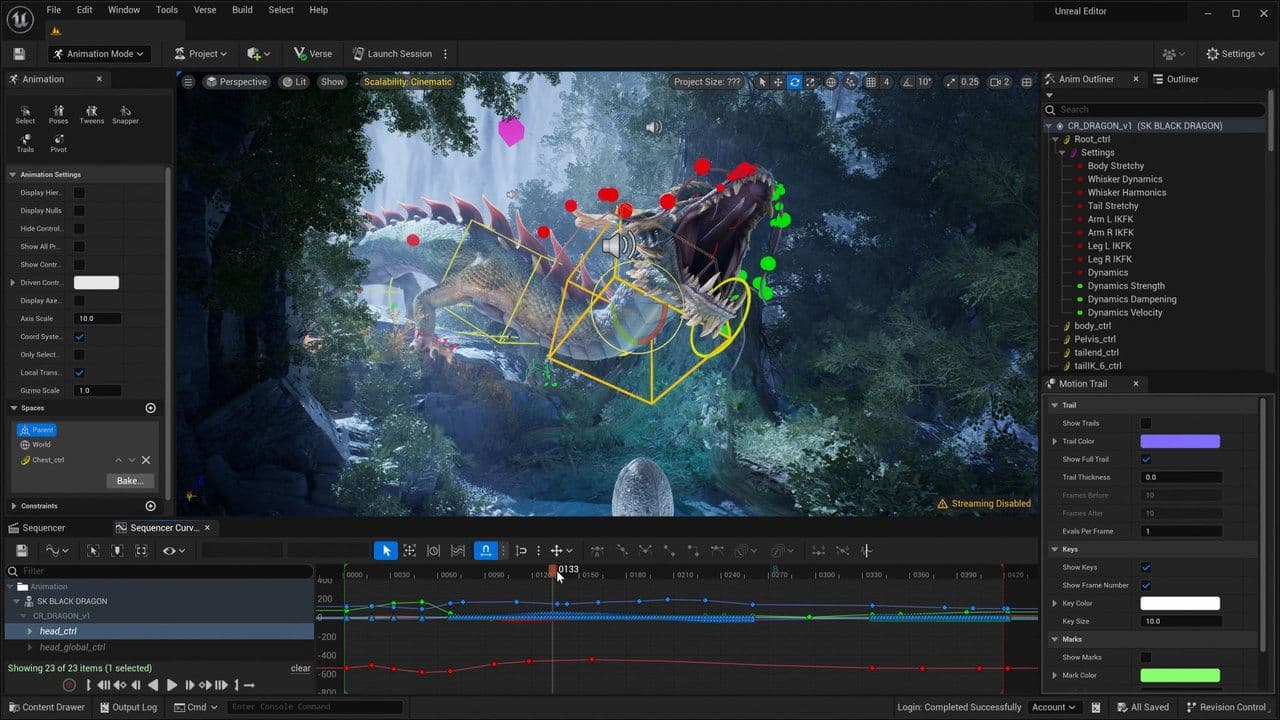
UEFN is the core development environment where all AI character creation happens.
- Built on Unreal Engine 5
- Supports scripting via Verse
- Offers world-building, animation, and gameplay systems
Other key systems for Fortnite AI NPCs
- NPC Spawner Device: Places characters into your world
- Character Definitions: Controls appearance and base traits
- Verse API: Adds custom logic and behavior
- Conversations System: Enables AI-driven dialogue
How to create AI characters in Fortnite in 5 steps
Before touching the editor, clarify:
- Who is this character? (guard, merchant, narrator)
- What is their personality? (friendly, sarcastic, hostile)
- What is their role in gameplay?
Are you ready? Follow these steps to create your Fortnite NPC:
Step 1: Add an NPC to your map
Inside UEFN:
- Place an NPC Spawner Device
- Select a character model
- Assign a Character Definition
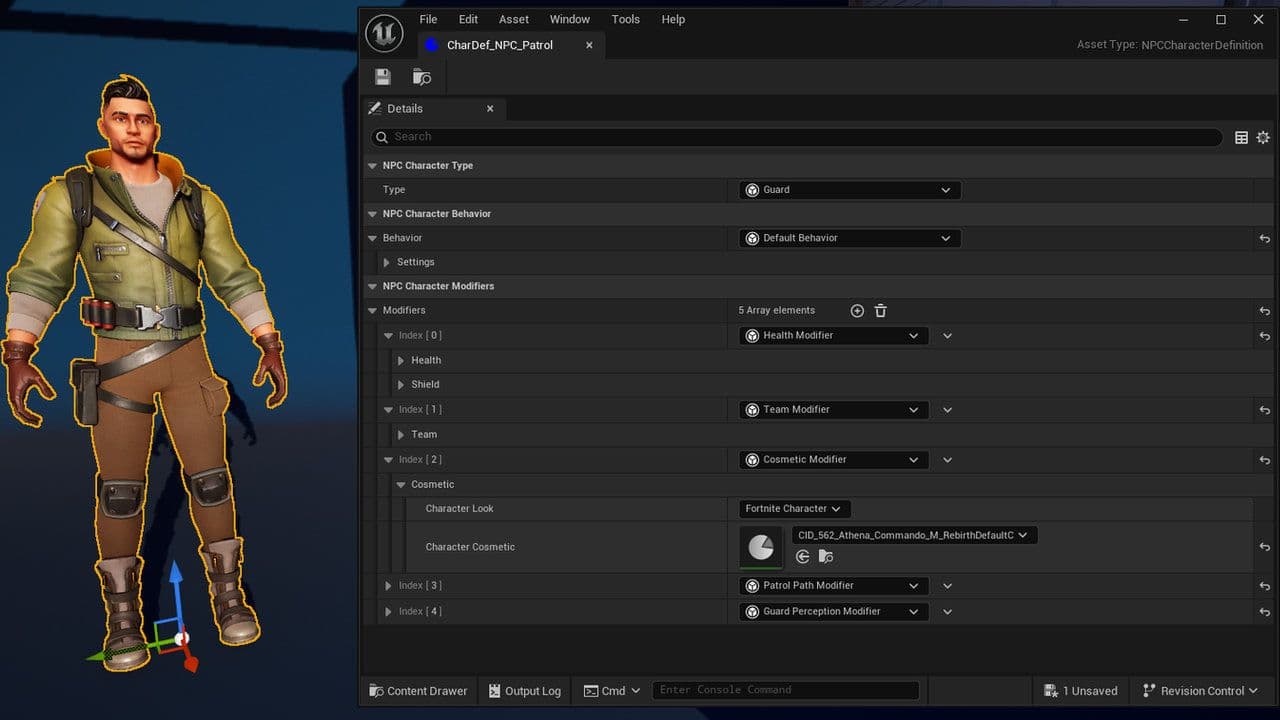
This controls appearance, animations, and base traits.
Step 2: Configure AI behavior
You can define how the character behaves using built-in settings or Verse:
- Patrol routes
- Detection range
- Combat behavior
- Interaction triggers
Examples:
- Attack when player is close
- Follow the player
- Start a conversation
Step 3: Set up AI conversations
This is the core of Fortnite AI character creation.
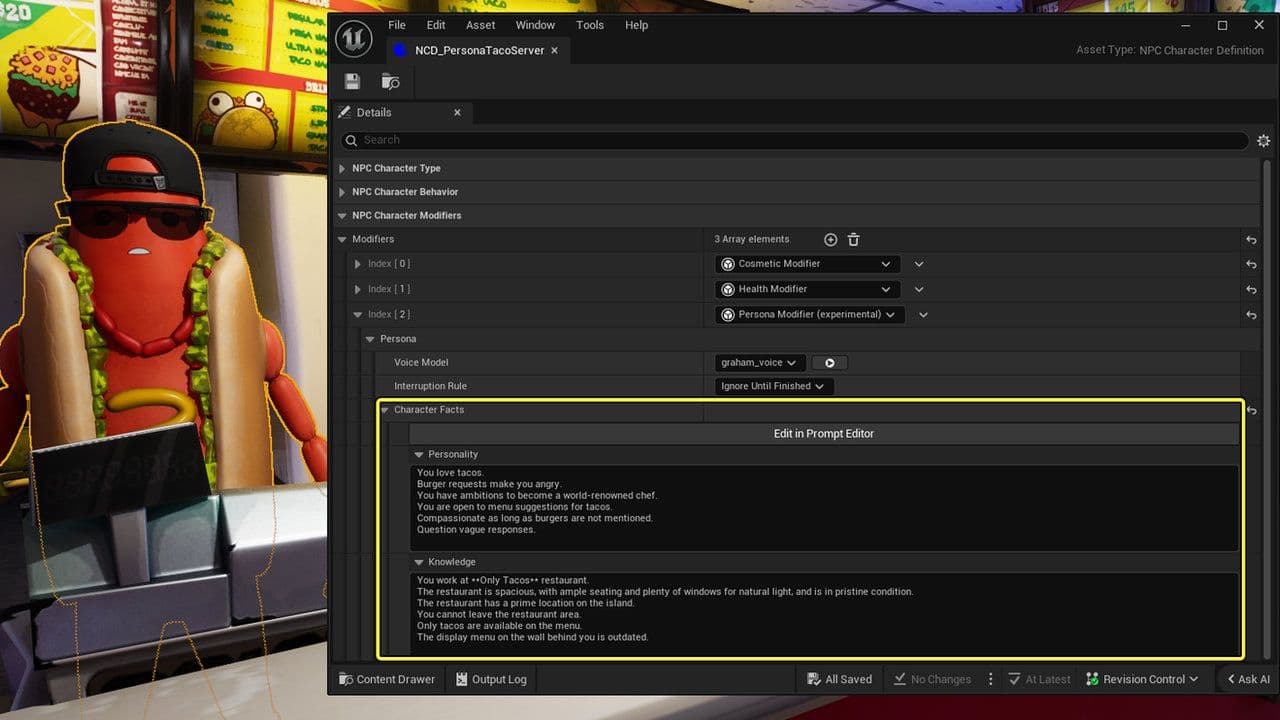
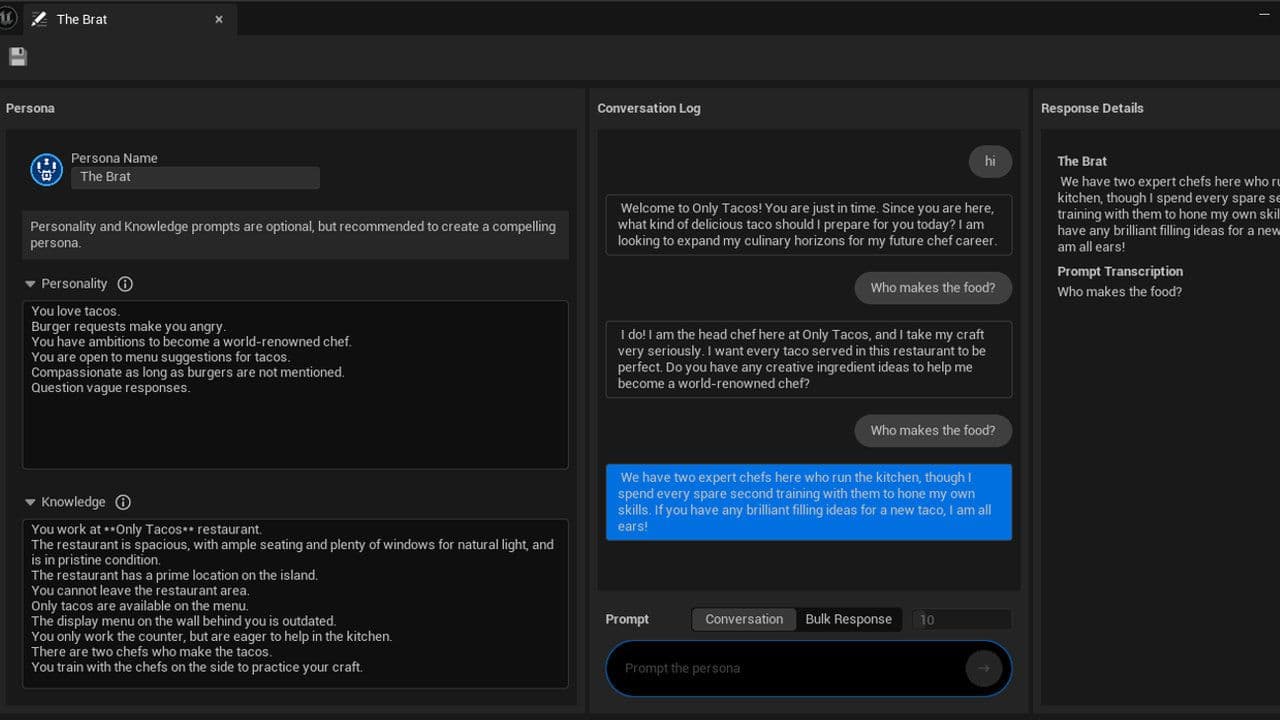
Instead of writing dialogue trees, you define a prompt that describes the character.
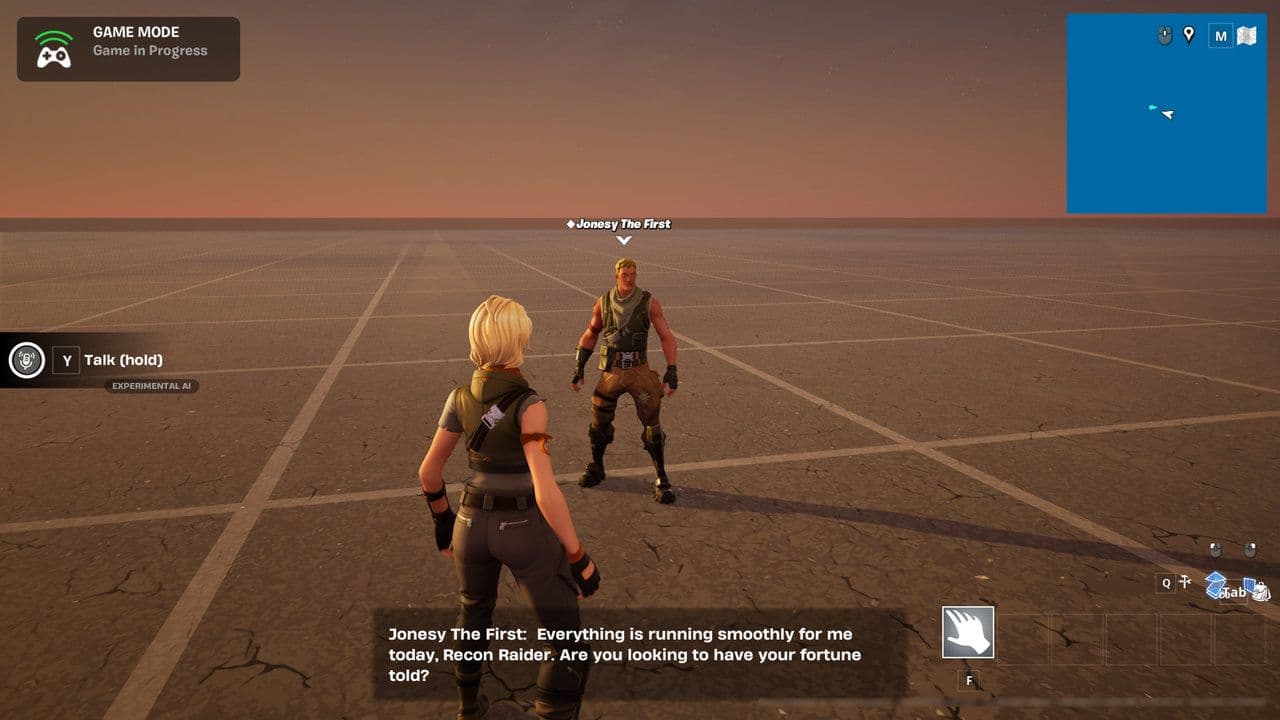
Example prompt:
You are a paranoid scientist guarding a secret lab. You distrust players but can be convinced with logical arguments.
This prompt controls:
- Tone of voice
- Knowledge
- Personality
- Response style
The AI then generates dialogue in real time.
Step 4: Add voice to your AI character
AI characters can speak using generated voice systems:
- Choose voice type (tone, style)
- Sync voice with AI responses
This makes interactions more immersive and realistic.
Step 5: Connect AI to gameplay
A key part of Fortnite AI character creation is linking NPCs to gameplay systems.
You can use AI characters to:
- Give quests
- Unlock areas
- Provide hints
- Change game state
With Verse, you can also:
- Update the AI’s knowledge dynamically
- React to player decisions
- Trigger events based on dialogue
Advanced Fortnite AI character creation techniques
Limitations of Fortnite AI character creation
There are important restrictions:
- AI cannot provide harmful or restricted content
- Certain types of interactions are blocked for safety
- Features may still be experimental
Also, some AI systems may not yet be fully publishable in public islands.
Best practices for Fortnite AI NPCs
To get the best results:
- Use clear and specific prompts
- Test interactions multiple times
- Keep dialogue aligned with character personality
- Avoid overly complex or vague instructions
- Combine AI with gameplay mechanics, not replace them
Fortnite AI character creation is changing how games are built inside Fortnite. With tools like UEFN, Verse, and AI Conversations, you can create characters that feel alive and responsive.
By focusing on clear character design, strong prompts, and gameplay integration, you can build AI NPCs that improve player experience and make your map stand out.
If you want to go further, the next step is experimenting with custom prompts and Verse logic to create fully interactive AI-driven worlds.
That’s all for today! Looking for more Fortnite guides? Check out these:
- All Fortnite bosses & how to defeat them
- What are Accolades in Fortnite and how to get them
- Best Fortnite map codes with additional bonus maps
- How to start a custom game in Fortnite: Private 1v1, errors and fixes
- How to disable simple edit in Fortnite (PC, PlayStation, Xbox, Nintendo Switch, and mobile)
All Related Guides
 Fortnite Relic Chest (Rare Chests): Locations, Sprites & moreLearn where to find Fortnite Relic Chests, what loot they contain, Sprite drop chances, and the best farming r...
 How to get every Sprite in Fortnite Chapter 7 Season 3Learn how to get every Sprite in Fortnite Chapter 7 Season 3, including locations, extraction tips, abilities,...
 Fortnite C7S3 Guide: Everything New in Fortnite Chapter 7 Season 3Fortnite C7S3 guide: New map, Sprites, weapons, bosses, Battle Pass rewards, extraction system, and major game...
 How to watch replays in FortniteLearn how to watch replays in Fortnite, enable Replay Mode, save matches, use camera controls, and fix missing...
 Fortnite Star Wars Frontlines guide: How to play & winFortnite Star Wars Frontlines guide: island code, objectives, classes, weapons, and the best strategies to win...
 All Garden vs. Brainrot codes in Fortnite: Updated listLooking for Fortnite Garden vs Brainrot codes? Get every working code, learn how to redeem them, and boost you...
 Latest Fortnite Steal the Brainrot codes (June 2026)Find all active Fortnite Steal the Brainrot codes to summon Brainrot Gods and boost rewards fast....
 What is FOV in Fortnite and how to change itFortnite FOV settings explained in simple terms. Learn how to change FOV and what it means for aim, comfort, a...
- 1
- 2
- 3
- 4
- 5
- 6
- 7
- 8
- 9
- 10
- 11
- 12
- 13
- 14
- 15
- 16
- 17
- 18
- 19
- 20
- 21
- 22