What is FOV in Fortnite and how to change it
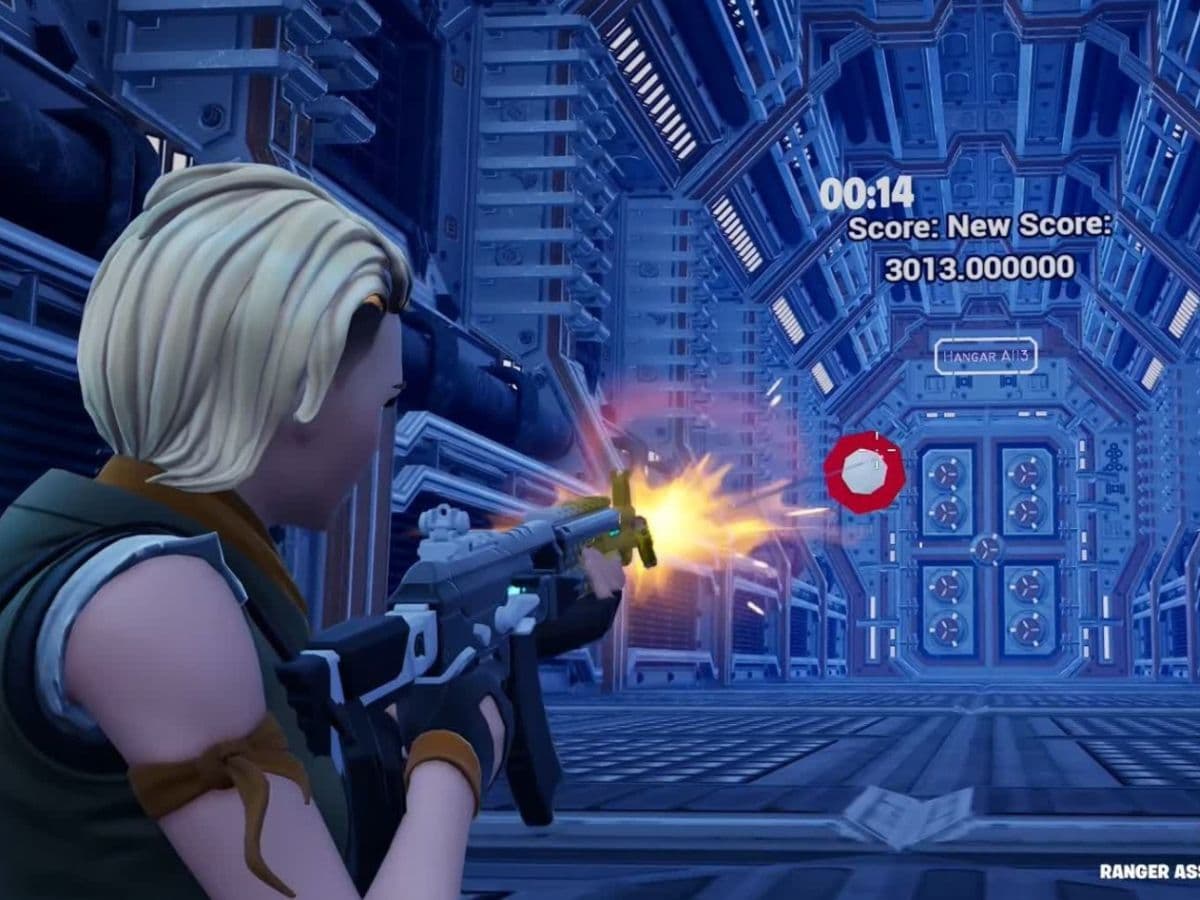
FOV is a very important setting in shooting games that has a direct effect on how the game feels. Just like any other shooting game, Fortnite players can also change their FOV setting, either copying from a pro player or more effectively finding the one that they are most comfortable with. It is very important as a wider view can make the fights feel easier to read. Here is everything you need to know about the FOV setting in Fortnite and how to change it!
What is FOV and what does it affect?
FOV means field of view. In Fortnite, it controls how much of the game world appears on your screen at once. A higher FOV shows more of your surroundings, while a lower FOV brings the camera view closer to your character. It is one of the important Fortnite settings that you can adjust.
A wider FOV can help players notice enemies, movement, builds, and nearby threats more easily. This can feel useful in Battle Royale, Zero Build, Creative maps, and close-range fights. Fortnite often puts players in fast situations where side vision matters, so FOV can affect how quickly you react.
A high FOV can make movement feel faster and give you more screen space, but it can also make enemies look smaller. This may affect aim, especially at medium or long range. A low FOV can make targets look larger, but it reduces how much you see around you.
Another thing you need to consider while adjusting your FOV setting is the performance. It may not sound relevant at first, but it is. A wider view can show more of the environment, so lower-end systems may struggle there. If your game feels less smooth after changing FOV, lower the setting slightly and test again in a normal match.
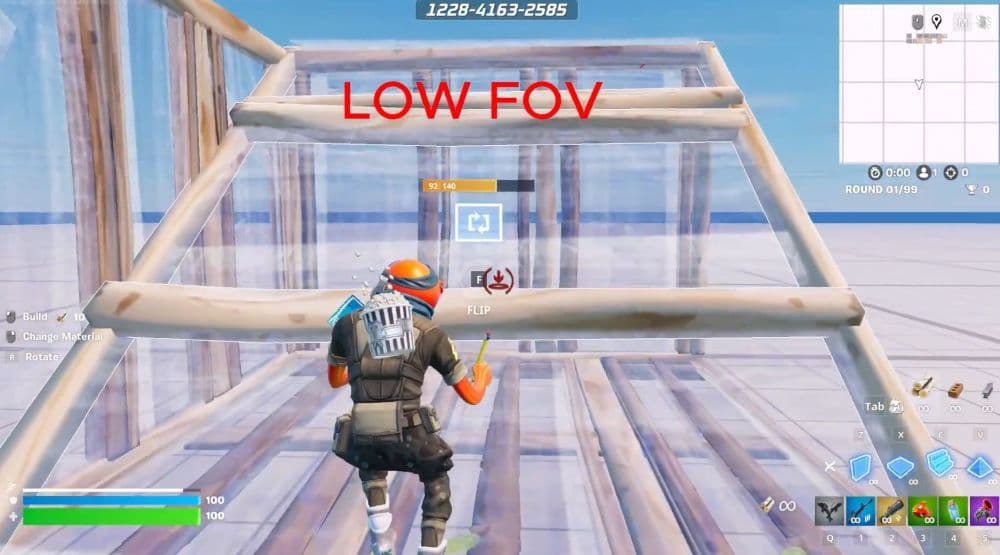
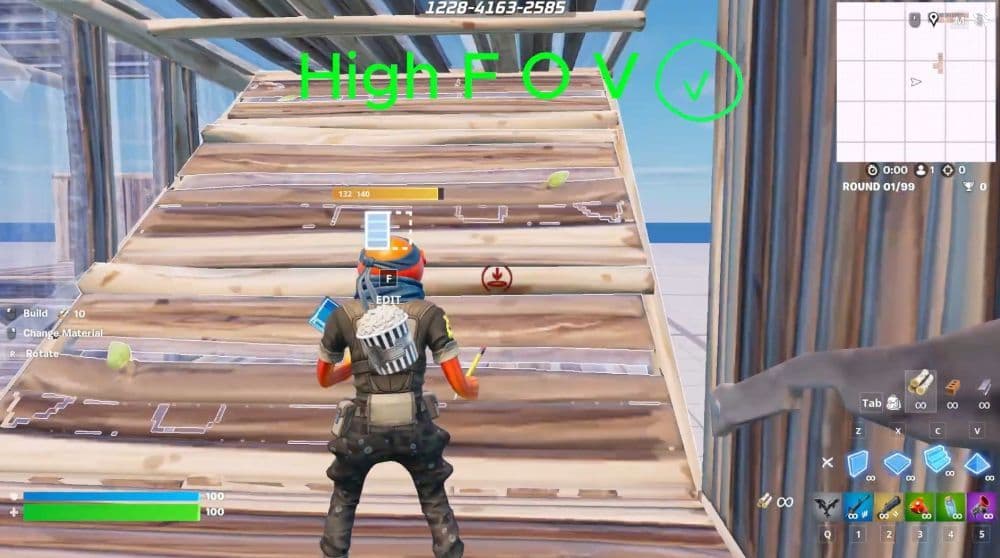
Here is the difference between a low FOV and a high FOV (Image Credit: CopyDuckYT on YouTube)
How to change FOV in Fortnite
It is very easy to change your FOV, just like any other setting. You do not need third-party tools, file edits, or strange workarounds. The safest method is always the official in-game setting.
Follow these steps:
- Open Fortnite.
- Open the Game Menu.
- Select the Gear icon.
- Go to Settings.
- Open the Game tab.
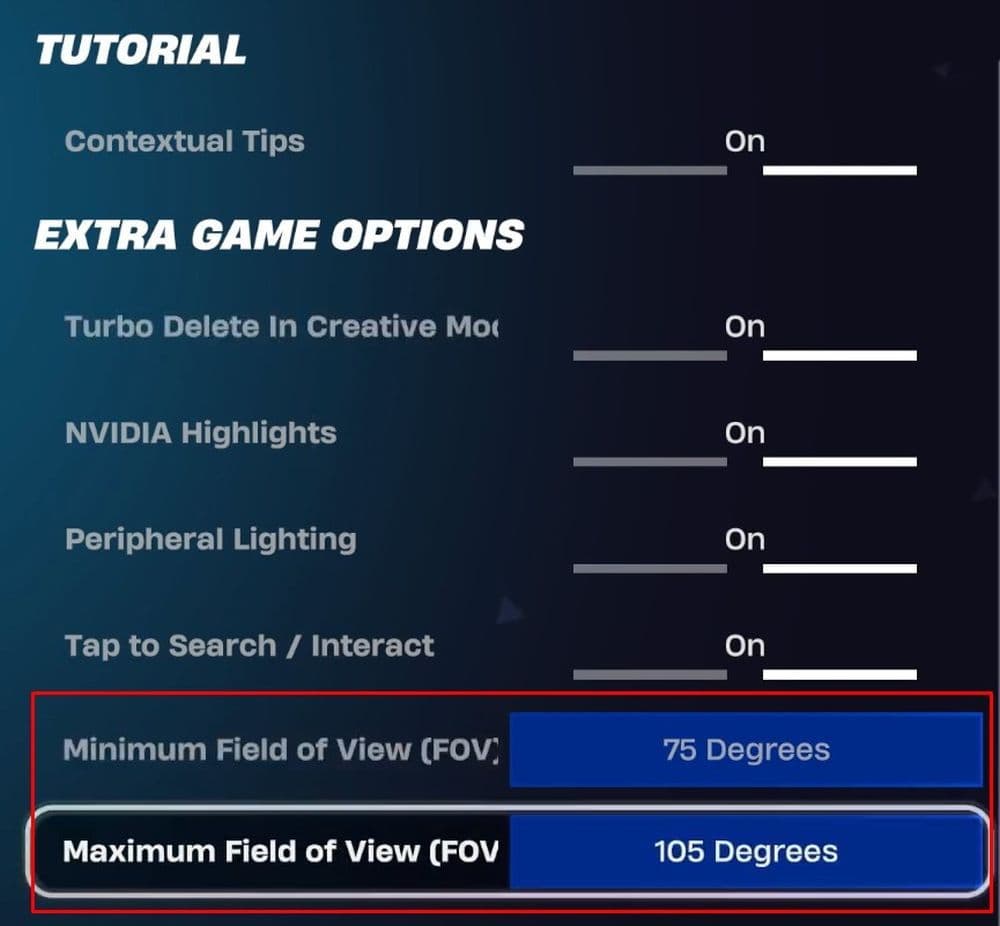
- Scroll until you find the FoV sliders.
- Adjust FOV Minimum and FOV Maximum.
- Apply the changes and test them in-game.
The menu button depends on your platform. On PC and Mac, players usually open the menu with Esc. On PlayStation, use the Options button. On Xbox, use the Menu button. On Nintendo Switch, use the + button. On Android, open the menu first, then select the Gear icon.
Fortnite uses FOV Minimum and FOV Maximum instead of one simple slider. These settings control the lower and upper range of your field of view. This gives players more control over how the camera behaves in different moments.
Best FOV settings in Fortnite
For most players, the best FOV setting in Fortnite is the highest comfortable option that still keeps aim and movement readable. A wider view can help with awareness, but it should not make your aim feel loose or make enemies too small to track.
Competitive players should test higher FOV settings in Creative before using them in Ranked. Box fights, edit courses, and aim maps give a better sense of how the setting feels under pressure. Casual players can start with a balanced setting and adjust slowly.
Fortnite FOV vs stretched resolution
FOV and stretched resolution are different settings. FOV changes how much of the game world the camera shows. Stretched resolution changes how the image appears on your screen.
Some players use stretched resolution because it can make character models look wider. However, it can also distort the image and make the game feel less clear. It may also reduce actual view depending on the setup.
FOV is the cleaner option because it uses Fortnite’s own setting. If your goal is better awareness and comfort, start with the official FOV sliders before trying display changes.
Common FOV mistakes to avoid
Many players change FOV too quickly and then blame their aim. A new FOV setting can change how movement and targeting feel, so you need time to adjust.
Avoid these common mistakes:
- Do not copy a pro player’s setting without testing it.
- Do not assume higher FOV always means better gameplay.
- Do not use unofficial tools or risky config edits.
- Do not change FOV right before a Ranked session.
- Do not confuse FOV with stretched resolution.
Play Creative first, then try a few normal matches. If your aim, awareness, and comfort all feel better, the setting likely works for you. Think of it as aim testing in CS2, that easy!
Check out these Fortnite pieces as well:
- “When did Fortnite come out?” A question with 2 answers
- How much does Fortnite make in a day?
- How to redeem Fortnite codes
- What happened to Fortnite Battle Stars & how to level up in 2025
- Fortnite Superman update: Everything you need to know
Image Credit: Epic Games
All Related Guides
 How to get sidekick points in Fortnite: Step-by-step explainedThis Fortnite guide explains how to earn Sidekick Points, track Sidekick quests, and use them for companion co...
 Fortnite Community Day: Date, Free rewards & how to unlock everythingFortnite Community Day guide: event date, free rewards, Community ‘Brella, gameplay modifiers, and Indigo Kuno...
 Fortnite Locker Value: How much have I spent on FortniteWant to check your Fortnite locker value? Here’s how cosmetics, rare skins, Battle Pass items, and V-Bucks aff...
 Fortnite App Store return confirmed worldwide except for one countryFortnite returns to the App Store worldwide as Epic Games continues its legal battle with Apple over fees and ...
 Fortnite Overwatch collab: All skins, items, bundles, quests & moreFortnite Overwatch collab guide: all skins, bundles, quests, Pulse Rifle locations, rewards, and cache spots....
 Did Fortnite remove fall damage?Did Fortnite remove fall damage? Learn how the new 1 HP fall system works, which modes changed, and ranked dif...
 Fortnite Droid Tycoon Chips guide: Best ways to farm chips fastFortnite Droid Tycoon Chips guide: best farming methods, upgrades, Rebirth tips, and how to use Chips wisely....
 5 best Fortnite Star Wars games you can play right now Best Fortnite Star Wars games: Galactic Siege, Escape Vader, Droid Tycoon, creator islands, and how to play th...
- 1
- 2
- 3
- 4
- 5
- 6
- 7
- 8
- 9
- 10
- 11
- 12
- 13
- 14
- 15
- 16
- 17
- 18
- 19
- 20
- 21