What is the Fortnite Island Creator program and how to join
Fortnite has grown far beyond Battle Royale. It now gives players and developers real tools to build their own games, publish them inside Fortnite, and reach a huge audience. That shift has made the Island Creator Program one of the most important parts of Fortnite’s creator ecosystem. This guide explains what the Fortnite Island Creator Program is, how to join, and more information about it!
What is the Fortnite Creator program?
The Fortnite Island Creator Program is Epic’s program for people who build islands with Fortnite Creative or Unreal Editor for Fortnite. It lets eligible creators publish islands inside Fortnite and take part in engagement payouts if they meet all program and payment requirements.
It is also important not to confuse this with Support-A-Creator. The Island Creator Program focuses on publishing islands and earning through island performance. Support-A-Creator now serves a different role and is not the main system for island monetization.
How to join the program and how do you qualify for the Island Creator program?
Joining the program is fairly direct, but Epic still has a few important checks in place. Here is how to join the program:
- Sign in to the Creator Portal: Log in with your Epic Games account to start the Island Creator Program application.
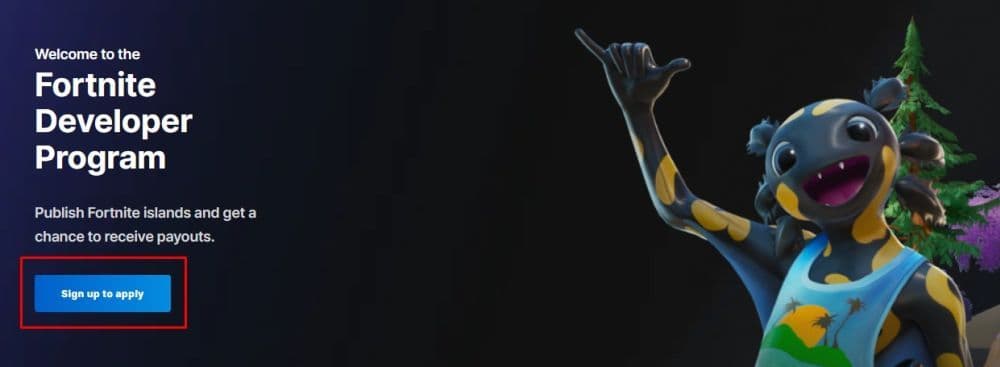
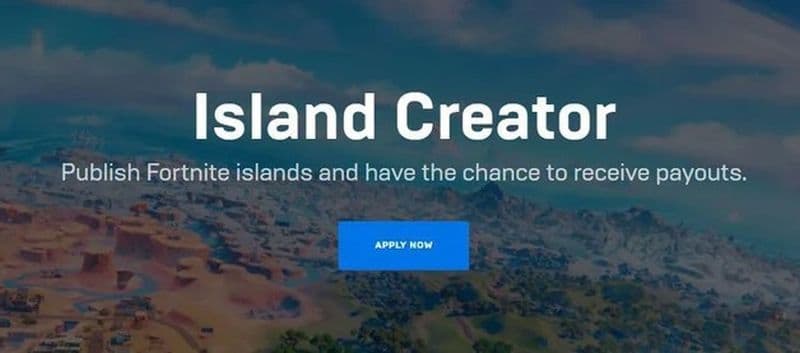
- Start the enrollment process: Open the program signup page and begin the official registration flow.
- Accept the legal and payout terms: Review the program rules, legal acknowledgement, and engagement payout terms before moving on.
- Confirm that your account qualifies: The portal checks whether your account meets the program requirements. If it does, you can continue.
- Choose your Creator Code: This is the public name that appears with your islands in Fortnite.
- Complete your tax profile: Epic requires tax details before it can process creator payments.
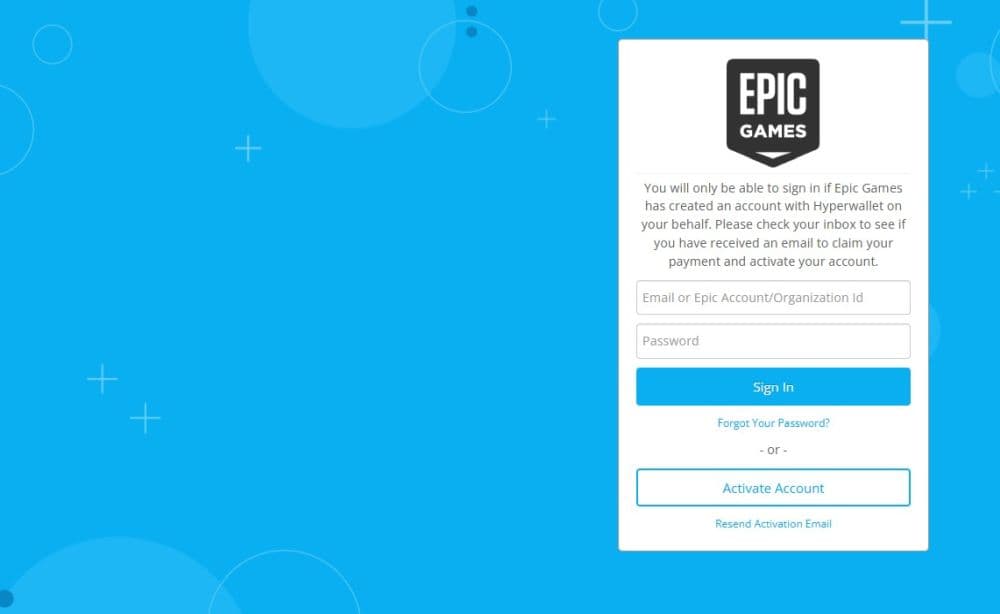
- Set up Hyperwallet: After tax verification, activate your Hyperwallet account so Epic can send payouts.
Fortnite developer rules creators should know before publishing
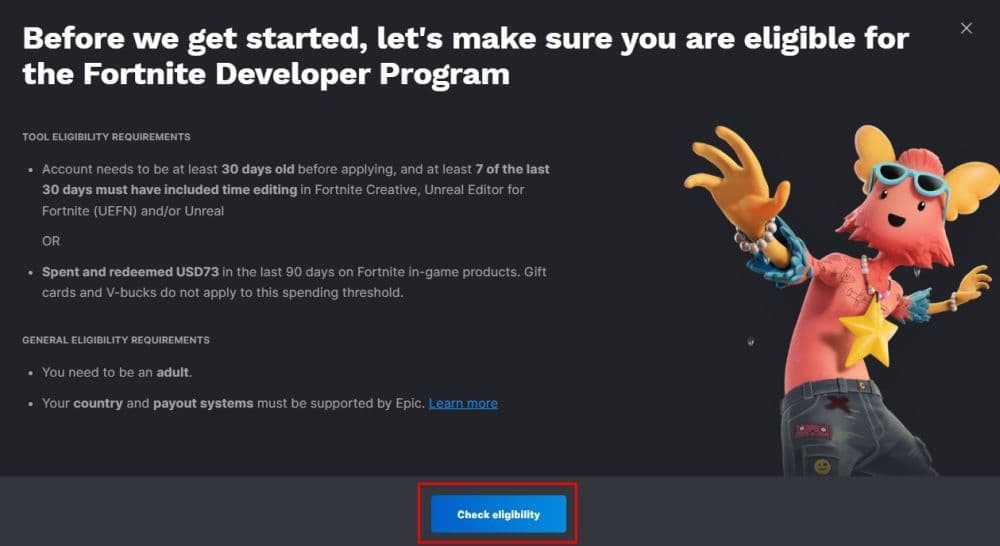
To qualify, you must meet Epic’s current eligibility rules. The core requirements include:
- You must be at least 18 years old, or the legal age of majority in your region.
- You must have an Epic Games account with two-factor authentication enabled.
- Your account must have logged into Fortnite at least 30 days before you apply.
- Your account must have edited islands in Fortnite Creative or Unreal Editor for
- Fortnite on at least 7 of the last 30 days, or meet Epic’s alternative spending and redemption route where available.
- You must be able to provide tax and payout information if you want to receive money.
After Epic confirms that you are eligible, you choose a Creator Code. This code becomes the public name tied to your published islands.
Payments and tax
You need to complete a tax interview and then activate your Hyperwallet payout account. Only after that process is complete do the full publishing and payout features fully open inside the Creator Portal.
How to put island code in Fortnite
Once an island is published, players can access it with an island code inside Fortnite. This is useful for creators because it is one of the main ways players find and enter custom experiences.
- Open Fortnite.
- Go to the Search tab or island code entry area in the main menu.
- Enter the island code exactly as it appears.
- Confirm the code and open the island page.
- Start the experience or save it to play later.
What is the engagement payout program for island creators?
The engagement payout program is the system that pays eligible island publishers based on how players interact with their islands. Epic places 40% of Fortnite’s net revenue from the Item Shop and many real-money purchases into an engagement pool. That pool is then distributed across eligible islands, including Epic’s own experiences and those made by outside creators.
This means creators do not earn from a simple upload alone. Epic’s system looks at signals tied to engagement, and those signals have included player popularity, retention, and the ability to bring in new or returning players.
There is also a minimum payout threshold. Epic’s developer terms say payments generally go out once the total eligible payout amount reaches at least $100 USD.
What creators should know before publishing
Getting accepted into the program is only one part of the process. Before you publish your first island, you should understand the basic rules, setup steps, and quality standards. Here are some of the important ones to look out for:
- Follow Fortnite’s creator rules: Epic requires all island creators to follow its developer rules, content standards, and platform policies. Breaking these rules can affect your island, payouts, or account standing.
- Do not copy other creators’ work: Epic does not allow creators to duplicate islands, mislead players, or publish spam-like content. Original ideas and clear presentation matter.
- Think about player experience from the start: Clear goals, smooth gameplay, and a polished layout can help players stay longer and return later. That matters because strong engagement supports long-term growth.
Check out more Fortnite guides below:
- “When did Fortnite come out?” A question with 2 answers
- How much does Fortnite make in a day?
- How to redeem Fortnite codes
- What happened to Fortnite Battle Stars & how to level up in 2025
- Fortnite Superman update: Everything you need to know
Featured Image Credit: Fortnite
All Related Guides
 How to trade Sprites in Fortnite Chapter 7 Season 3Learn how to trade Sprites in Fortnite Chapter 7 Season 3, including Burnt Peanut Sprite trades, extraction re...
 How rare is the Burnt Peanut Sprite in Fortnite? Drop rate, player count & how to get itLearn the Burnt Peanut Sprite drop rate, rarity, best farming methods, extraction tips, and how to unlock it i...
 How to find Gummy Sprites in Fortnite Chapter 7 Season 3Learn how to find Gummy Sprites in Fortnite Chapter 7 Season 3, their locations, extraction rewards, and best ...
 Fortnite Relic Chest (Rare Chests): Locations, Sprites & moreLearn where to find Fortnite Relic Chests, what loot they contain, Sprite drop chances, and the best farming r...
 How to get every Sprite in Fortnite Chapter 7 Season 3Learn how to get every Sprite in Fortnite Chapter 7 Season 3, including locations, extraction tips, abilities,...
 Fortnite C7S3 Guide: Everything New in Fortnite Chapter 7 Season 3Fortnite C7S3 guide: New map, Sprites, weapons, bosses, Battle Pass rewards, extraction system, and major game...
 How to watch replays in FortniteLearn how to watch replays in Fortnite, enable Replay Mode, save matches, use camera controls, and fix missing...
 Fortnite Star Wars Frontlines guide: How to play & winFortnite Star Wars Frontlines guide: island code, objectives, classes, weapons, and the best strategies to win...
- 1
- 2
- 3
- 4
- 5
- 6
- 7
- 8
- 9
- 10
- 11
- 12
- 13
- 14
- 15
- 16
- 17
- 18
- 19
- 20
- 21
- 22