How to get stretched res on Fortnite (2026 guide)
Wider enemies, different aim feel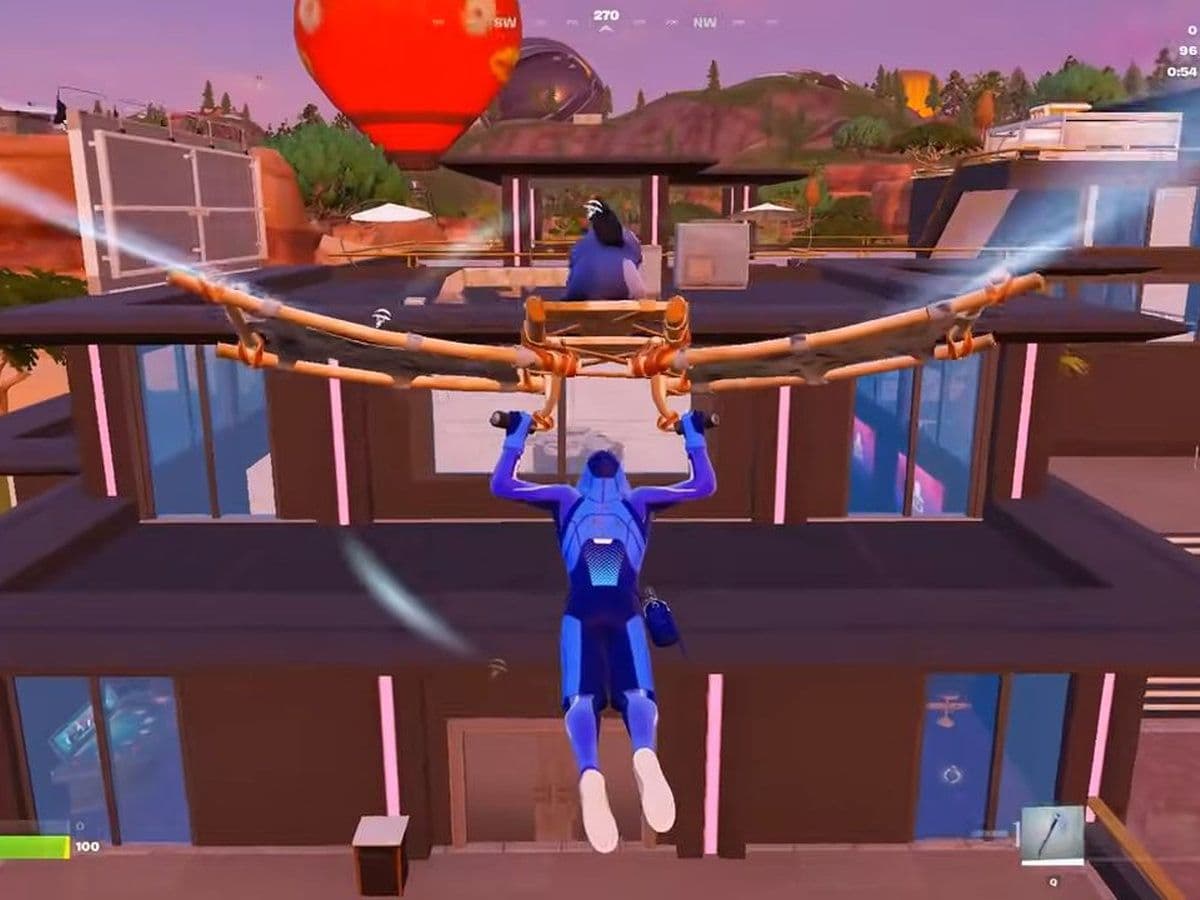
If you’re searching for how to get stretched res on Fortnite, this guide walks you through every step clearly and correctly. Stretched resolution is still used by many players who want better visibility and performance, even though it requires manual setup.
What is stretched resolution in Fortnite?
Stretched resolution means using a 4:3 aspect ratio (like 1440×1080) and stretching it to fit a 16:9 monitor. This makes player models appear wider.
Benefits:
- Bigger enemy hitboxes visually
- Potential FPS boost
- Different aiming feel
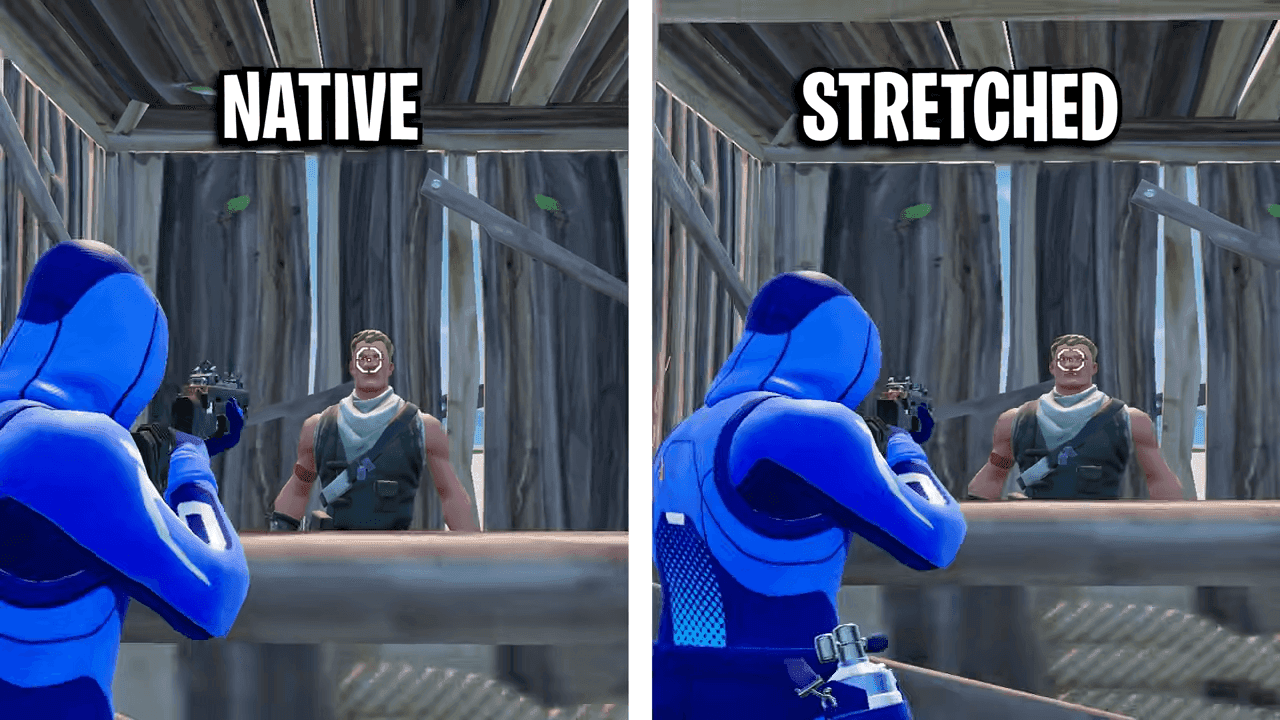
Common stretched resolutions:
- 1440×1080
- 1650×1080
- 1720×1080
- 1750×1080
How to get stretched res on Fortnite
This is the fastest working method to get stretched res on Fortnite:
1. Change Fortnite Config File
- Press Windows + R
- Type:
- %localappdata%
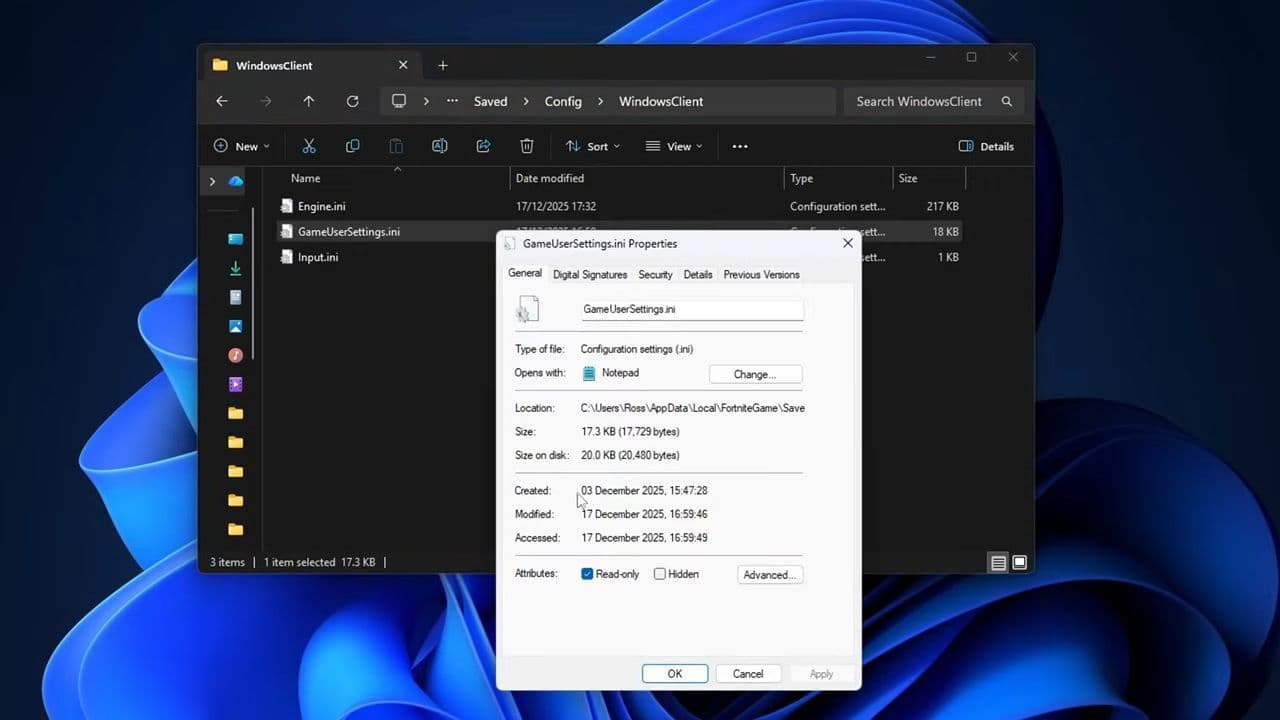
- Go to: FortniteGame → Saved → Config → WindowsClient
- Open: GameUserSettings.ini
- Find and change these lines:
- ResolutionSizeY=1080
- LastUserConfirmedResolutionSizeX=1720
- LastUserConfirmedResolutionSizeY=1080
- You can use other values like:
- 1440×1080
- 1650×1080
- 1750×1080
- Save the file
- Right-click → Properties → enable Read-only
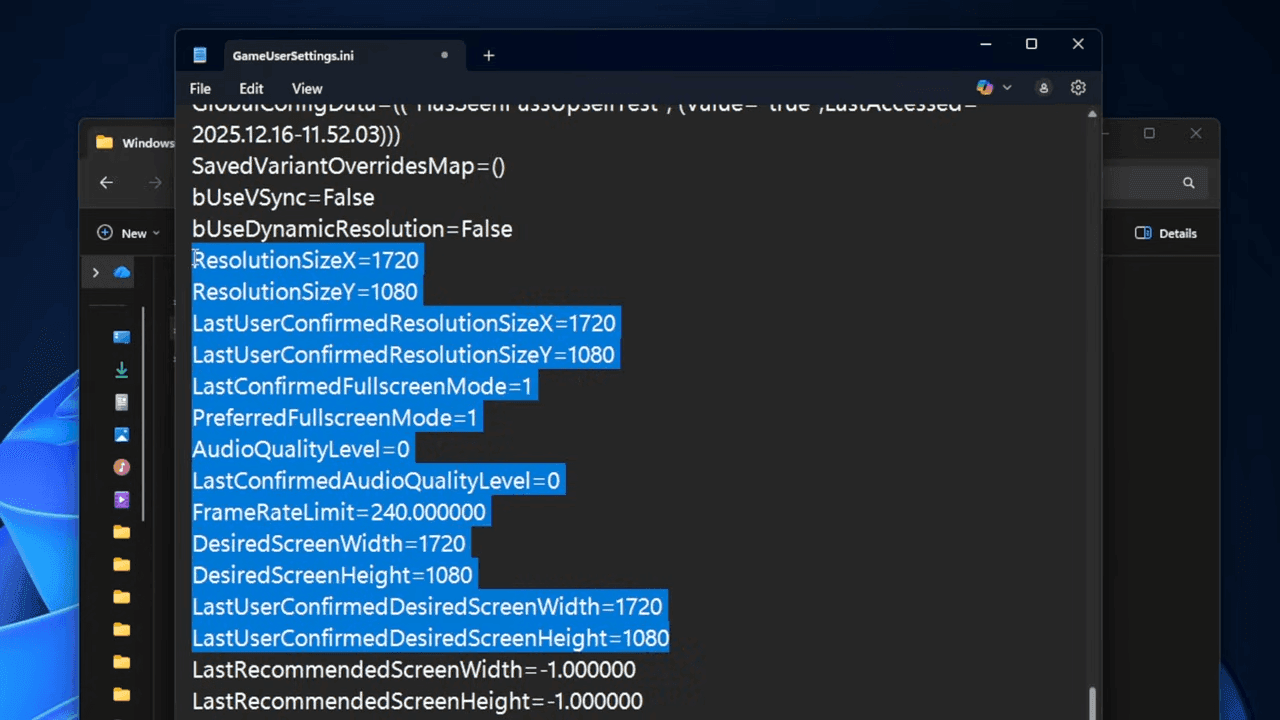
2. Create Custom Resolution (GPU)
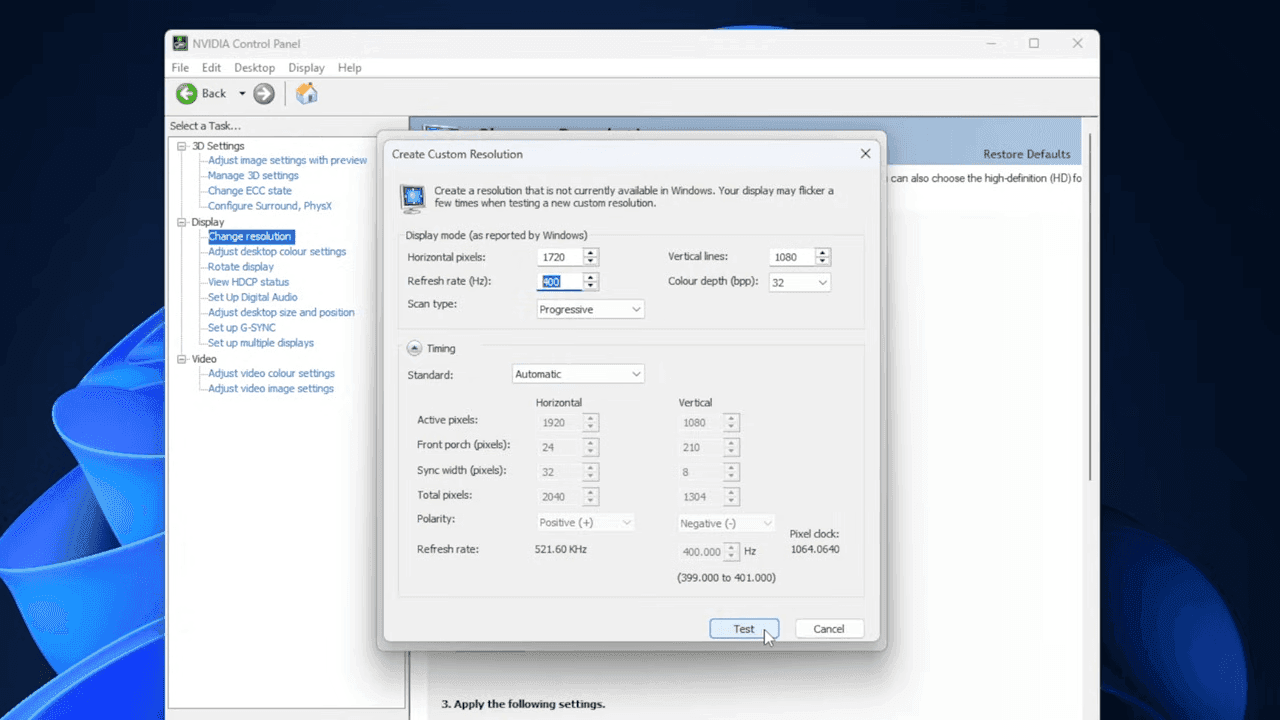
If you use NVIDIA:
- Open NVIDIA Control Panel
- Go to Change Resolution
- Click Customize → Create Custom Resolution
- Enter:
- 1720 × 1080
- Your refresh rate (144Hz / 240Hz)
- Click Test → Yes
If you use AMD:
- Open AMD Software: Adrenalin Edition
- Go to Display → Custom Resolution
- Add:
- 1720 × 1080
- Save
3. Enable stretch (Fix black bars)
NVIDIA:
- Go to Adjust desktop size and position
- Set:
- Scaling mode → Full-screen
- Enable Override scaling mode
AMD:
- Turn GPU Scaling ON
- Set scaling mode → Full Panel
4. Set Fortnite Settings
Launch Fortnite and set:
- Window Mode → Fullscreen
- VSync → Off
- FPS limit → match your monitor
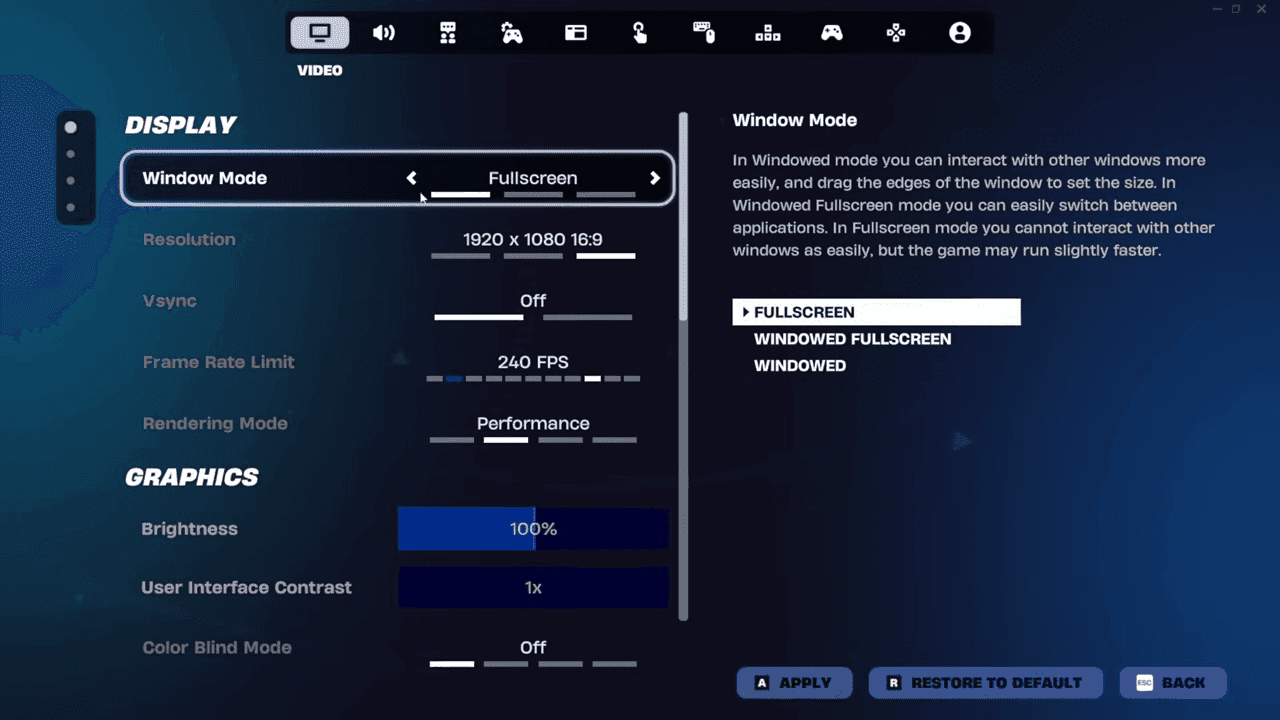
That’s exactly how to get stretched res on Fortnite. If everything is set correctly, your screen will be stretched (no black bars), and enemies will appear wider.
Best resolution to use for Fortnite stretched resolution
These are the most used options:
- 1440×1080 → Most common
- 1650×1080 → Less stretched, clearer
- 1720×1080 → Balanced and popular
- 1750×1080 → Slight stretch, smooth visuals
For most players, 1720×1080 is the best mix of clarity and stretch.
Troubleshooting
If Fortnite is not working after the adjustments, check:
- Black Bars: Set scaling to Full-screen / Full Panel
- Resolution Keeps Resetting: Make sure Read-only is enabled on the config file
- Stretched Not Working: Check:
- Custom resolution exists in GPU settings
- Values in config match exactly
- Low Performance: Make sure:
- Fullscreen mode is enabled
- Refresh rate matches monitor
How to go back to normal Fortnite resolution
If you want to undo stretched res:
- Open the config file again
- Change resolution to: 1920x1080
- Disable Read-only
- Turn off GPU scaling
Pros and cons of stretched resolution
While it can help with aiming and performance, it also reduces your field of view.
Test different resolutions and see what works best for your playstyle. Some players prefer stretched res, while others stick with native resolution for better visibility.
If you set everything correctly, your stretched resolution should work consistently without resetting.
That’s all for today! Looking for more Fortnite guides? Check out these:
- All Fortnite bosses & how to defeat them
- What are Accolades in Fortnite and how to get them
- Best Fortnite map codes with additional bonus maps
- How to start a custom game in Fortnite: Private 1v1, errors and fixes
- How to disable simple edit in Fortnite (PC, PlayStation, Xbox, Nintendo Switch, and mobile)
All Related Guides
 How to watch replays in FortniteLearn how to watch replays in Fortnite, enable Replay Mode, save matches, use camera controls, and fix missing...
 Fortnite Star Wars Frontlines guide: How to play & winFortnite Star Wars Frontlines guide: island code, objectives, classes, weapons, and the best strategies to win...
 All Garden vs. Brainrot codes in Fortnite: Updated listLooking for Fortnite Garden vs Brainrot codes? Get every working code, learn how to redeem them, and boost you...
 Latest Fortnite Steal the Brainrot codes (June 2026)Find all active Fortnite Steal the Brainrot codes to summon Brainrot Gods and boost rewards fast....
 What is FOV in Fortnite and how to change itFortnite FOV settings explained in simple terms. Learn how to change FOV and what it means for aim, comfort, a...
 How to get sidekick points in Fortnite: Step-by-step explainedThis Fortnite guide explains how to earn Sidekick Points, track Sidekick quests, and use them for companion co...
 Fortnite Community Day: Date, Free rewards & how to unlock everythingFortnite Community Day guide: event date, free rewards, Community ‘Brella, gameplay modifiers, and Indigo Kuno...
 Fortnite Locker Value: How much have I spent on FortniteWant to check your Fortnite locker value? Here’s how cosmetics, rare skins, Battle Pass items, and V-Bucks aff...
- 1
- 2
- 3
- 4
- 5
- 6
- 7
- 8
- 9
- 10
- 11
- 12
- 13
- 14
- 15
- 16
- 17
- 18
- 19
- 20
- 21