How to get sidekick points in Fortnite: Step-by-step explained
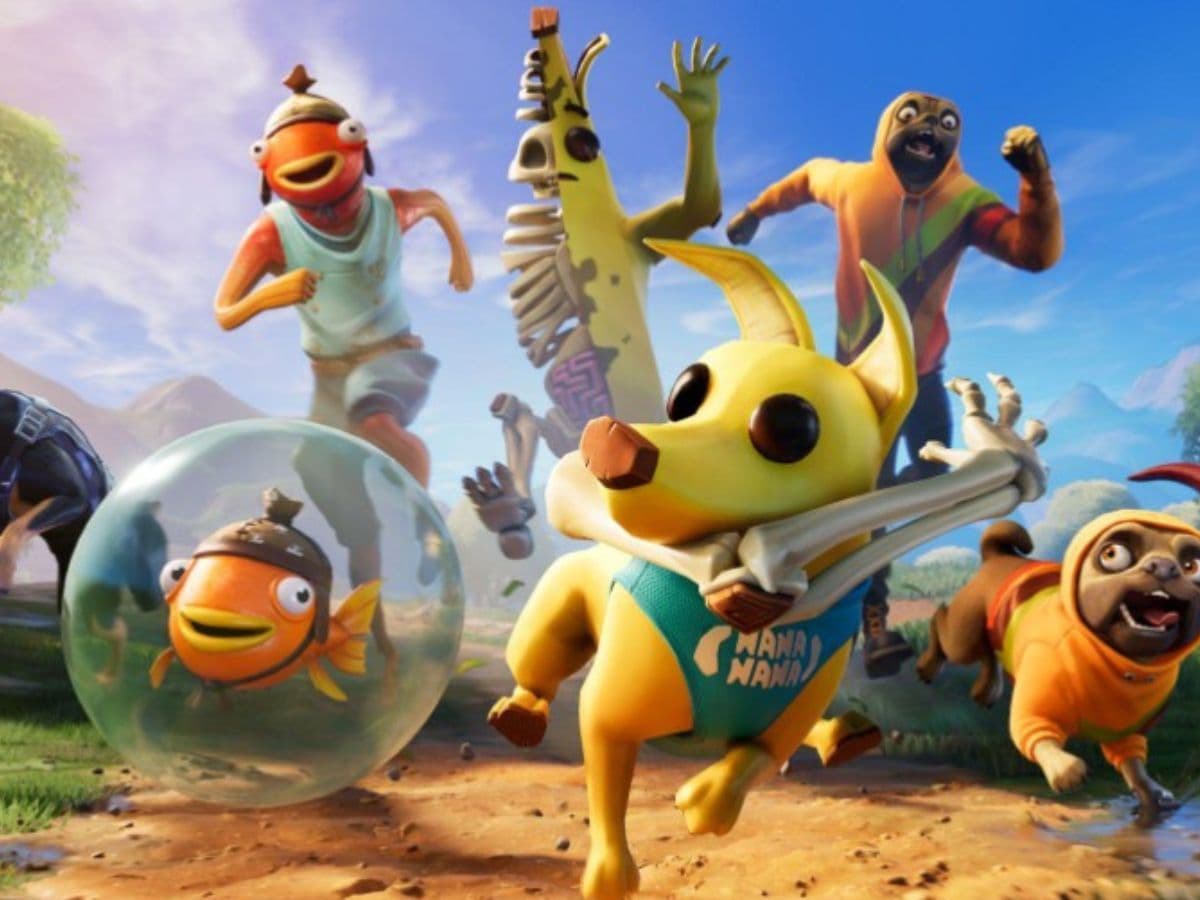
Fortnite players are well aware of the Sidekick system, which allows them to have a literal friend beneath them throughout matches. Sidekick points are directly related to this system and to get points, players need to equip a Sidekick and play eligible Fortnite modes. The system rewards time spent with an active Sidekick, so progress depends on using one while playing. In this piece, we explain everything you need to know about Fortnite Sidekick points and how to get more!
What are Sidekick points?
Sidekick Points are progression points for Fortnite Sidekicks. Players earn them by playing supported Fortnite experiences while a Sidekick is equipped. These points connect to Sidekick quests and reward tracks, so they act as a way to measure progress with your companion.
Also, don’t forget to check out our piece on all Fortnite Sidekicks!
The system is different from V-Bucks. Players do not buy normal shop items with Sidekick Points. Instead, Sidekick Points support the companion reward system. They can lead to items such as accessories, reactions, and emotes for Sidekicks.
Some appearance choices may become permanent after confirmation. Items such as names and accessories may allow more flexibility, depending on the Sidekick and the available options. Because of that, players should check customization choices carefully before they lock anything in.
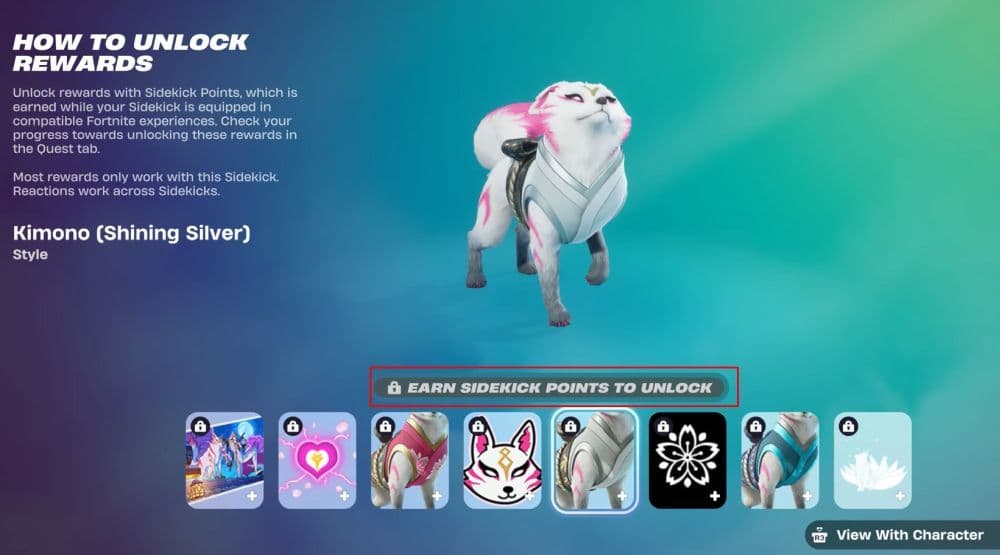
How to get Sidekick points
The main way to get Sidekick Points in Fortnite is to equip a Sidekick and play a compatible mode. Fortnite tracks progress while the companion stays active. If the Sidekick is not equipped, progress will not count.
Follow these steps:
- Open the Locker.
- Choose your Sidekick.
- Equip the Sidekick before you queue.
- Enter a supported Fortnite experience.
- Play normally while the Sidekick stays active.
- Check the Quests tab after the match or session.
Supported experiences include core Fortnite modes and some wider Fortnite experiences. Battle Royale and Zero Build are the safest choices for many players because they support the system and give clear match flow. Save the World, LEGO Fortnite, and Fortnite Festival can also support Sidekicks. Some creator-made islands may support them too, but only when the island creator enables Sidekicks.
If progress does not move in a custom island, switch to a core Fortnite mode. Creator-made maps can vary, and not every island counts. This is one of the most common reasons players think Sidekick Points are bugged.
Where to check Sidekick Points progress
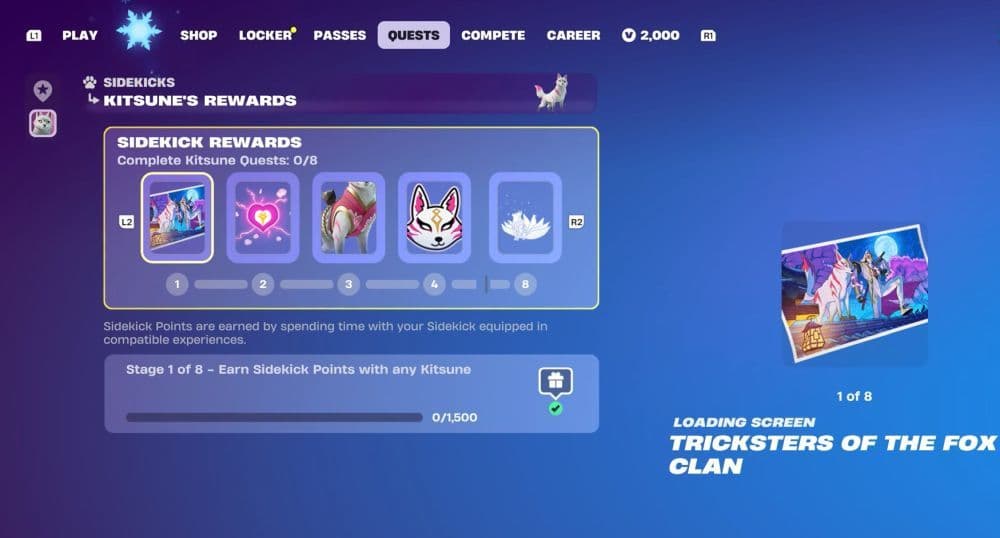
Players can track Sidekick Point progress through the Quests tab. This is where Fortnite shows active Sidekick-related objectives and reward stages. The Locker lets players equip the companion, but the Quests tab shows what they need to do next.
If you want to check progress, open the Quests menu and look for the Sidekick section or any active Sidekick reward path. Progress may update after a match ends, so do not judge it too early during a session.
If the number does not change, check three things first:
- Make sure your Sidekick is equipped.
- Make sure the mode supports Sidekicks.
- Make sure you are looking at the correct quest or reward stage.
This quick check usually solves the issue. If nothing changes after several supported sessions, restart the game and test again in Battle Royale or Zero Build.
Fastest way to earn Sidekick Points
The fastest way to earn Sidekick Points is to play longer in supported modes while your Sidekick is equipped. It is really that simple, you won’t find a magical trick that works better than just. playing. You just need to play more. Since the system rewards active play with the companion, players should avoid modes where progress does not track or sessions end too quickly.
Battle Royale and Zero Build are strong choices because they are easy to test and widely used. LEGO Fortnite can also be useful for longer play sessions if Sidekick progress tracks correctly for your account and current version. Creator-made islands may work, but they are less reliable because support depends on the island.
Why Sidekick Points may not work
Sidekick Points may not work if the game does not detect an equipped Sidekick or if the mode does not support the system. This problem can also happen when players enter a creator-made island that has not enabled Sidekicks.
Go back to the Locker, equip the Sidekick again, and enter Battle Royale or Zero Build. After one full match, check the Quests tab. If progress appears there, the previous mode likely did not count.
We have more Fortnite guides, find them below:
- “When did Fortnite come out?” A question with 2 answers
- How much does Fortnite make in a day?
- How to redeem Fortnite codes
- What happened to Fortnite Battle Stars & how to level up in 2025
- Fortnite Superman update: Everything you need to know
Image Credit: Epic Games
All Related Guides
 What is FOV in Fortnite and how to change itFortnite FOV settings explained in simple terms. Learn how to change FOV and what it means for aim, comfort, a...
 Fortnite Community Day: Date, Free rewards & how to unlock everythingFortnite Community Day guide: event date, free rewards, Community ‘Brella, gameplay modifiers, and Indigo Kuno...
 Fortnite Locker Value: How much have I spent on FortniteWant to check your Fortnite locker value? Here’s how cosmetics, rare skins, Battle Pass items, and V-Bucks aff...
 Fortnite App Store return confirmed worldwide except for one countryFortnite returns to the App Store worldwide as Epic Games continues its legal battle with Apple over fees and ...
 Fortnite Overwatch collab: All skins, items, bundles, quests & moreFortnite Overwatch collab guide: all skins, bundles, quests, Pulse Rifle locations, rewards, and cache spots....
 Did Fortnite remove fall damage?Did Fortnite remove fall damage? Learn how the new 1 HP fall system works, which modes changed, and ranked dif...
 Fortnite Droid Tycoon Chips guide: Best ways to farm chips fastFortnite Droid Tycoon Chips guide: best farming methods, upgrades, Rebirth tips, and how to use Chips wisely....
 5 best Fortnite Star Wars games you can play right now Best Fortnite Star Wars games: Galactic Siege, Escape Vader, Droid Tycoon, creator islands, and how to play th...
- 1
- 2
- 3
- 4
- 5
- 6
- 7
- 8
- 9
- 10
- 11
- 12
- 13
- 14
- 15
- 16
- 17
- 18
- 19
- 20
- 21