Best Minecraft PS5 seeds in 2026 - Version 26.2
ON THIS PAGE:
Starting a new Minecraft world is always a bit of a gamble. You might spawn next to a village with everything you need, or you might spend your first hour walking through the same forest with nothing useful in sight. A good seed removes some of that guesswork. You already know what kind of world you are getting, so you can choose one that fits how you actually want to play. That is what the best Minecraft PC seeds in 2026 are really about. Here are the best ones we found online!
What are seeds in Minecraft?
Every Minecraft world starts with a seed. Think of it as the value Minecraft reads when it decides where mountains appear, which biomes surround your spawn, and where structures generate.
You can enter a number yourself when creating a world, or you can leave the field empty and let Minecraft pick one for you. Text also works because the game converts what you type into a numerical seed behind the scenes.
The useful part comes when you find a world you really like. Share its seed with another Java player on a compatible version and they can generate that same world for themselves.
That is why Minecraft seeds are so popular. Maybe you want a village close to spawn. Maybe you want Cherry Grove mountains around your base. Instead of creating world after world until something good appears, you can start with a seed that already has what you are looking for.
Top 5 Minecraft seeds for each style
Here are 5 seeds you can try today in Minecraft if you are running the 26.2 version:
1. Best overall Minecraft 26.2 seed
- Seed: 3806707291501128365
If you want a world where things start happening almost immediately, this is a very good place to begin.
There is a village near the starting area, but that is only part of it. Two Pillager Outposts are also nearby, along with a shipwreck, a Ruined Portal, and a sulfur cave. Snowy mountains and Cherry Grove terrain add some good building spots around the same general area.
The sulfur cave is the main reason this seed fits Java 26.2 so well. You can get into the Chaos Cubed content early instead of travelling thousands of blocks to find it.
You also have enough around spawn to keep the opening hours interesting. Start with the village and shipwreck for supplies, then head toward the outposts or cave once you have better gear.
2. Best seed for biome exploration
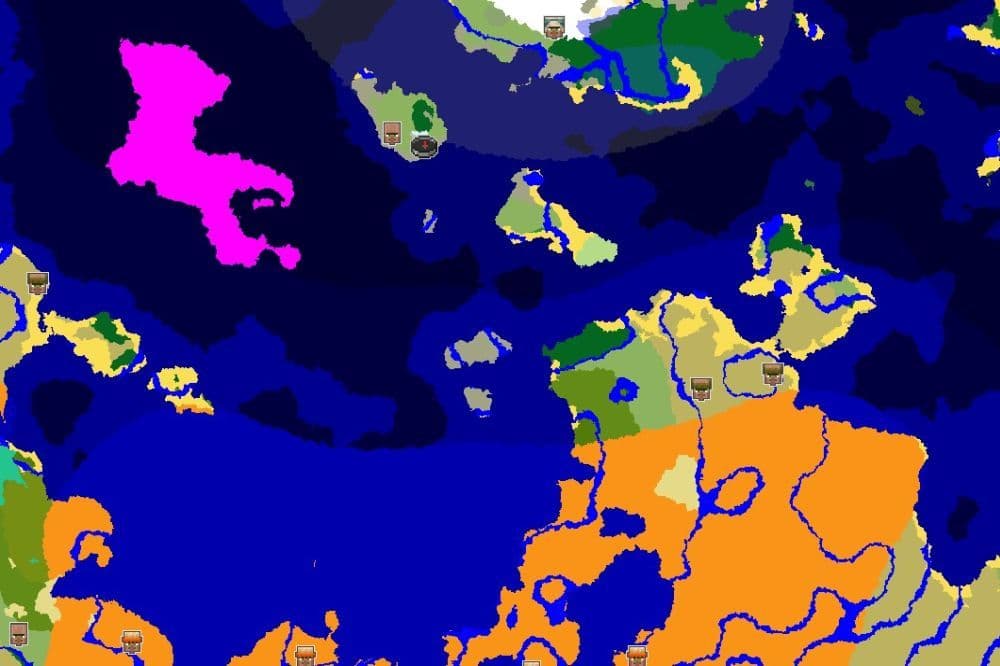
- Seed: -4995054936707021313
Some players create a world, build a house, beat the Ender Dragon, and move on. Others keep the same save for months. If you fall into the second group, this seed gives you a lot of room to work with.
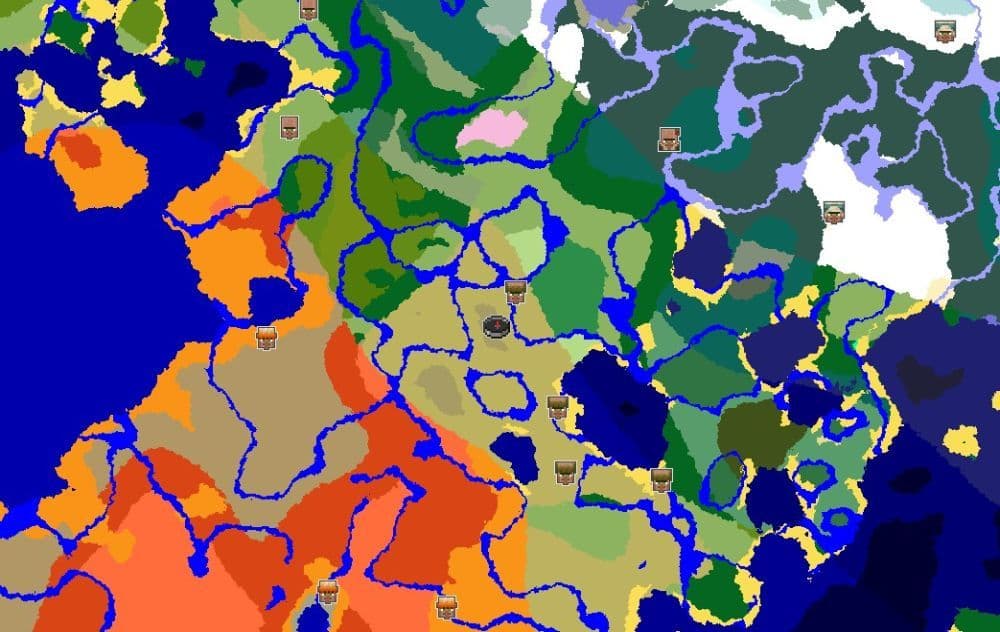
Every biome appears on or around the spawn continent in Java 26.2. That includes places such as Mushroom Fields, the Pale Garden, mangrove swamps, and Badlands.
You can also find a village around X -336, Z 0. When you eventually start working toward the End, there is a stronghold around X -1420, Z 1188.
The big advantage here is variety. You can explore very different parts of Minecraft without constantly travelling huge distances between them, which also makes collecting different building materials much easier.
3. Best Minecraft village seed
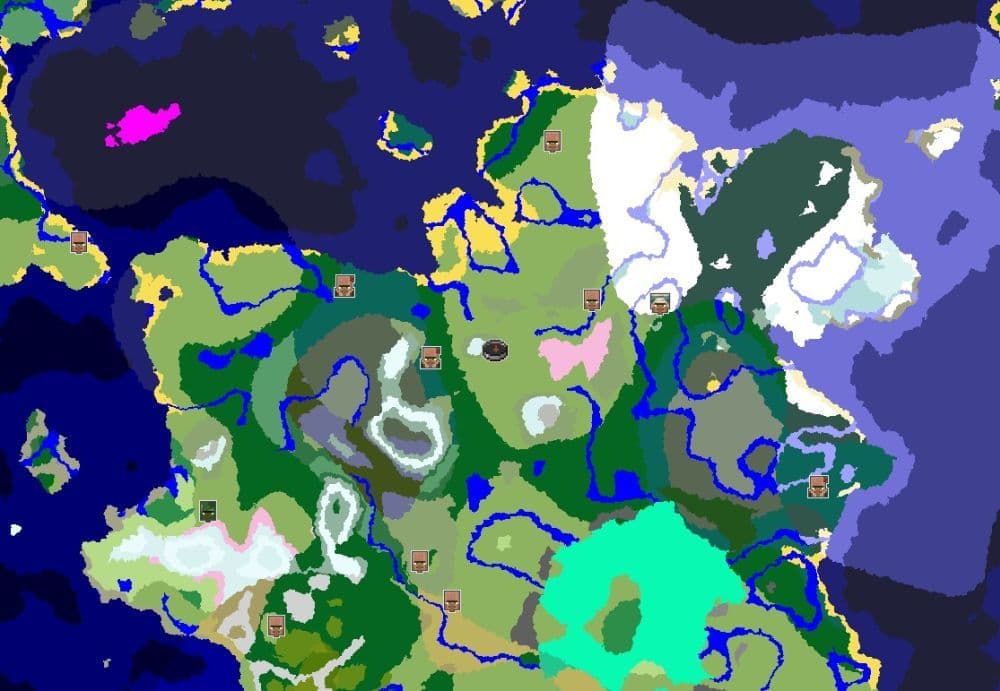
- Seed: 6969000000015129972
Finding a village early can make the first few Minecraft days much easier. This seed goes a little further and puts two large snowy villages around the starting area.
The first village is near X -4, Z -136, while another sits around X 16, Z 16. You can also find a Ruined Portal near X 152, Z 168 and an igloo with a basement around X 256, Z -207.
That makes this one of the more useful Minecraft village seeds if you do not want a slow start. You have beds and crops nearby, plus villagers that you can work with once you begin setting up trades.
The snowy setting also gives the world a different feel from the usual plains village start. If you like building around existing settlements, you already have two of them to work with.
4. Best Minecraft seed for building
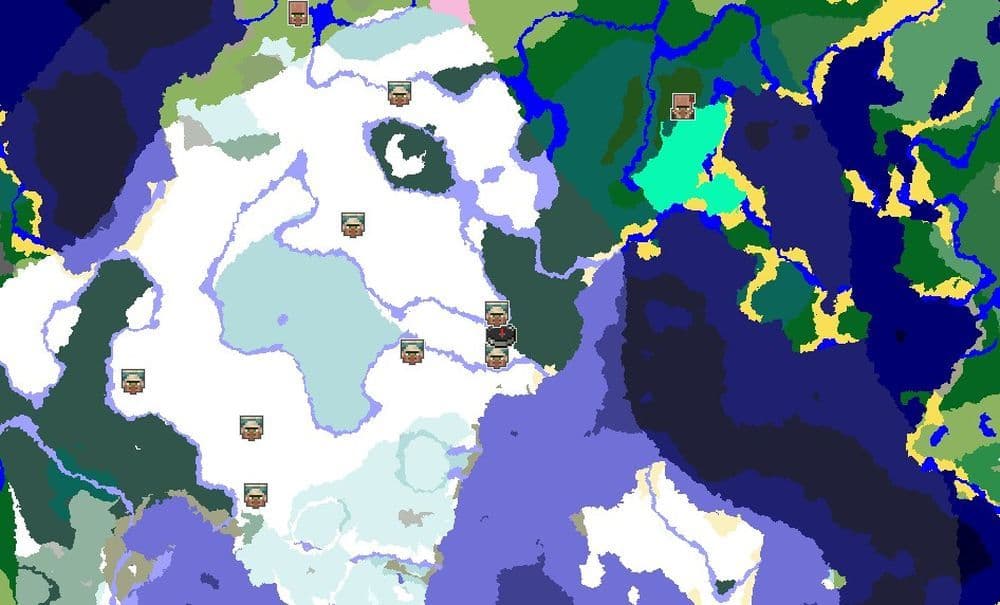
- Seed: 2048005618087379093
Every now and then, Minecraft generates a place that already looks like it was made for a base. This seed is a good example.
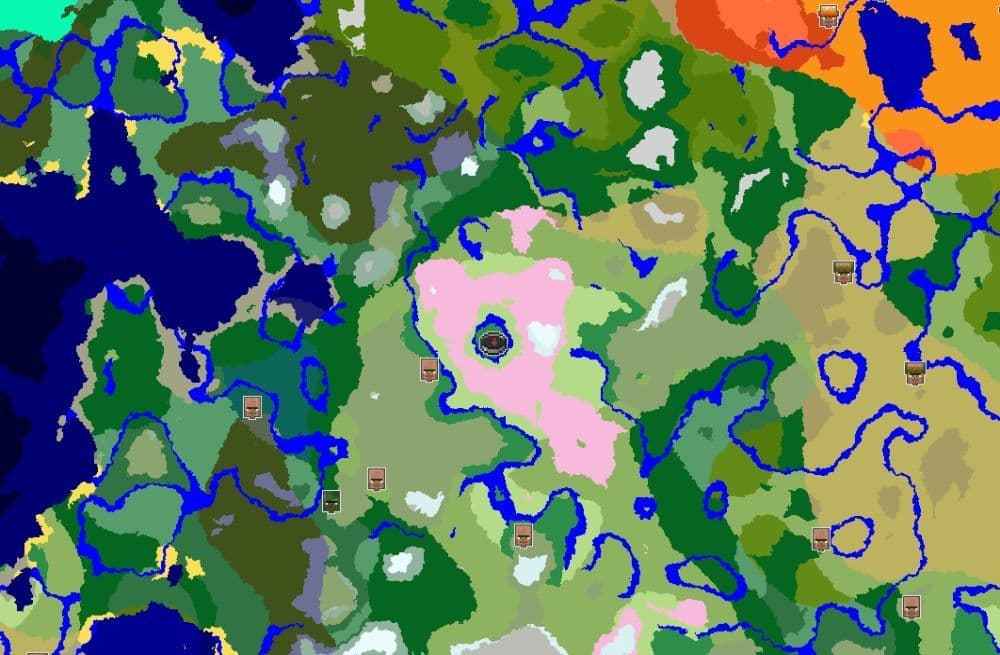
You start on a small green island surrounded by water. Around that sits higher ground covered with Cherry Grove terrain, which creates a natural border around the central area.
It is easy to picture what you could do with the place. The island works well for a main base, while the water gives you room for bridges and paths into the surrounding hills.
There is more here than scenery as well. Java 26.2 has a village roughly 250 blocks from the center, while a Pillager Outpost sits around X 199, Z -185.
Survival may take a little more planning than it does on the village-heavy seeds above. Still, among Minecraft seeds for building, this is a strong choice if the landscape matters as much as progression.
5. Best seed for survival and Hardcore
- Seed: 2839586717780142871
Hardcore worlds can end very quickly when the opening goes badly. This Java 26.2 seed gives you a much friendlier start.
There is a village around X 225, Z 350, and players have reported roughly 140 hay bales in the area. Turn that wheat into bread and food should not be much of a problem during your early days.
Things get more interesting underneath the village. A Trial Chamber sits almost directly below it, with a mineshaft nearby. The stronghold is also less than 2,000 blocks from spawn.
That gives the world a natural progression route. Get established at the village first, prepare your equipment, then head underground when you are ready for tougher fights.
If you are looking through Minecraft survival seeds for a Hardcore run, this one gives you a useful starting point without removing the danger that makes the mode fun.
- Related: 10 best Minecraft seeds for survival
How to use Minecraft seeds on PC
Using a seed in Java Edition only takes a few clicks:
- Open Singleplayer and select Create New World.
- Open the World tab.
- Find the Seed field and paste your seed there.
- Check that you included the minus sign if the seed starts with one.
- Choose the rest of your world settings and create the world.
You can also check the seed of a Java single-player world you already have. Open chat and type /seed. Minecraft will display the current world's seed for you, even if you created the world without cheats enabled.
Do Java and Bedrock seeds generate the same world?
This is where things can get confusing, especially on PC.
Java and Bedrock can generate very similar terrain when you use the same seed. The general land shape and biome placement now match much more closely than they did in older versions.
Structures are another story. A village that appears at a certain coordinate in Java may not appear there in Bedrock. The same applies to strongholds, Pillager Outposts, and several other generated structures.
That matters because Windows players can use both Java and Minecraft Bedrock Edition. All five seeds in this guide target Java 26.2, so the coordinates above should be treated as Java coordinates.
You can still try the same seed in Bedrock if you like the terrain. Just do not assume every structure will appear in exactly the same place.
If you enjoyed this piece, don’t forget to check out these ones as well:
- How to turn on keep inventory in Minecraft
- Minecraft Chaos Cubed guide: Everything new in the 2026 update
- How to craft rails in Minecraft: Regular, Powered, Detector, Activator
- How to craft a bookshelf in Minecraft
Featured Image Credit: Minecraft
All Related Guides
 How to start a raid in Minecraft: Java and Bedrock guideLearn how to start a raid in Minecraft Java and Bedrock, get Ominous Bottles, trigger Raid Omen, prepare villa...
 How to breed frogs in MinecraftBreed frogs in Minecraft with this simple guide to slimeballs, frogspawn, tadpoles, frog variants, and common ...
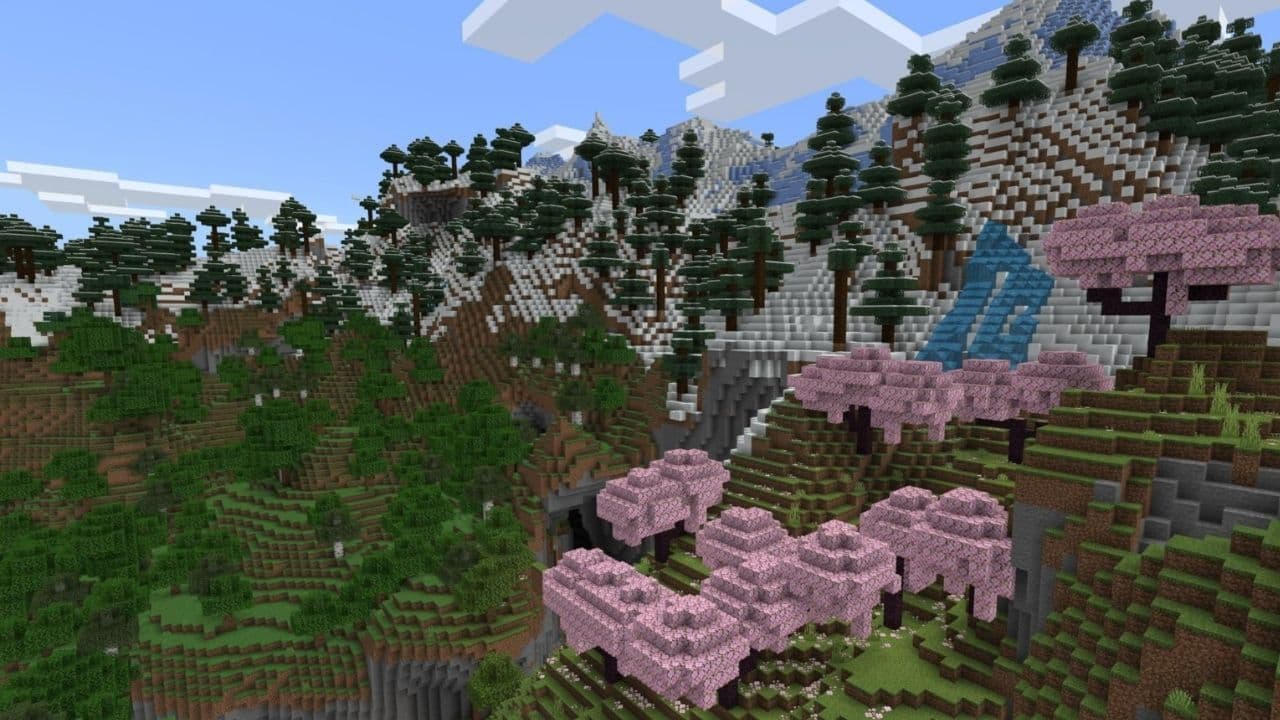 Best Minecraft PS5 seeds in 2026 - Version 26.2Discover the best Minecraft PS5 seeds in 2026, with strong Bedrock worlds for survival and creative projects....
 Top 5 Minecraft 26.1 seeds you must try todayFind the best Minecraft 26.1 seeds for villages, rare biomes, island survival, and creative builds, with seed ...
 How to turn on keep inventory in MinecraftUse the correct Keep Inventory command in Minecraft and learn how it works across Java, Bedrock, servers, and ...
 How to breed tropical fish in MinecraftCan you breed tropical fish in Minecraft? Here is the clear answer, plus how to catch, move, and use tropical ...
 Minecraft Chaos Cubed guide: Everything new in the 2026 updateExplore everything new in Minecraft Chaos Cubed, including Sulfur Caves, Sulfur Cubes, geysers, new blocks, co...
 How to change render distance in MinecraftChange render distance in Minecraft with simple steps for Java and Bedrock, plus tips to balance better visibi...
- 1
- 2
- 3
- 4
- 5
- 6
- 7
- 8
- 9