Best Minecraft PS5 seeds in 2026 - Version 26.2
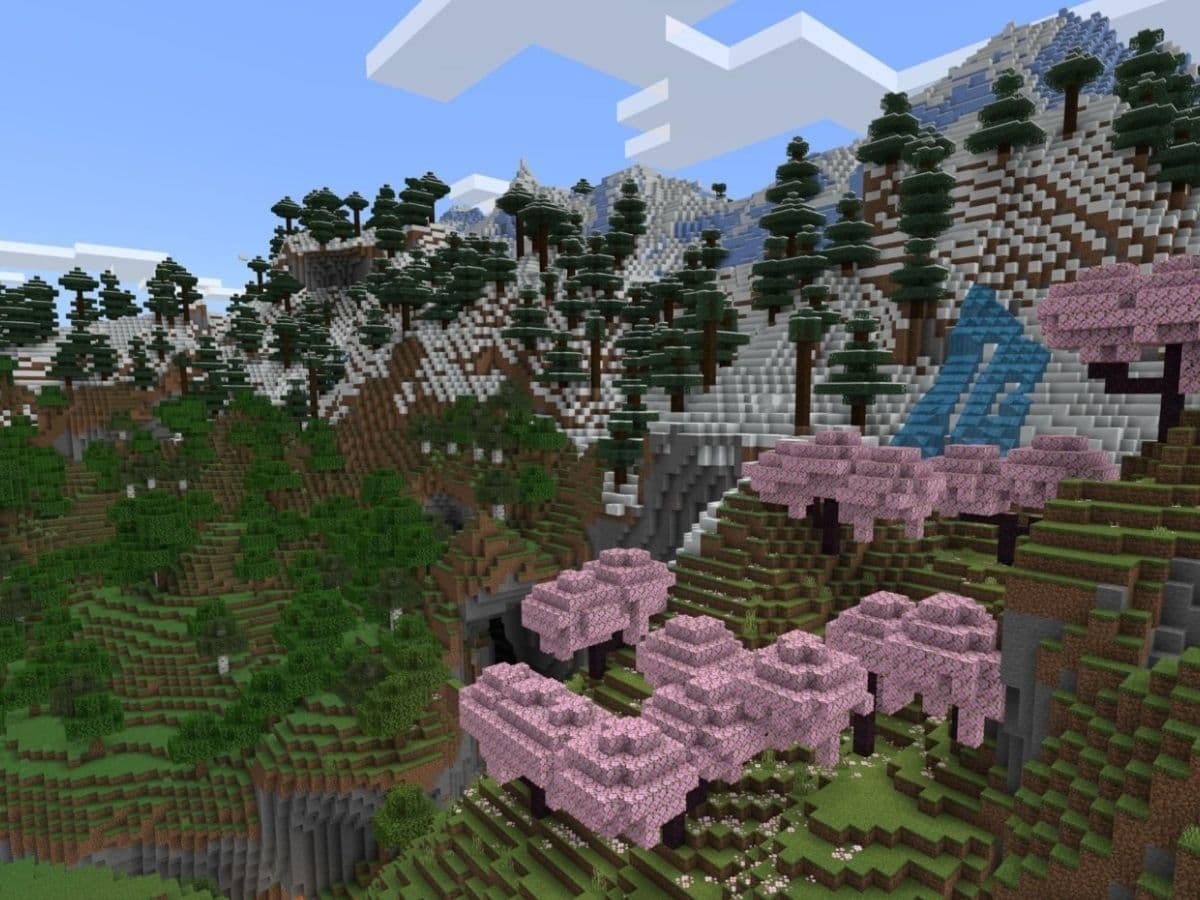
Sometimes you load into a new Minecraft world and know almost straight away that the seed is worth keeping. Maybe there is a village close to spawn. Maybe a mountain range looks like it was made for a castle. Or maybe the world gives you a fast route into caves, Trial Chambers, and other places you would normally spend hours trying to find.
That is what this list of the best Minecraft PS5 seeds in 2026 is built around. Minecraft on PS5 uses Bedrock Edition, so these seeds come from Bedrock testing and community reports rather than random Java lists.
Are PC and PS seeds different?
Minecraft on PS5 uses Bedrock Edition. PC is a little different because players can use either Java Edition or Bedrock Edition. If someone finds a seed on Minecraft Bedrock for Windows, you can use the same seed on PS5 and get the same general world.
Java seeds are where things get less predictable. Java and Bedrock can generate very similar terrain from the same seed, so the mountains, rivers, and biomes may still look familiar. Structures do not always appear in the same places, though.
For example, a village listed at certain coordinates in a Java guide may sit somewhere else on PS5. The same can happen with Pillager Outposts, Woodland Mansions, and other generated structures.
So, when you look for PS5 seeds, check that the source tested them on Bedrock.
Top 3 Minecraft PS5 seeds
You can find 3 of the best Minecraft PS5 seeds for the 26.2 version below:
1. Best overall PS5 seed: -4687032841450714499
- Best for: survival and exploration
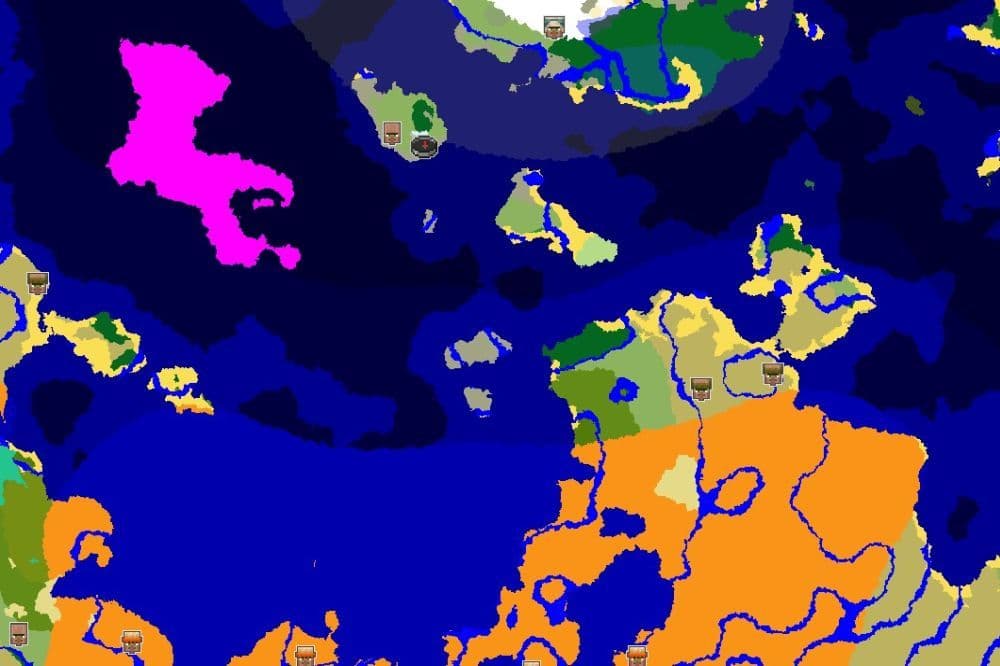
You know a seed is interesting when the village at spawn is only the beginning. This one puts you on a large island with hills, cliffs, and mountains, with a village built across the uneven terrain.
Then you start digging.
There is a Stronghold below the village, with an Ancient City even deeper underground. Parts of the two structures sit close together, so you already have a clear route toward both the Deep Dark and the End without travelling thousands of blocks first.
There is also a large Mushroom Fields island within sight of the main island. So once you are done underground, you already have another unusual place nearby to explore.
- Related: 10 best Minecraft seeds for survival
2. Best Cherry Grove PS5 seed: 7568542259593820684
- Best for: building and scenic survival
Sometimes the best place for a Minecraft base is already sitting there when you spawn. This seed gets pretty close to that.
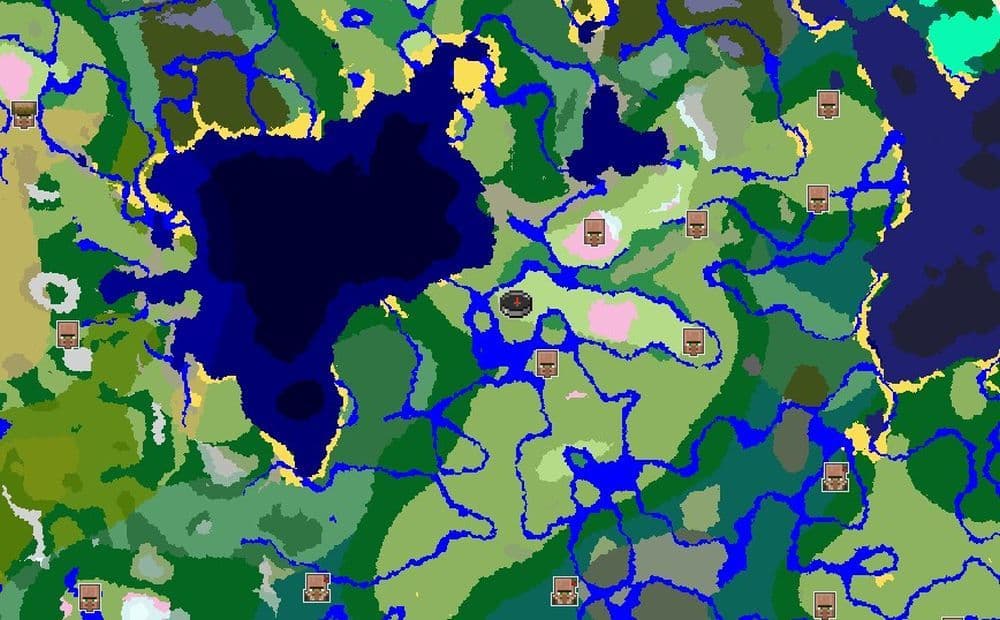
Head toward roughly X 350, Z -300 and you will find a village sitting inside a Cherry Grove, with pink trees surrounding the houses and snowy mountains farther out.
You also have more than one village to work with. Two Plains Villages sit around X 130, Z 260 and X 750, Z 160, so you can find more villagers without going on a long trip.
If you like building around existing terrain, this is probably the strongest choice of the three. You already have the village and mountain scenery, so most of the hard work is deciding what you want to build around them.
3. Best PS5 survival island seed: 4617287064751621699
- Best for: villages and long survival worlds
Four villages on one island sounds like the kind of seed somebody would make up for a YouTube thumbnail. This one actually generates that way.
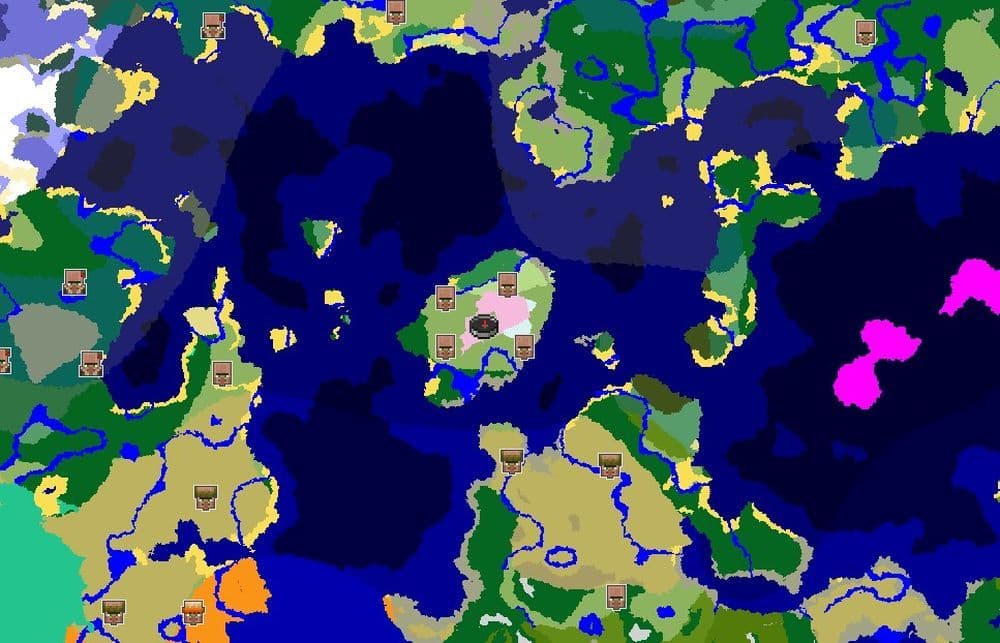
You start on a large island with four villages spread across it, along with a large Cherry Grove covering part of the landscape. That gives you plenty of villagers nearby and several places where you can start a base.
There is another useful find just off the main island. A small nearby island has a shipwreck sitting on land, so you can reach it without swimming down and searching underwater.
This is a particularly good seed for a long survival save. You have a lot around you from the beginning, but the island is still large enough that you can spread out and build your own settlements instead of feeling boxed into one small spawn area.
How to use a Minecraft seed on PS5
You have the seed number. Now you just need to put it in the right place.
- Open Minecraft on PS5 and select Play.
- Choose Create New.
- Select Create New World.
- Find the Seed field in the world settings.
- Enter the full seed number.
- Check the number again before creating the world.
Pay attention to negative seeds. If the number starts with a minus sign, you need to enter that too. Leave it out and Minecraft will generate a completely different world.
You do not need Minecraft commands to use a seed. If you want to check distant coordinates quickly, though, learning how to teleport in Minecraft can make testing a new world much faster.
Why Minecraft PS5 seeds can change after updates
You may use the right seed and still notice that an old screenshot does not perfectly match your world. Minecraft updates can cause that.
The seed itself does not change. What can change is the way the game uses that seed to generate terrain and structures. A major update may adjust biome placement or move certain structures, which means the same number can produce some differences on a newer version.
Still, if you play on a newer 26.x version, check the main coordinates before spending hours on a build. It only takes a few minutes to confirm that the village, Trial Chamber, or other structure still appears where you expect it.
If you are looking for more Minecraft guides, check out the ones below:
- How to turn on keep inventory in Minecraft
- Minecraft Chaos Cubed guide: Everything new in the 2026 update
- How to craft rails in Minecraft: Regular, Powered, Detector, Activator
- How to craft a bookshelf in Minecraft
Featured Image Credit: Minecraft
All Related Guides
 How to start a raid in Minecraft: Java and Bedrock guideLearn how to start a raid in Minecraft Java and Bedrock, get Ominous Bottles, trigger Raid Omen, prepare villa...
 How to breed frogs in MinecraftBreed frogs in Minecraft with this simple guide to slimeballs, frogspawn, tadpoles, frog variants, and common ...
 Best Minecraft PS5 seeds in 2026 - Version 26.2Find the best Minecraft PC seeds in 2026, with great worlds for survival, villages, building, exploration, and...
 Top 5 Minecraft 26.1 seeds you must try todayFind the best Minecraft 26.1 seeds for villages, rare biomes, island survival, and creative builds, with seed ...
 How to turn on keep inventory in MinecraftUse the correct Keep Inventory command in Minecraft and learn how it works across Java, Bedrock, servers, and ...
 How to breed tropical fish in MinecraftCan you breed tropical fish in Minecraft? Here is the clear answer, plus how to catch, move, and use tropical ...
 Minecraft Chaos Cubed guide: Everything new in the 2026 updateExplore everything new in Minecraft Chaos Cubed, including Sulfur Caves, Sulfur Cubes, geysers, new blocks, co...
 How to change render distance in MinecraftChange render distance in Minecraft with simple steps for Java and Bedrock, plus tips to balance better visibi...
- 1
- 2
- 3
- 4
- 5
- 6
- 7
- 8
- 9