Minecraft TV mod (Vista) & other ways to make a TV in Minecraft
Add real TVs to Minecraft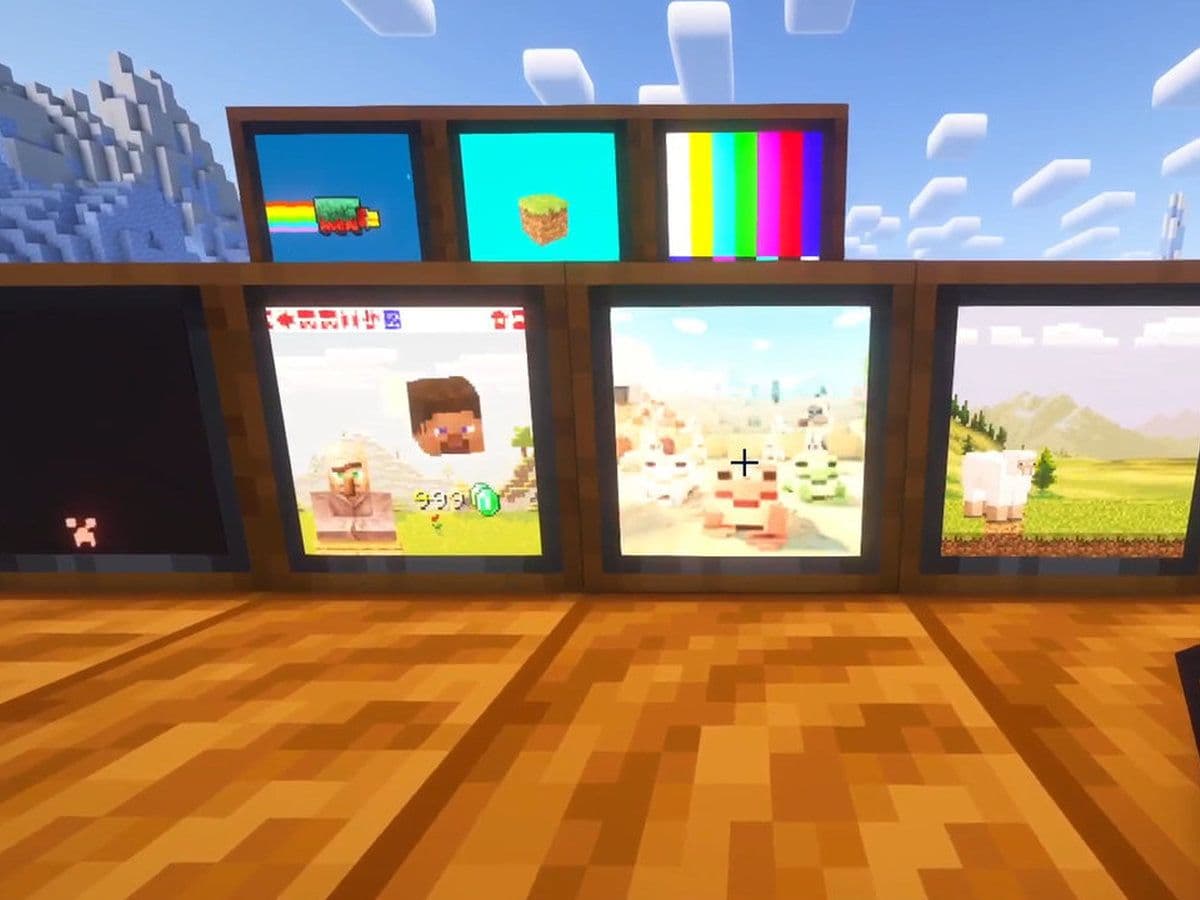
If you are searching for how to make a TV in Minecraft, it is important to understand one key fact: Minecraft does not include a working TV in vanilla mode. You can build decorative television designs using blocks, but they will not play videos or show live feeds.
To create a fully functional TV in Minecraft, you need a mod. The best and most advanced option is the Vista mod, which adds real televisions, cameras, cassettes, and live surveillance systems to the game.
This guide explains exactly how to make a TV in Minecraft using the Vista mod, including setup, linking cameras, and advanced features.
Minecraft TV mod: What is Vista?
Vista is a Minecraft mod that adds:
- Working TV blocks
- Viewfinder cameras
- Cassettes (animated GIF content)
- Hollow cassettes (camera linking system)
- Redstone-powered screen systems
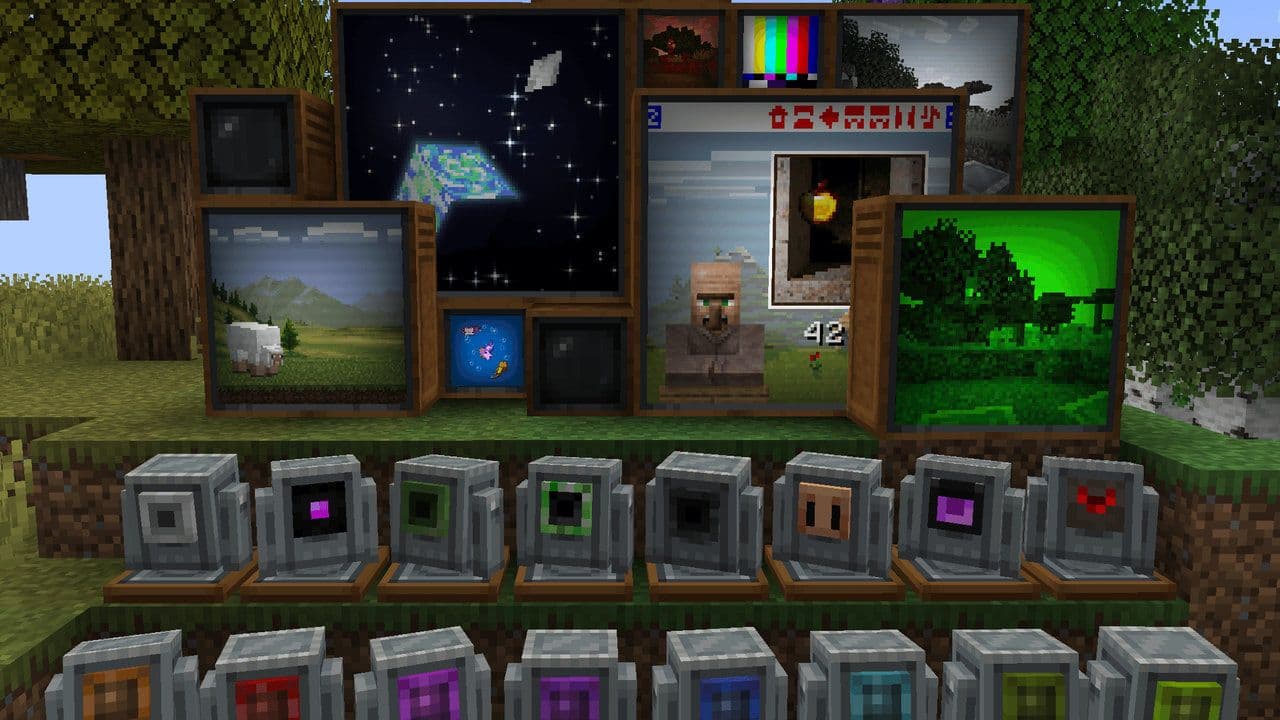
With Vista, your TV is not just decoration. It can:
- Play animated content
- Display live camera feeds
- Act as a security monitor
- Be automated with redstone
Vista is for Minecraft Java Edition only. Bedrock players can only create decorative TVs unless using add-ons (which are more limited).
If you make a TV in Minecraft, Vista is currently the most complete solution.
How to make a TV in Minecraft with the Vista mod
If you make a TV in Minecraft, Vista is currently the most complete solution.
Step1: Install the Minecraft TV mod
Before you can craft a TV, you must install the mod.
Requirements:
- Minecraft Java Edition
- A mod loader
- The Vista mod file
After installation, launch Minecraft with the mod enabled. You can get Vista on CurseForge.
Step 2: Craft a TV in Minecraft
Once Vista is installed, you can craft the TV block. You will need:
- 4 × Planks (any type)
- 3 × Tinted Glass
- 1 × Redstone (to power the TV)
- 1 x Diaomond
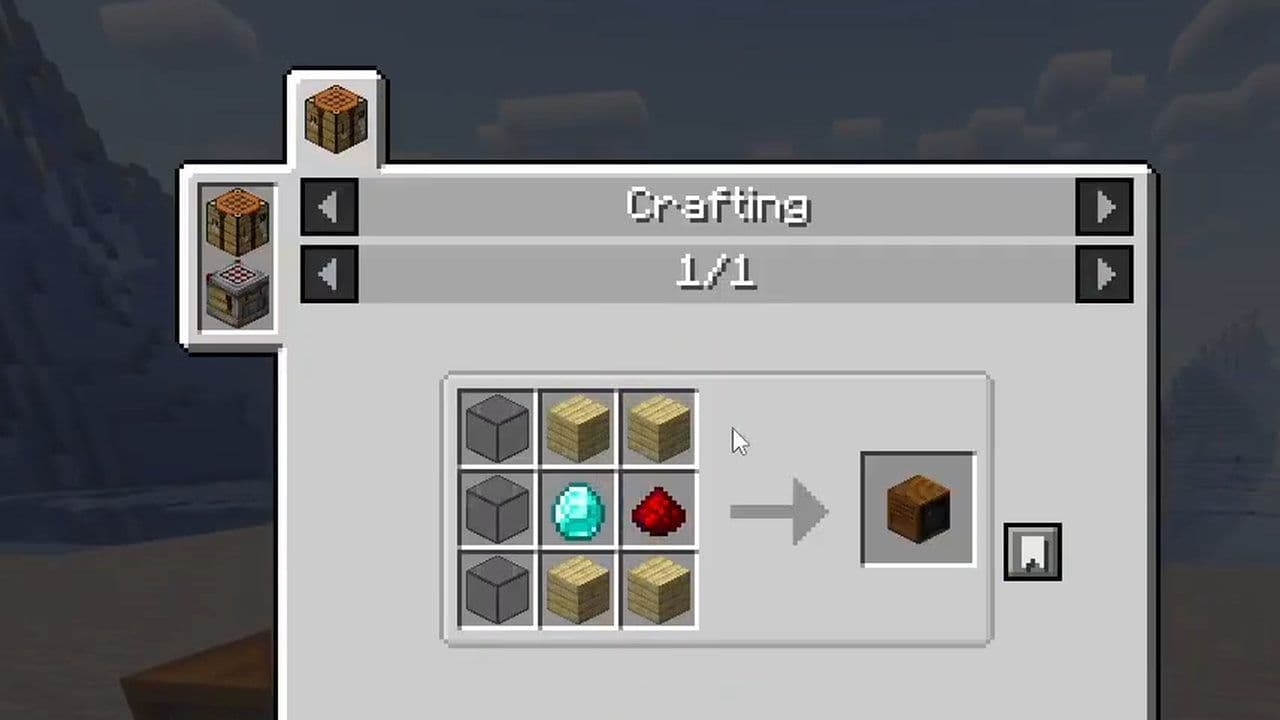
After crafting:
- Place the TV block.
- Power it using Redstone.
- The TV will turn on once powered.
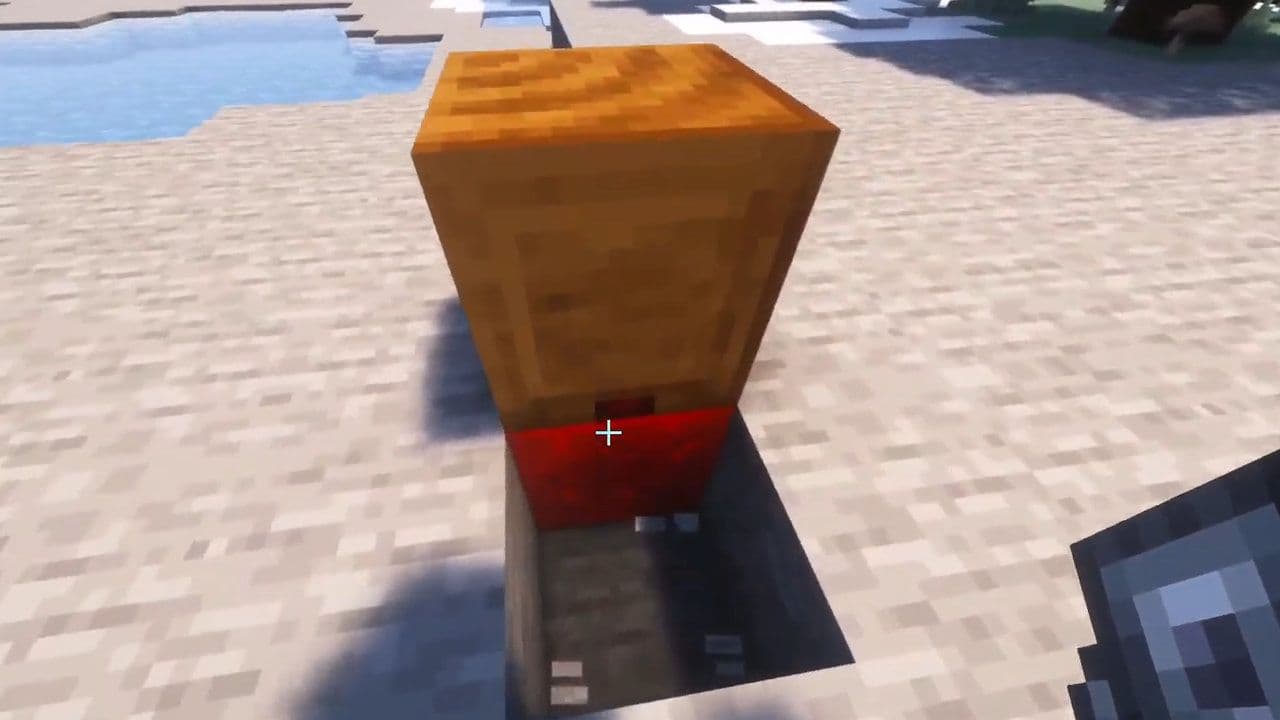
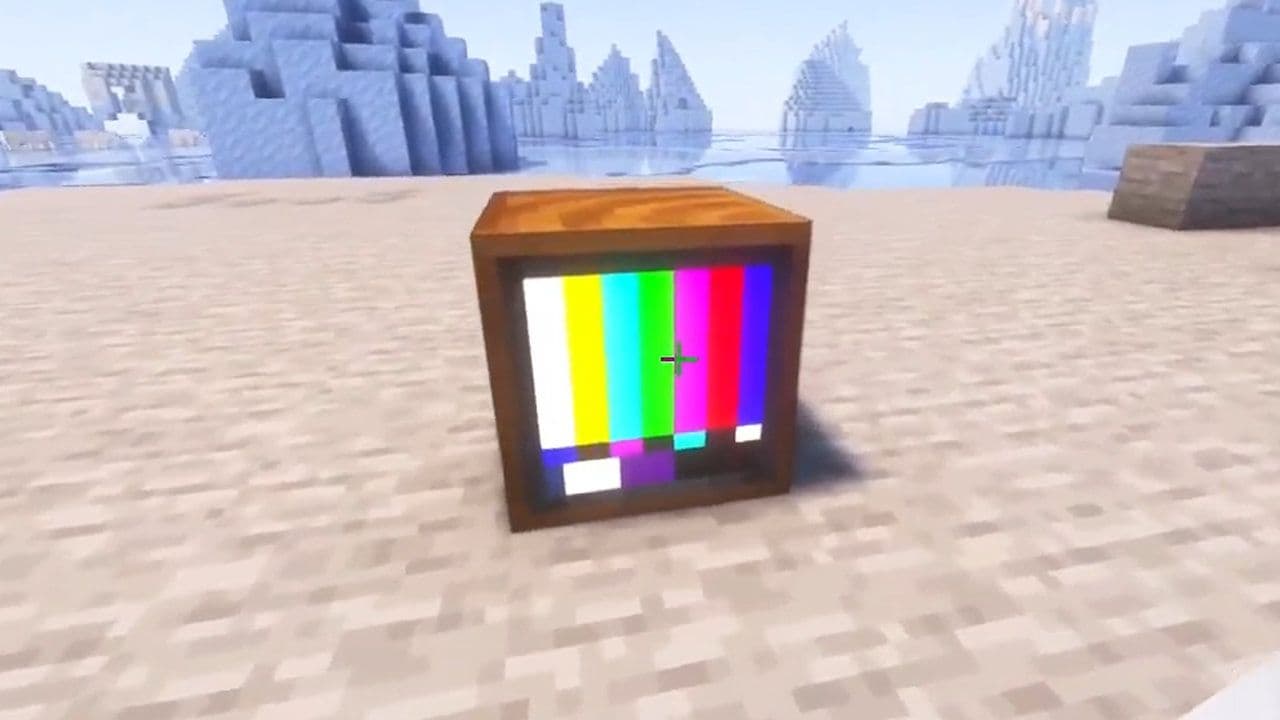
Without redstone power, the TV will not function.
Step 3: Add content to the TV (Cassettes)
A TV needs media to display something. Vista uses Cassettes.
What is a Cassette in Minecraft?
A Cassette is an item that contains animated GIF-style visuals. When inserted into the TV, it plays the animation on the screen.
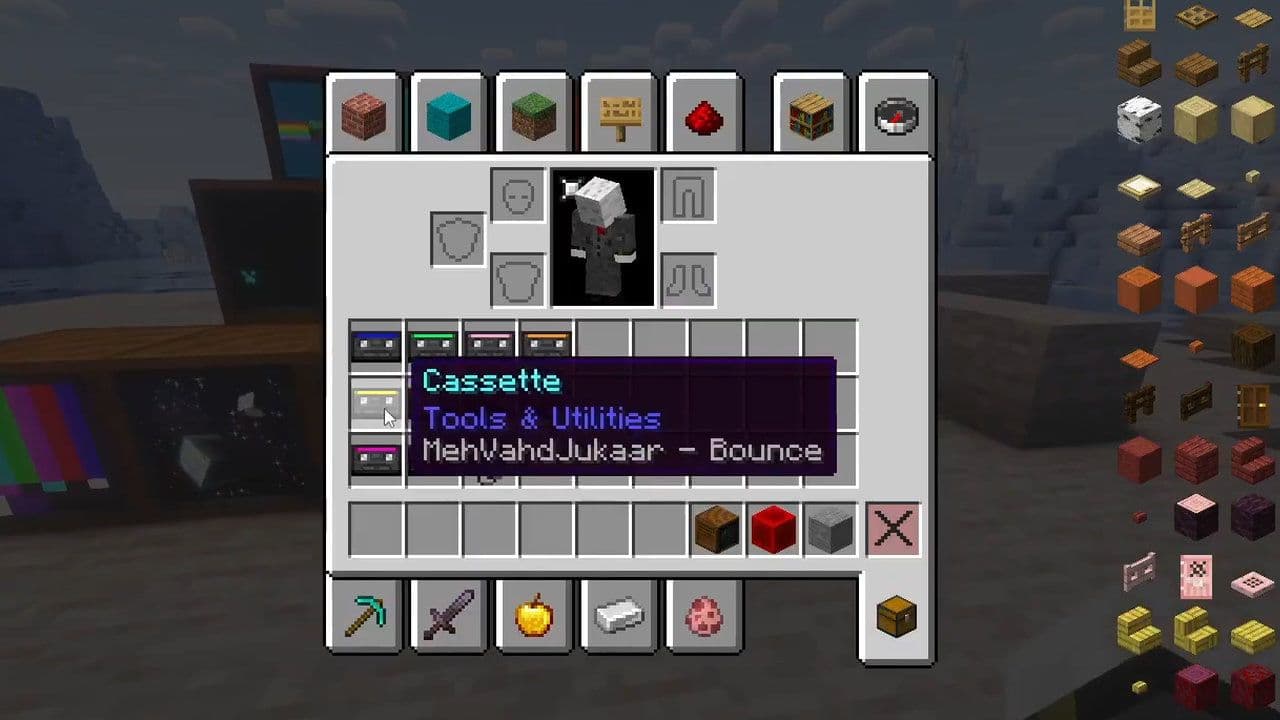
How to get Cassettes
- Found in loot chests
- Dropped by creepers killed by a pillager arrow (rare event)
Insert the Cassette into the TV to start playback.
How to add your own Cassettes
To add custom cassette tapes in the Vista mod, you need one datapack (for logic) and one resource pack (for visuals and sound):
- Add your own cassette files in:
- data/<your_pack_id>/vista/cassette_tape/ via a datapack
- Cassette JSON files can support audio via:
- "sound"
- "sound_duration"
- Then create matching files in a resource pack (You can check the mod’s own resource pack as a reference.)
- Add a .png or .gif file with the exact same name you defined in the JSON file.
Controls
- Shift + right-click pauses playback
- You can automate cassette swapping using hoppers and droppers
This allows you to create:
- Animated living room TVs
- Cinemas
- Decorative media walls
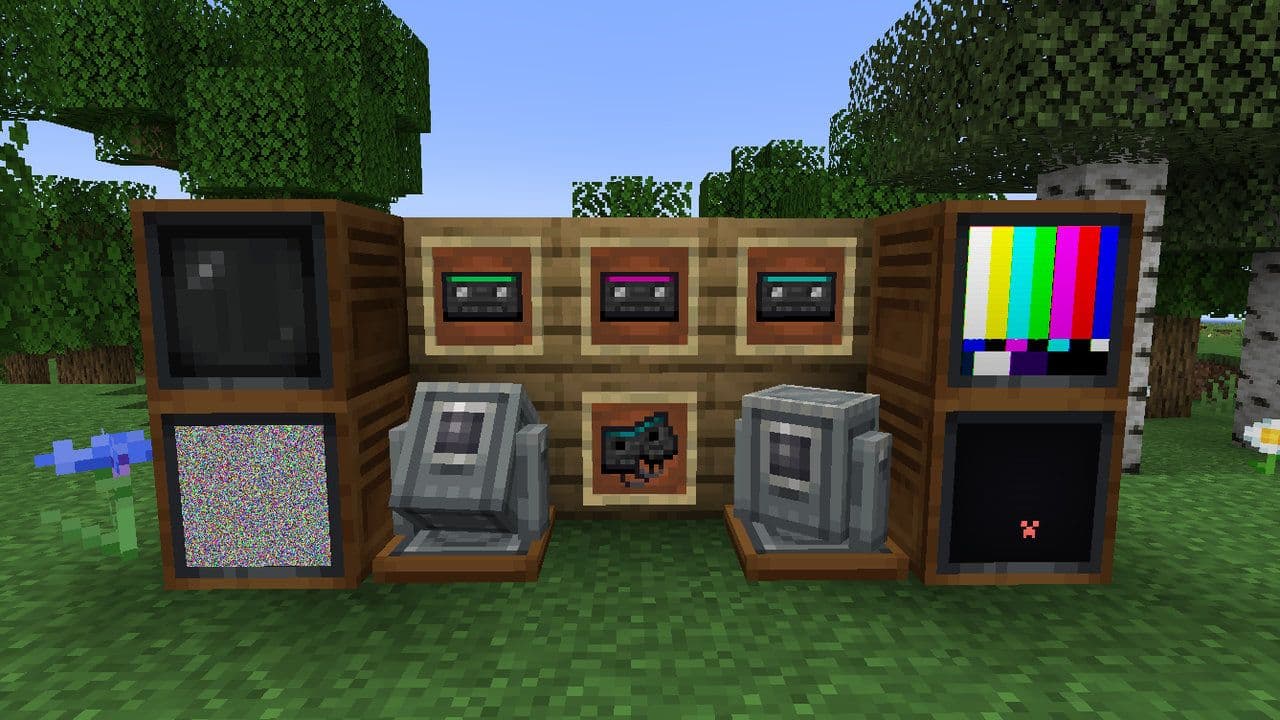
Step 4: Create a Live Camera TV
If you want to know how to make a TV in Minecraft that shows a live feed, this is the most powerful feature of Vista. You will need:
- A TV block
- A Viewfinder (camera)
- A Hollow Cassette
- Redstone power
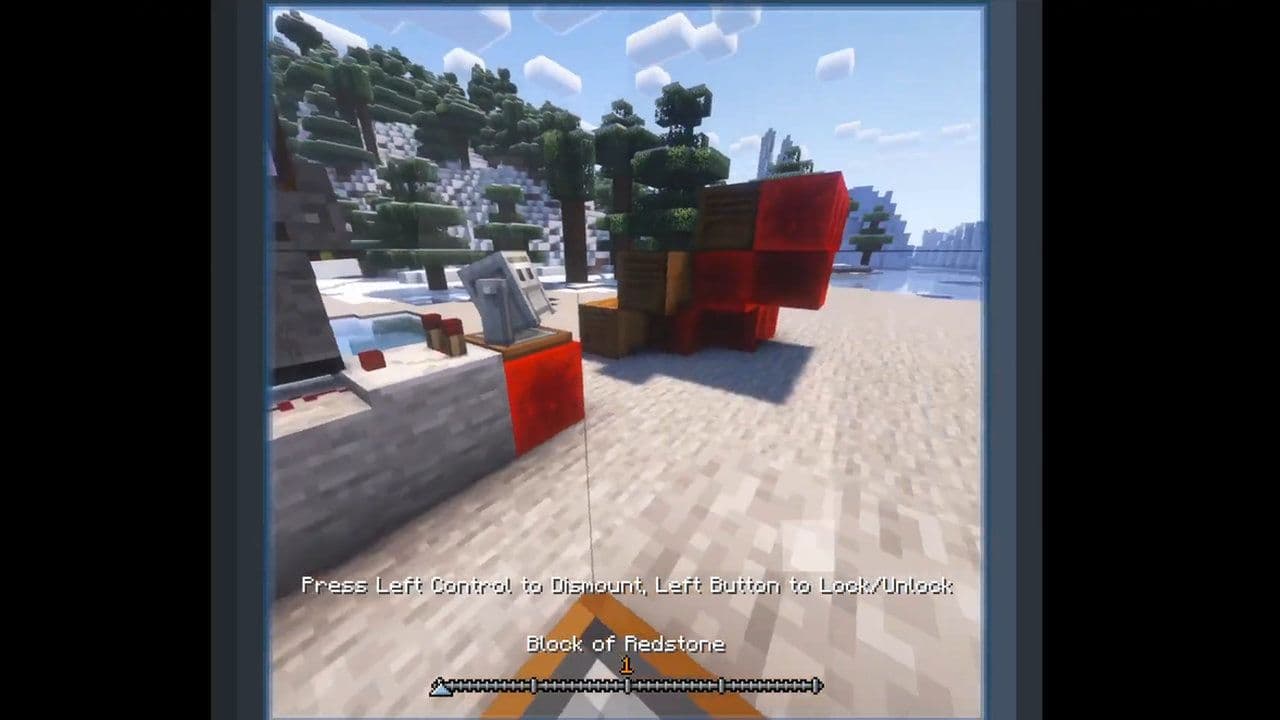
What Is a Viewfinder?
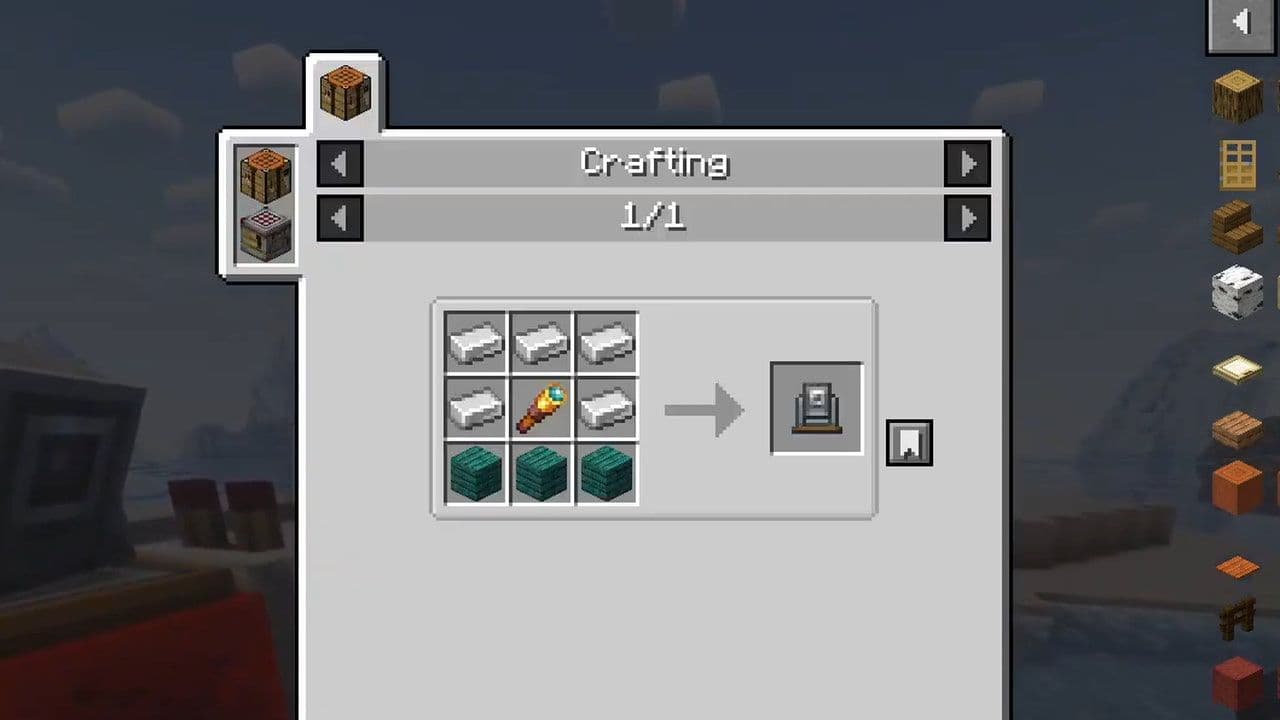
A Viewfinder is a camera block that records a live perspective. Here is its recipe:
- 5x Iron Ingots
- 3x Cherry Planks
- 1x Spyglass
Features include:
- Zoom using scroll wheel
- Lock camera angle
- Apply tinted glass panes for screen filters
- Real-time viewing
Place the Viewfinder in the area you want to monitor (entrance, mob farm, base door, etc.).
What is a Hollow Cassette?
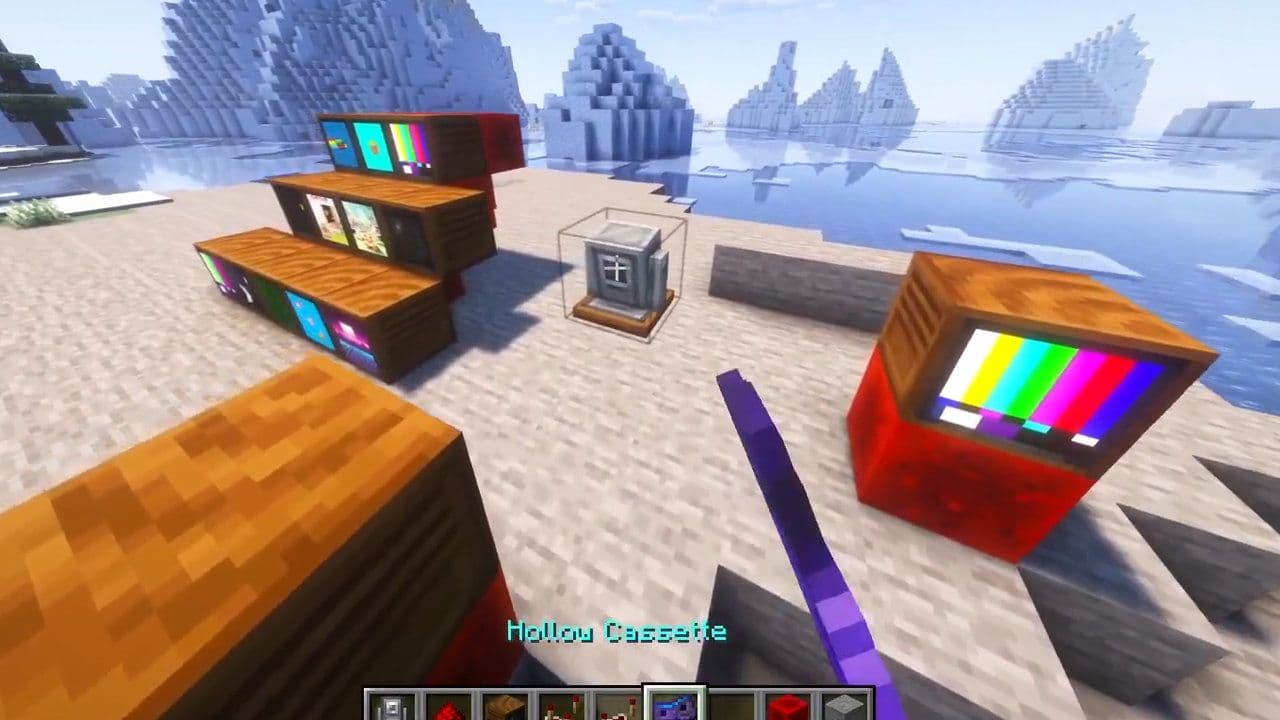
A Hollow Cassette is used to link a TV to a Viewfinder. Here is how to craft it:
Combine:
- A Cassette
- An Echo Shard
This creates a Hollow Cassette.
Step 5: Link the camera to the TV
To connect everything:
- Place the Viewfinder where you want surveillance.
- Use the Hollow Cassette on the Viewfinder.
- Insert the Hollow Cassette into the TV.
- Power the TV with Redstone.
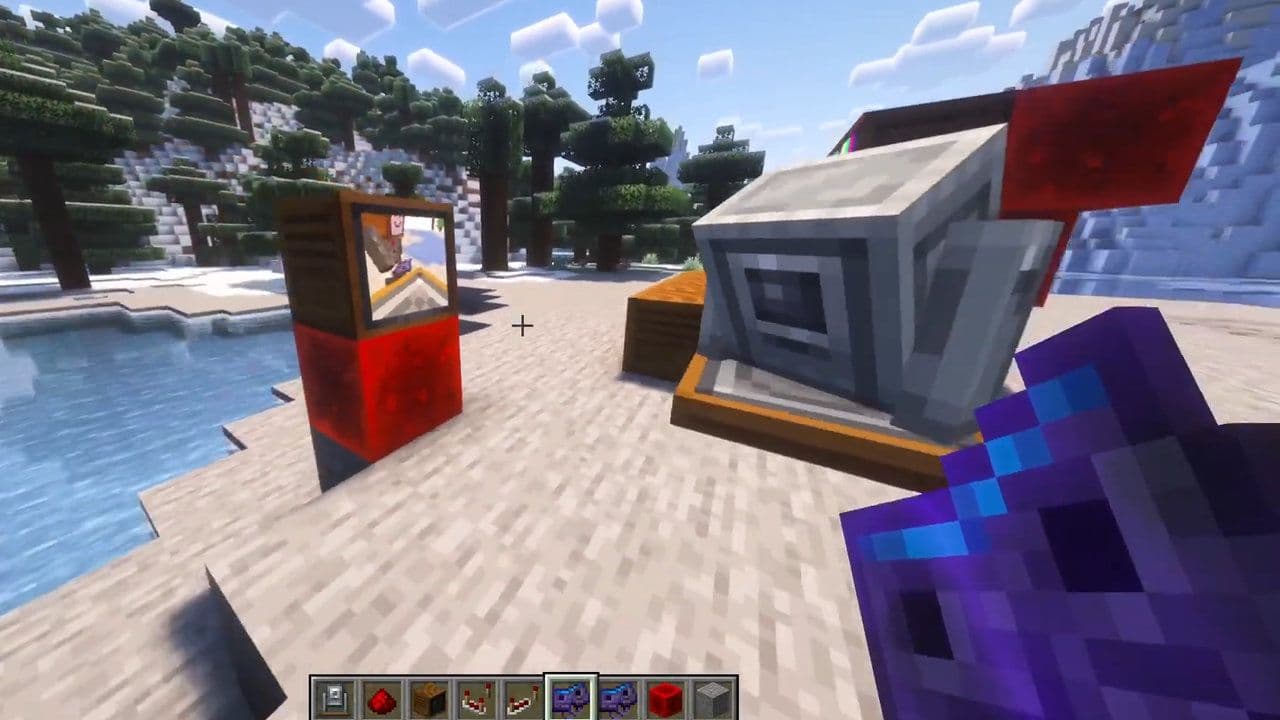
Now your TV will display a live feed from the camera.
This turns your Minecraft base into a full surveillance system.
How to make a TV in Minecraft without a mod
While it won’t play real videos in vanilla mode, you can create a clever redstone-powered television that lights up and looks great in any living room build. Here is how to make a decorative TV in Minecraft:
Setup
- Play in Creative mode.
- Gather: building blocks, pistons, redstone, repeaters, redstone torches, redstone lamps, lever, painting.
- Build a 4×4 wall.
- Make a 2×1 hole in the center.
Build the Screen
- Place 2 pistons in the hole (facing outward).
- Behind each piston:
- Add a redstone repeater
- Place a redstone torch behind the repeater
- Put a redstone lamp directly behind the piston
- Place a painting on the front (left piston) to form the screen.
Add the Remote
- Put a lever in front of the TV.
- Run redstone dust from the lever to one lamp (use blocks as needed).
- Flip the lever to turn the TV on/off.
Optional decoration
- Hide redstone behind walls.
- Add a frame, speakers (jukebox/skulls), and furniture.
Watching TV in Minecraft
In vanilla Minecraft, you can only build decorative televisions using redstone, pistons, lamps, and paintings. These builds look great in modern houses, but they do not display real content.
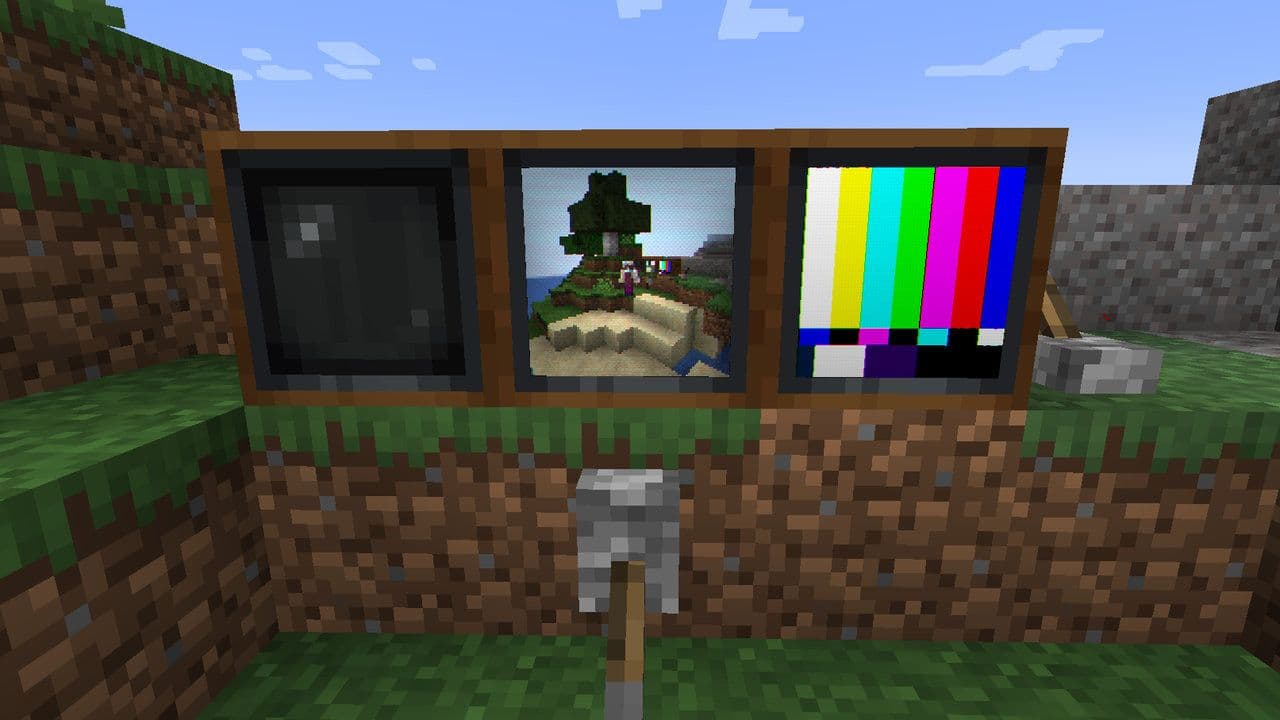
If you want to watch a truly functional TV in Minecraft, the Vista mod is the best option currently available for Java Edition. It allows you to craft real TV blocks, play animated cassette content, add custom GIFs and sounds, and even create live surveillance systems using Viewfinders and Hollow Cassettes. With redstone integration and automation, Vista turns your TV into more than decoration — it becomes part of your gameplay.
That’s all for today! Looking for more Minecraft news & guides? Check out these:
- Minecraft Phonk Edits Mod: Integrating viral phonk music and visual effects into gameplay
- Finding diamonds in Minecraft: Everything you need to know
- Minecraft Orbital Railgun Mod: Complete guide to download, craft and use the weapon
- Exploring the best Minecraft shaders for enhanced visuals
- Minecraft Controlify Mod: How to install and use
All Related Guides
 Top 5 Minecraft 26.1 seeds you must try todayFind the best Minecraft 26.1 seeds for villages, rare biomes, island survival, and creative builds, with seed ...
 How to turn on keep inventory in MinecraftUse the correct Keep Inventory command in Minecraft and learn how it works across Java, Bedrock, servers, and ...
 How to breed tropical fish in MinecraftCan you breed tropical fish in Minecraft? Here is the clear answer, plus how to catch, move, and use tropical ...
 Minecraft Chaos Cubed guide: Everything new in the 2026 updateExplore everything new in Minecraft Chaos Cubed, including Sulfur Caves, Sulfur Cubes, geysers, new blocks, co...
 How to change render distance in MinecraftChange render distance in Minecraft with simple steps for Java and Bedrock, plus tips to balance better visibi...
 How to grow mangrove trees in MinecraftFind out how to grow mangrove trees in Minecraft with simple steps, growth requirements, farming tips, and com...
 How to craft a name tag in MinecraftLearn how to craft a name tag in Minecraft, how to use it with an anvil, and why it matters for pets, mobs, an...
 Here is how to make a water elevator in MinecraftHere’s how to make a water elevator in Minecraft, including the materials you need and why your bubble column ...
- 1
- 2
- 3
- 4
- 5
- 6
- 7
- 8