Minecraft Smurfs DLC: Everything you need to know about it
A collab that not many expected.
Minecraft has released a new DLC that brings the world of the Smurfs into the game. This update is part of a collaboration between Paramount and Shapescape. It gives players a chance to explore the Smurf Village, meet familiar characters, and fight against classic villains like Gargamel. You can now walk through the village, talk to Papa Smurf and Smurfette, and collect coins for new items. Here is everything you need to know about the new Minecraft Smurfs DLC!
All add-ons of Minecraft Smurfs DLC
Similar to new content like Trial Chambers, the Smurfs DLC offers fresh areas to explore. These are designed to make the game more exciting and give players more ways to play. Here is what the DLC offers:
Smurf Village
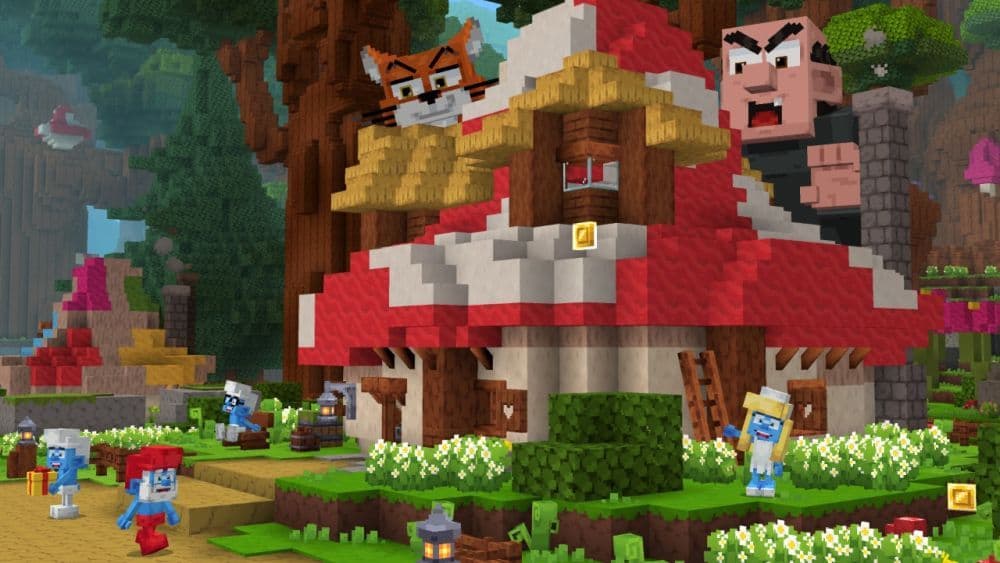
This is the main world of the DLC. You can explore the village, walk through mushroom houses, and meet characters like Papa Smurf, Hefty Smurf, and Smurfette. The area is peaceful, colorful, and filled with small secrets.
16 Smurf Skins
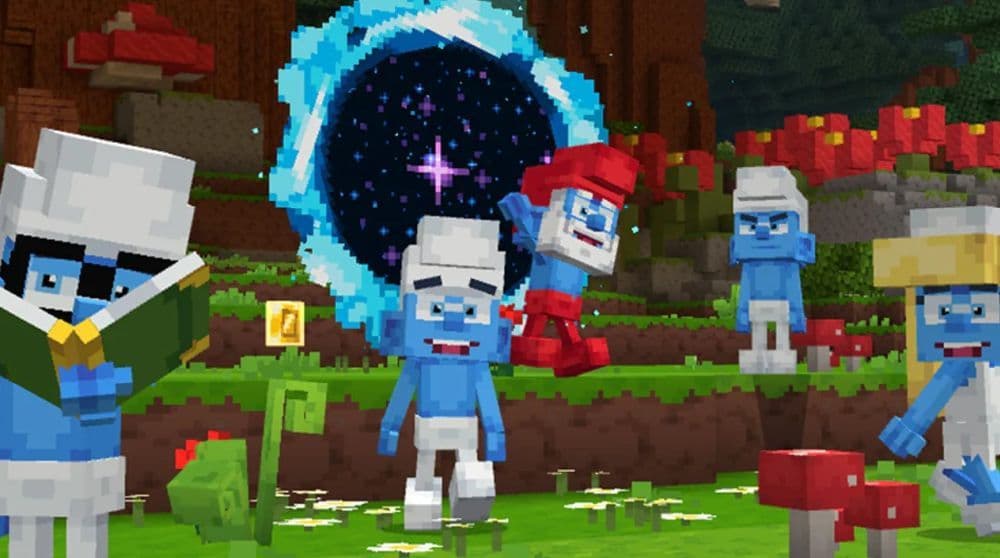
The DLC includes 16 skins based on popular Smurfs. You can play as Reporter Smurf, Dreamy Smurf, or even Papa Smurf. These skins let you become your favorite character in the game.
Custom Items and Accessories
You can collect coins while exploring the village. These coins unlock cosmetic items like red hats, glasses, and books. You can change your character’s look and style as you play.
Three Adventure Mini-Games
- Gargamel Potion Battle – This is a fast-paced challenge. You need to dodge potions thrown by Gargamel and use mushrooms to reflect them back. Some potions cause damage, while others can heal. For more on mixing effects, check all potion recipes.
- Azrael Stealth Challenge – In this level, you must save a captured Smurf. Azrael, Gargamel’s cat, is guarding the area. You need to move slowly, avoid noisy branches, and untie the ropes to free your friend.
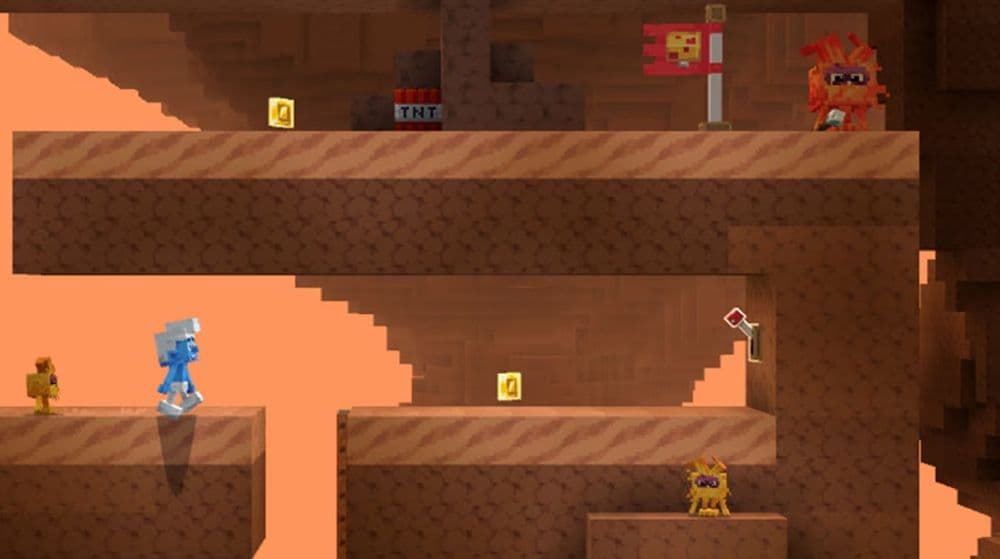
- Parkour Cave Rescue – This mission is a platforming challenge. You jump, blow up walls, and pass tricky obstacles to reach a trapped Smurf at the end of the cave.
Free Items (no DLC required)
- Smurf Hat: A white Smurf-style hat available in the Dressing Room.
- Smurf Skin: A free blue skin for your Minecraft character.
These features make the DLC a full experience. You can explore, play missions, and customize your Smurf. It’s more than a skin pack. It adds new ways to play and enjoy Minecraft. Explore the Smurf Village and gather coins to buy gear. For help making or using items in mini‑games, see the Minecraft recipes guide. You can find the trailer below:
How to get the Minecraft Smurfs DLC
To get the Smurfs DLC in Minecraft, you need to follow a few simple steps:
- Open Minecraft: Bedrock Edition.
- Go to the main menu and choose the “Marketplace.”
- Search for “Smurfs DLC” or scroll through the featured content.
- Buy the DLC for 1170 Minecoins.
Once you buy it, the pack will install automatically. You can then start a new world and begin the Smurf adventure. You need Minecraft: Bedrock Edition to use the DLC. It does not work with the Java Edition.
Is the DLC out?
Yes, the Smurfs DLC is already available. It launched in July 2025 and can be found in the Minecraft Marketplace. If you have Minecraft: Bedrock Edition, you can download and play it now.
Is the Minecraft Smurfs DLC third-party?
Yes, the DLC is made by third-party creators. It is developed by Shapescape and released in partnership with Paramount. Although it is third-party, it is official. Mojang has approved it, and it is available directly from the Minecraft Marketplace.

What platforms support the Minecraft Smurfs DLC?
The Smurfs DLC works only with Minecraft: Bedrock Edition. This version is available on many devices, so most players can enjoy the DLC. Here is the full list of supported platforms:
- Windows 10 and Windows 11
- Xbox One and Xbox Series X|S
- PlayStation 4 and PlayStation 5
- Nintendo Switch
- iOS (iPhone and iPad)
- Android phones and tablets
You need to sign in with a Microsoft account to access the Marketplace. Also, make sure your game is updated to the latest version.
How do you unlock free Smurf skins and hats in Minecraft?
You can get a free Smurf Hat and Smurf Skin without buying the DLC. Follow these steps to unlock them:
- Open Minecraft: Bedrock Edition.
- Go to the main menu and choose the Dressing Room.
- Select the Character Creator tab.
- Find the Smurf Hat and Smurf Skin in the catalog.
- Click Equip to add them to your character.
- You can now use them in any Minecraft world.
These items are free, and you only need to claim them once. They will stay in your account even after the offer ends.
When does the free Smurf Hat offer expire in Minecraft?
The free Smurf Hat is available until August 28, 2025, at 10:00 AM PT. After this date, the hat will still be in the Dressing Room, but it will no longer be free. You will need to use Minecoins to get it. Make sure to claim the hat before the deadline so you do not miss out.
With a detailed village, new characters, and three story-driven missions, it is surely an unexpected but fun add-on to the base game. You can explore, fight, sneak, and jump through exciting levels while collecting coins and customizing your Smurf. And if you just want a small taste, you can try the free hat and skin right now.
Check more of our Minecraft guides below:
- Minecraft Serene Seasons Mod: A deep dive into seasonal dynamics and gameplay
- Here is a closer look at the free Japanese government Minecraft map
- Minecraft Movie's Post-Credits Scene: Implications for the Minecraft Universe
- Minecraft blast furnace recipe: How to make a blast furnace in Minecraft
- How to make a stone cutter in Minecraft: Complete recipe
Featured Image Credit: Minecraft X
All Related Guides
 Top 5 Minecraft 26.1 seeds you must try todayFind the best Minecraft 26.1 seeds for villages, rare biomes, island survival, and creative builds, with seed ...
 How to turn on keep inventory in MinecraftUse the correct Keep Inventory command in Minecraft and learn how it works across Java, Bedrock, servers, and ...
 How to breed tropical fish in MinecraftCan you breed tropical fish in Minecraft? Here is the clear answer, plus how to catch, move, and use tropical ...
 Minecraft Chaos Cubed guide: Everything new in the 2026 updateExplore everything new in Minecraft Chaos Cubed, including Sulfur Caves, Sulfur Cubes, geysers, new blocks, co...
 How to change render distance in MinecraftChange render distance in Minecraft with simple steps for Java and Bedrock, plus tips to balance better visibi...
 How to grow mangrove trees in MinecraftFind out how to grow mangrove trees in Minecraft with simple steps, growth requirements, farming tips, and com...
 How to craft a name tag in MinecraftLearn how to craft a name tag in Minecraft, how to use it with an anvil, and why it matters for pets, mobs, an...
 Here is how to make a water elevator in MinecraftHere’s how to make a water elevator in Minecraft, including the materials you need and why your bubble column ...
- 1
- 2
- 3
- 4
- 5
- 6
- 7
- 8