How to mark items in Fortnite Mobile: A simple guide for effective team communication
A simple yet effective tool for communication for Fortnite is not as obvious on mobile.
How to mark items in Fortnite Mobile might sound simple, but it's your secret weapon for silent teamwork. Learn how to mark items, enemies & locations in Fortnite Mobile for better teamwork and silent comms with this Fortnite guide.
Fortnite Mobile item marking explained
Item marking, also known as pinging, allows players to highlight items, locations, or enemies directly on the map or screen. These visual cues help teammates spot important gear, threats, or objectives—without needing to say a word.
On Fortnite Mobile, marking works similarly to the console and PC versions, but with a touch-optimized interface.
How to mark items in Fortnite Mobile
Before you can start marking items, you need to make sure the ping (mark) button is active on your screen.
How to add the ping button
- Open Fortnite Mobile and go to the main menu.
- Tap the gear icon to access Settings.
- Select the HUD Layout.
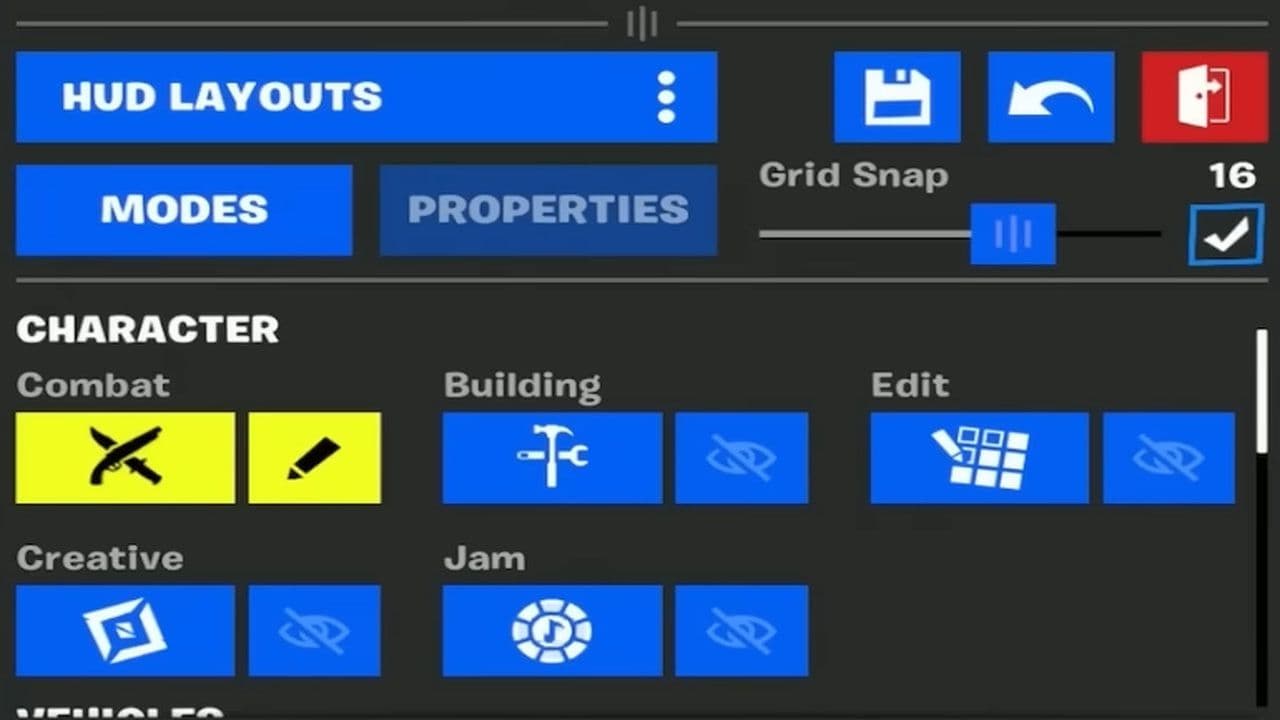
- Find the Ping/Marker button (usually a small marker icon).
- Drag it to a comfortable spot on your screen.
- Tap Save to confirm your layout.
Place it near your movement or fire controls for quick access.
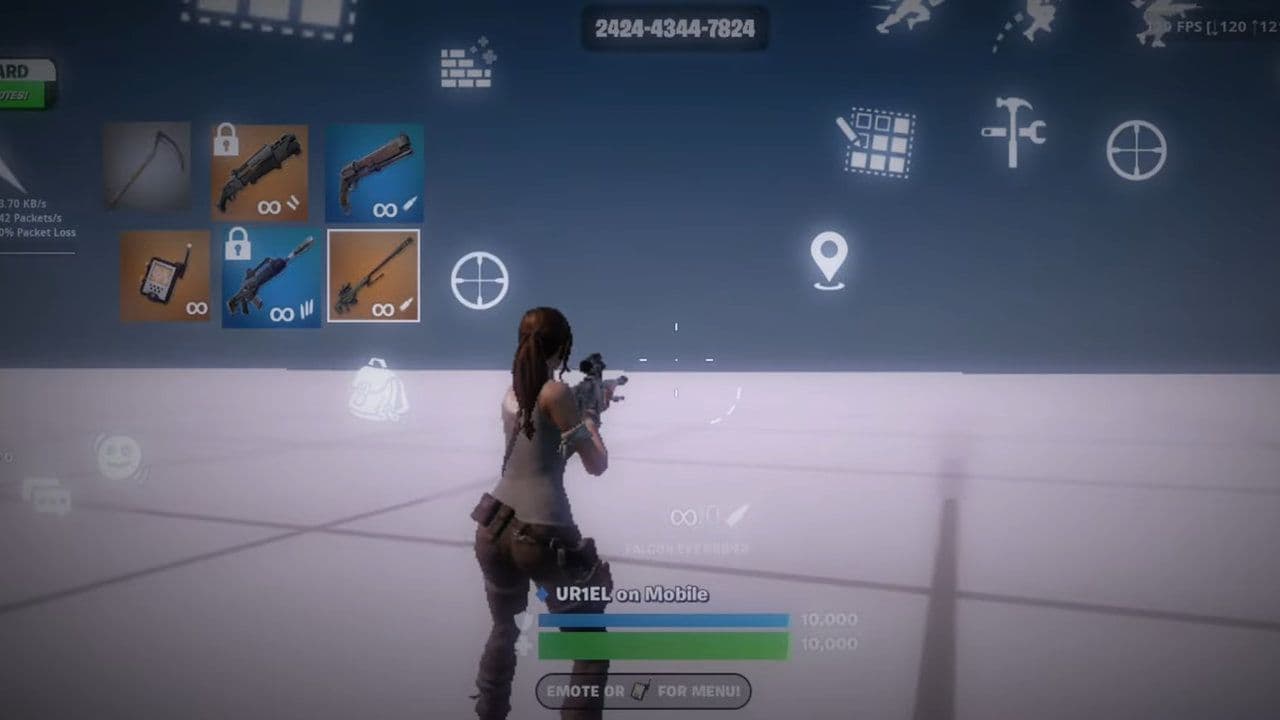
How to mark items, locations & enemies
Once your ping button is set up, here’s how to use it:
- To mark an item or area: Aim your crosshair at the object or location, then tap the ping button once. Your teammates will see a marker on their screen and minimap.
- To mark an enemy (Danger Ping): Double-tap the ping button quickly. A red warning icon will appear, letting your team know there's a threat.
5 Fortnite Mobile tips
- Change your button layout: Move the buttons on your screen so they feel comfortable to use. This helps you play faster and better.

- Use visual sound clues: The game shows pictures on your screen when enemies or chests are nearby. Watch for these to know what’s around you even if you can’t hear well.
- Adjust touch sensitivity: Change how fast your camera and aiming move when you swipe. Find a speed that feels easy to control so you can aim better.
- Turn off auto-pickup: Instead of picking up everything automatically, pick only what you need. This keeps your backpack organized and ready for fights.
- Pick your landing spot wisely: Land in quieter places to avoid early fights. Use the auto-run feature to move around while looking for enemies and loot.
Clear communication, smooth teamwork, and quick decisions—that’s what winning legends do. A single well-placed ping/mark can mean the difference between a Victory Royale and heading back to the lobby.
That’s all! Looking for more Fortnite guides? Check out these:
All Related Guides
 Fortnite Droid Tycoon Chips guide: Best ways to farm chips fastFortnite Droid Tycoon Chips guide: best farming methods, upgrades, Rebirth tips, and how to use Chips wisely....
 5 best Fortnite Star Wars games you can play right now Best Fortnite Star Wars games: Galactic Siege, Escape Vader, Droid Tycoon, creator islands, and how to play th...
 How to ride on a player's shoulders in FortniteHow to ride on a player's shoulders in Fortnite: steps, controls, quest completion tips, and how Shoulder Ride...
 All Garden vs. Brainrot codes in Fortnite: Updated listLooking for Fortnite Garden vs Brainrot codes? Get every working code, learn how to redeem them, and boost you...
 Latest Fortnite Steal the Brainrot codes (May 2026)Find all active Fortnite Steal the Brainrot codes to summon Brainrot Gods and boost rewards fast....
 Fortnite Karaoke mode explained: How to play?Discover Fortnite Karaoke mode in Fortnite Festival, including Pro Vocals, Mic Vocals setup, supported songs, ...
 How to get a refund for D4VD Fortnite cosmeticsThis guide explains the D4VD Fortnite cosmetics refund, including refund steps, eligible items, Locker Bundle ...
 Veno’s Fortnite settings: Who is he and what is his setupFind Veno Fortnite settings for mouse, keyboard, video, gear, DPI, sensitivity, and competitive setup....
- 1
- 2
- 3
- 4
- 5
- 6
- 7
- 8
- 9
- 10
- 11
- 12
- 13
- 14
- 15
- 16
- 17
- 18
- 19
- 20