How to craft and light Minecraft candles
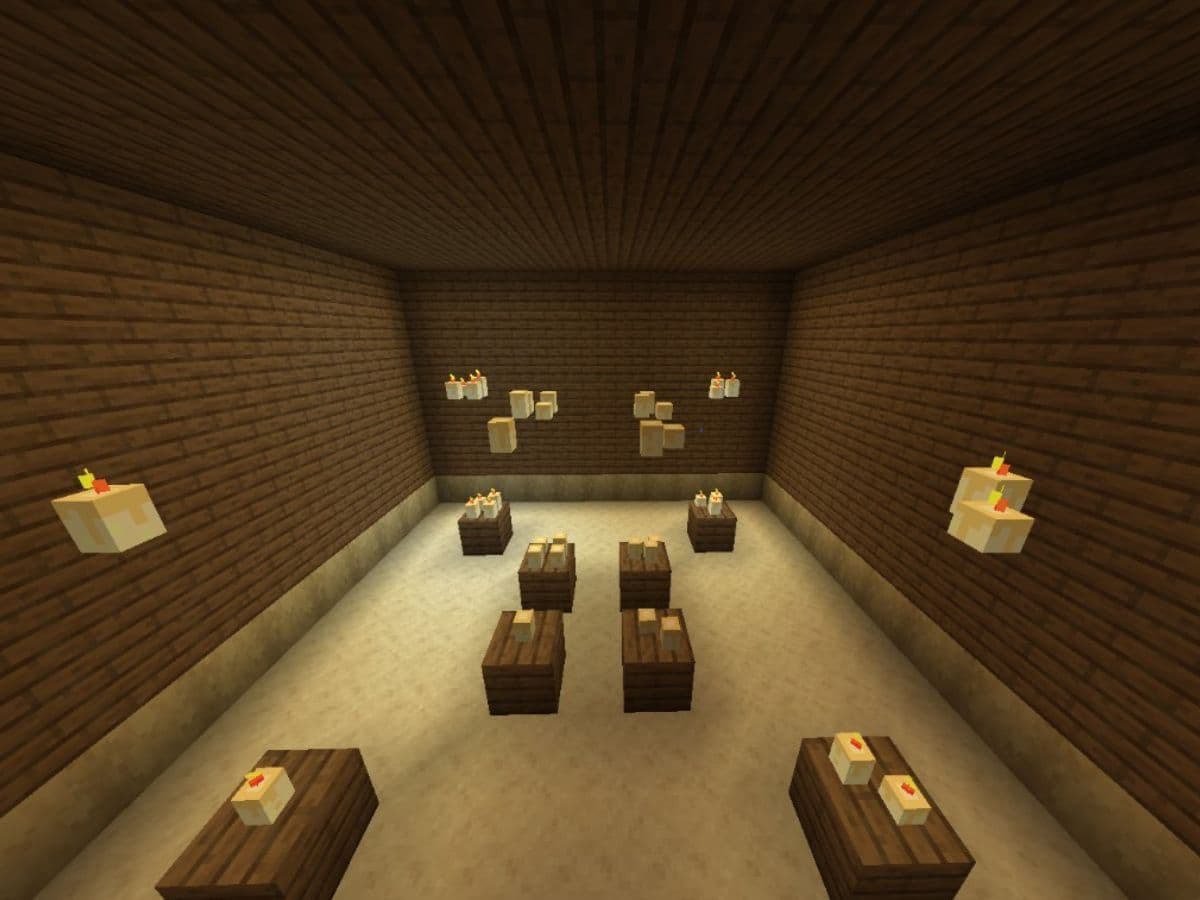
Many Minecraft players craft a candle, place it on a table, and then nothing happens when they try to light it. The good news is that candles follow clear rules, and you can fix most issues in seconds once you know them. In this guide, we explain what candles are, how players could craft and light them, as well as how to use them to their advantage in the game!
What are candles in Minecraft?
Candles in Minecraft are decorative light sources that you can place on most solid blocks. They work well for indoor lighting and detail work because they look clean and subtle.
Here are some different tips and ideas to use candles to your advantage:
- You can stack up to four candles in one block space. More candles in the same spot gives more light.
- You can dye candles to match your build palette.
- You can place a candle on a cake to create a candle cake for decoration and light.
Candles do not replace bright lights for caves or mob-proofing large areas. They shine in small spaces where style matters.
How to craft and light candles in Minecraft
Now that you know what candles are, it is time to show you how to craft them. However, it doesn’t end there, as many Minecraft beginners usually have issue with lighting them as well. Don’t worry, we have got that covered as well! Let’s start with what you need to craft a candle:
Items to craft candle
- 1 Honeycomb
- 1 String
- One way to light it: Flint and Steel or Fire Charge
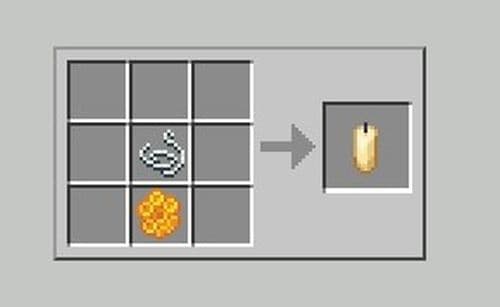
How to craft a candle
- Open a crafting grid.
- Place 1 honeycomb and 1 string in the grid.
- Take the candle and move it to your inventory.
How to light a candle
- Place the candle on a block. You can also place it on a cake.
- Hold Flint and Steel or a Fire Charge.
- Use the item on the candle to ignite it.
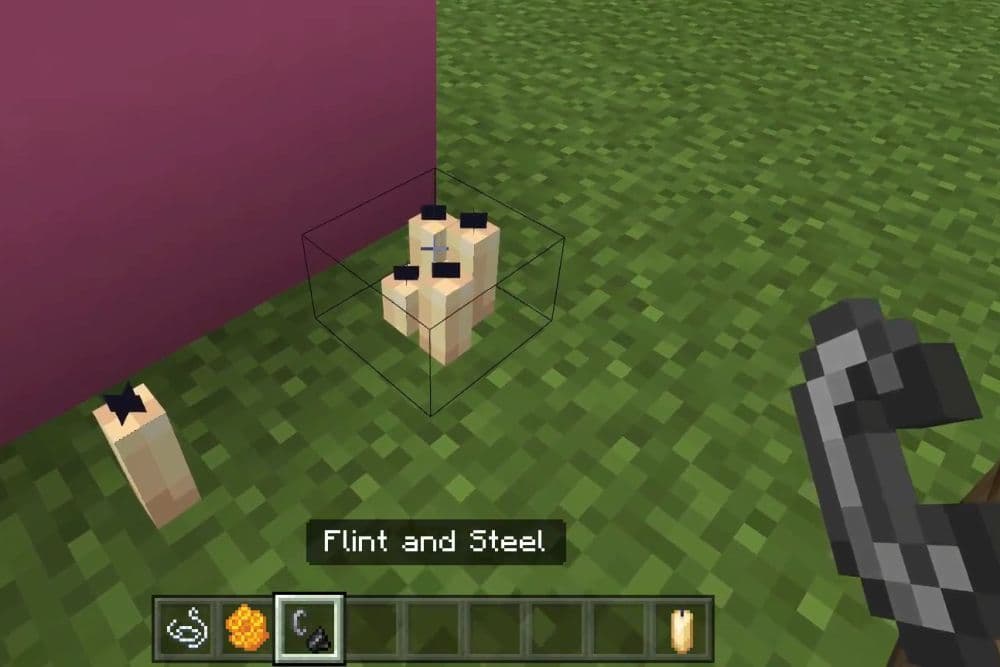
Tip: If you want more light from the same spot, place the same candle block again on top of itself. The game stacks it up to four.
Best use cases for candles
Candles work best when you want controlled light and strong decoration.
Use candles for:
- Tables, shelves, and counters: Add detail without clutter.
- Cozy house interiors: Use them in bedrooms, libraries, taverns, and hallways.
- Build color matching: Dye candles to fit themes like medieval, modern, or fantasy.
- Small light boosts: Stack multiple candles in one block to raise brightness without changing the look.
- Event builds: Place candles on cakes for birthdays, roleplay scenes, and base tours.
If you need strong safety lighting, use brighter blocks in key areas and use candles as accents.
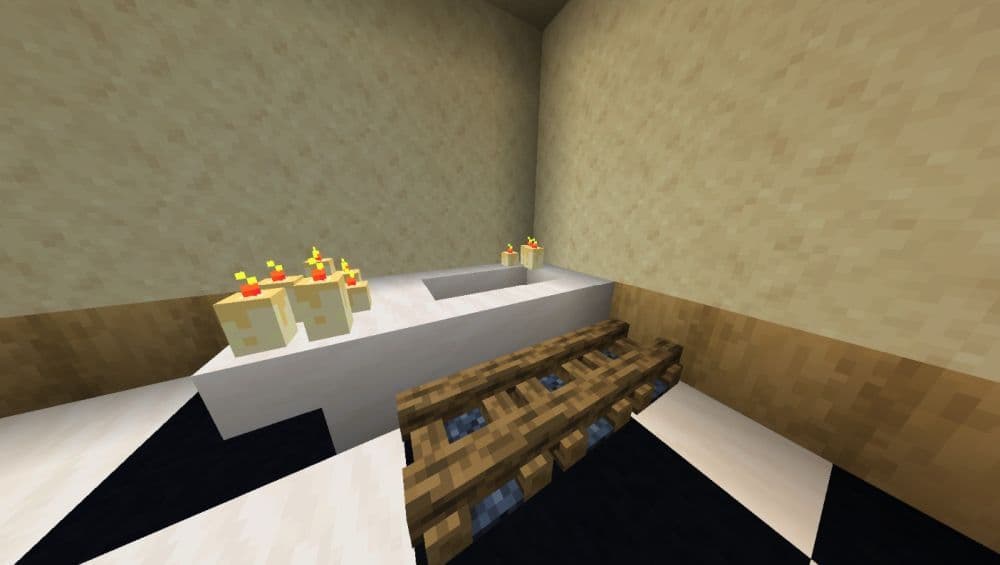
Why aren’t my candles lighting in Minecraft?
If you can’t light candles in Minecraft, there might be different reasons behind it. Here are some of the most well-known issues:
Water touches the candle
Water stops candles from staying lit.
Fix: Remove the water source, dry the area, then place the candle again and light it.
You use the wrong item
Many items look like they should work, but they do not ignite candles.
Fix: Use Flint and Steel or a Fire Charge. Aim at the candle itself.
You click the block next to the candle
Tight builds make it easy to miss the candle hitbox.
Fix: Step closer and aim at the candle’s center. If you stack candles, aim at the candle group, not the block edge.
The world or server blocks interaction
Some servers and adventure maps restrict interactions.
Fix: Test candles in a normal single-player world. If they work there, ask the server admin about interaction rules.
How to make Minecraft candles stay lit
Candles stay lit until something puts them out. You control most causes with smart placement.
Use these methods:
- Keep candles away from water tools. Do not place them near ponds, bubble columns, or spots where you use buckets often.
- Add a small barrier. Place candles behind a trapdoor, fence, or slab edge so you do not turn them off by accident.
- Use covered outdoor setups. Build a roof or alcove for candles in gardens and patios. It keeps the area consistent and reduces accidents.
- Plan the pathing. Put candles off main walk routes so you do not click them while opening doors or chests.
Here is a wide range of Minecraft guides for different needs and preferences:
- What is purple dye in Minecraft and how to get it
- How to turn off vibrant visuals in Minecraft: Comprehensive guide
- How to get the Zombie Horse Cape in Minecraft (Spear cape)
- How to tame a Minecraft camel husk (Zombie camel)
- Minecraft blast furnace recipe: How to make a blast furnace in Minecraft
Featured Image Credit: Mojang
All Related Guides
 How to breed tropical fish in MinecraftCan you breed tropical fish in Minecraft? Here is the clear answer, plus how to catch, move, and use tropical ...
 Minecraft Chaos Cubed guide: Everything new in the 2026 updateExplore everything new in Minecraft Chaos Cubed, including Sulfur Caves, Sulfur Cubes, geysers, new blocks, co...
 How to change render distance in MinecraftChange render distance in Minecraft with simple steps for Java and Bedrock, plus tips to balance better visibi...
 How to grow mangrove trees in MinecraftFind out how to grow mangrove trees in Minecraft with simple steps, growth requirements, farming tips, and com...
 How to craft a name tag in MinecraftLearn how to craft a name tag in Minecraft, how to use it with an anvil, and why it matters for pets, mobs, an...
 Here is how to make a water elevator in MinecraftHere’s how to make a water elevator in Minecraft, including the materials you need and why your bubble column ...
 New Minecraft capes alert: How to get the Crafter and Builder CapesMinecraft Crafter and Builder Capes guide: unlock requirements, TwitchCon rewards, Minecraft LIVE details, and...
 What is the “getsockopt” error in Minecraft and how to fix itFix the getsockopt Minecraft error with simple checks for firewall, server address, DNS, LAN settings, and con...
- 1
- 2
- 3
- 4
- 5
- 6
- 7
- 8