Minecraft Hypixel IP, how to use it, Hytale & more
Join Minecraft’s biggest server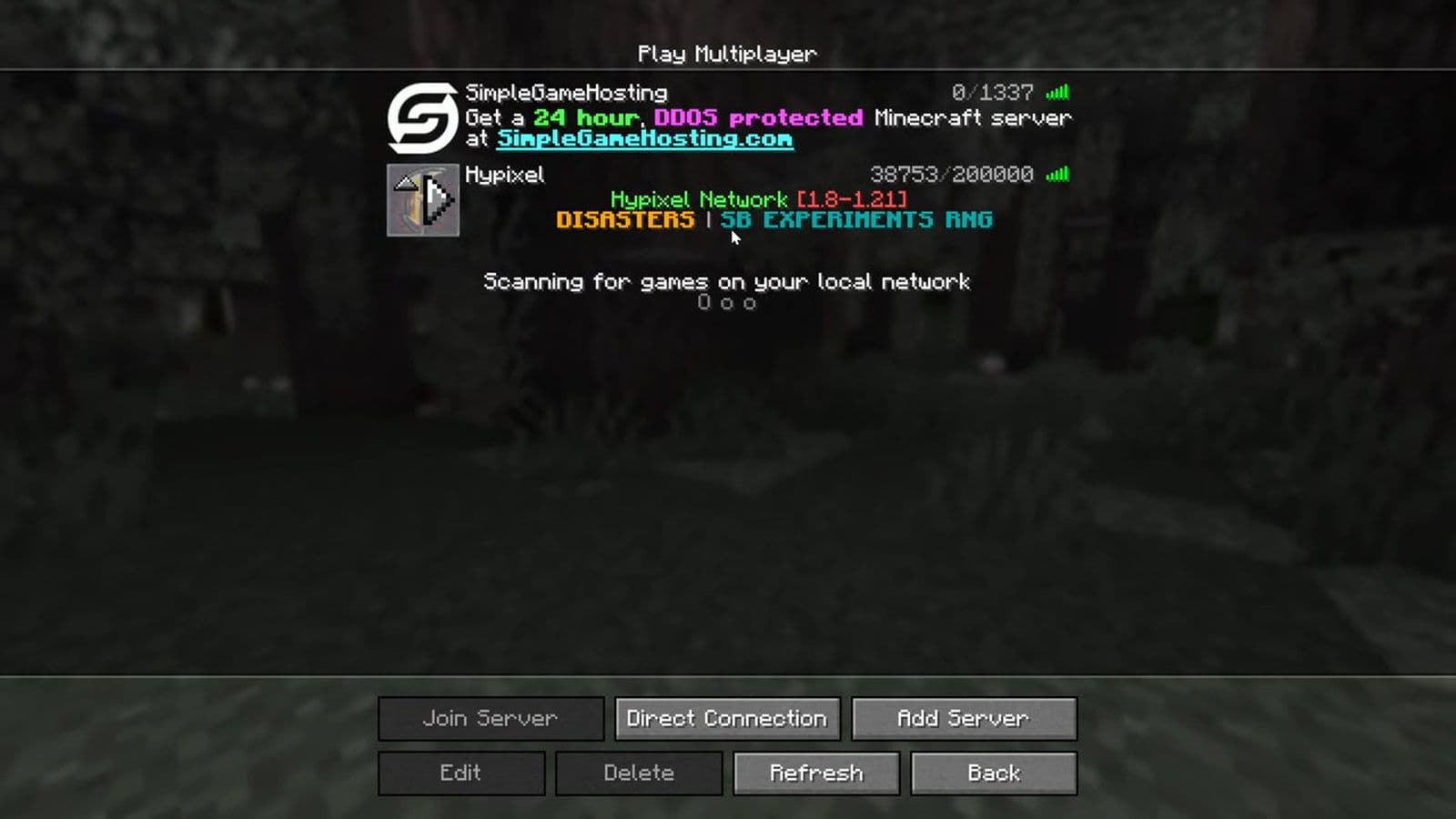
If you want to play on the most famous Minecraft server network, you need to know the Hypixel IP. Hypixel is the largest and most popular Minecraft multiplayer server, offering dozens of custom game modes, a huge player community, and constant updates.
This guide explains the Minecraft Hypixel IP, how to join the server, the most popular game modes, common connection issues, and how the Hypixel community even inspired the development of the game Hytale.
What is the Minecraft Hypixel IP?
The Minecraft Hypixel IP is the server address used to connect to the Hypixel network in Minecraft Java Edition.
- Official Minecraft Hypixel IP: mc.hypixel.net
When you enter this address in Minecraft’s multiplayer menu, your game connects to the Hypixel server network. This allows you to access its lobbies, mini-games, and multiplayer worlds.
Minecraft servers use IP addresses or domain names so players can find and join them online. Hypixel uses the domain mc.hypixel.net because it is easy to remember and widely recognized in the Minecraft community.
Minecraft automatically uses the default server port 25565, so players normally do not need to configure anything else.
What is Hypixel in Minecraft?
Hypixel is the largest Minecraft server network in the world. It was originally created by a group of Minecraft map developers who wanted to build unique multiplayer experiences.
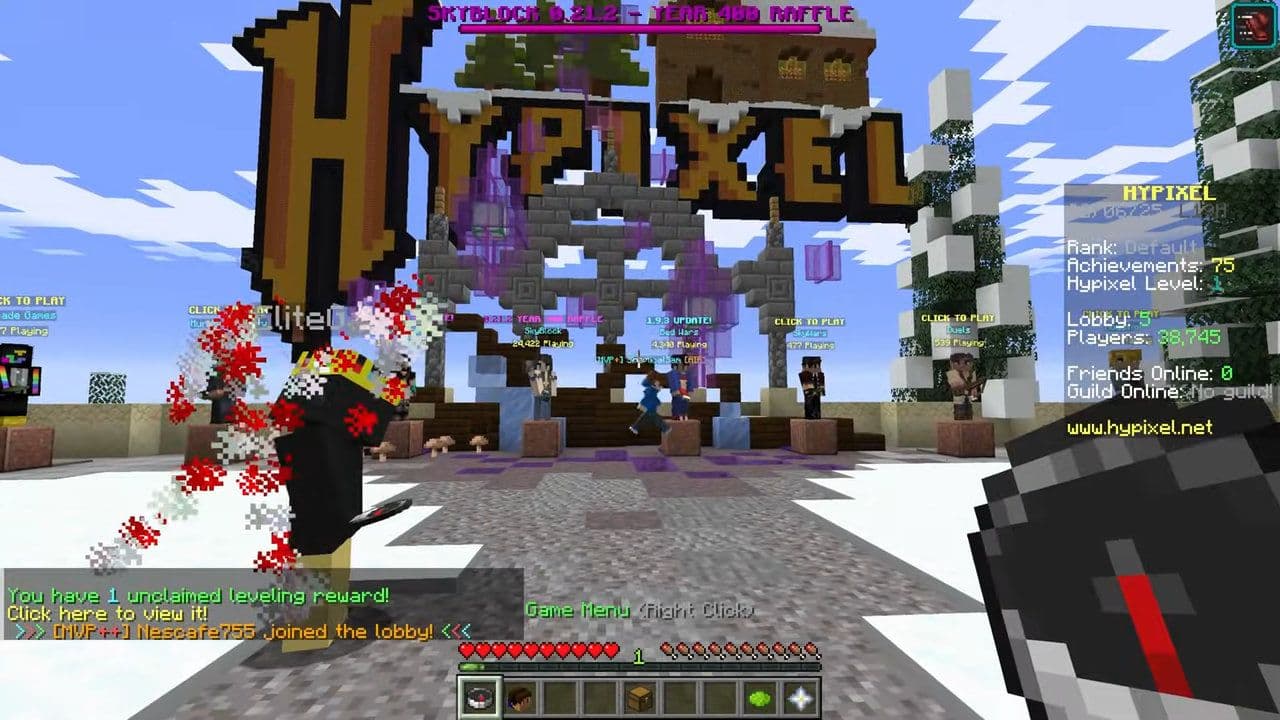
Today, Hypixel hosts millions of players and offers many custom mini-games that go far beyond standard Minecraft gameplay.
Some features that make Hypixel unique include:
- Custom game modes
- Professionally designed maps
- Advanced server plugins
- Competitive PvP systems
- A massive global player base
Because of its quality and scale, Hypixel is often considered the most influential server in Minecraft history.
How to join using the Minecraft Hypixel IP
Joining Hypixel is simple if you follow these steps.
1. Open Minecraft Java Edition
Launch Minecraft Java Edition on your computer. Hypixel mainly supports Java Edition, not the Bedrock version used on consoles or mobile devices.
2. Select Multiplayer
From the Minecraft main menu, click Multiplayer.
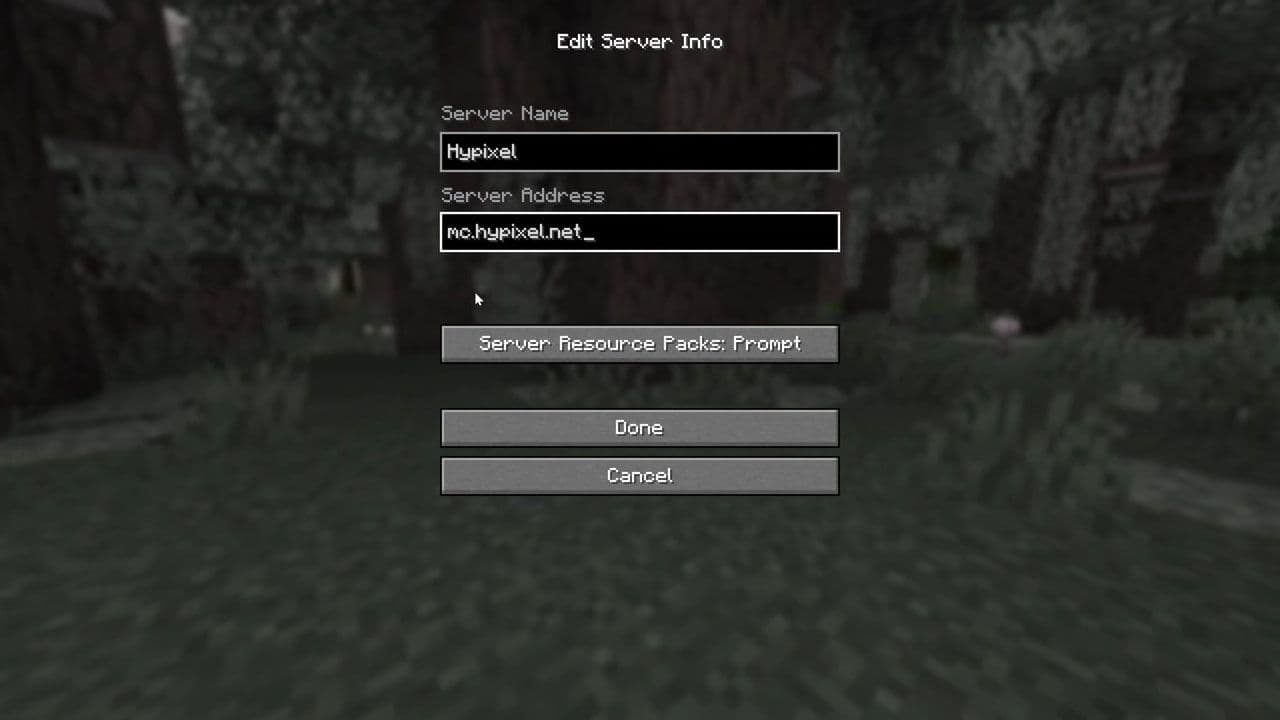
3. Add a New Server
Click Add Server.
4. Enter the Minecraft Hypixel IP
Fill in the server details:
Server Name: Hypixel
Server Address: mc.hypixel.net
5. Join the Server
Click Done, then select the server from the multiplayer list to join.
Once connected, you will enter the Hypixel lobby, where you can choose different games and activities.
Is the Minecraft Hypixel IP not working?
Sometimes players cannot join Hypixel even when using the correct IP. Here are common issues.
- Incorrect server address: Make sure the Minecraft Hypixel IP is typed exactly like this:
- mc.hypixel.net
- Unsupported Minecraft Version: Hypixel supports multiple versions, but some players prefer versions like 1.8.9 for better PvP performance.
- Internet connection issues: Slow or unstable internet connections may cause timeouts or connection errors.
- Server maintenance: Occasionally Hypixel performs maintenance or updates. During these times the server may be temporarily unavailable.
The connection between Hypixel and Hytale
The success of Hypixel eventually led to the creation of a new game called Hytale.
Hytale is being developed by Hypixel Studios, a team formed by members of the Hypixel server community. The studio was later acquired by Riot Games, the company behind League of Legends.
Hytale aims to combine elements of:
- sandbox building similar to Minecraft
- role-playing mechanics
- adventure and quests
- modding tools for creators
- multiplayer servers and mini-games
Many ideas for Hytale came from years of experience developing content for the Hypixel server. The developers wanted to build a game where creators could design worlds, mini-games, and mods more easily than in Minecraft.
You can explore what is different between Hytale and Minecraft with this guide.
Where the biggest Minecraft community plays
The Minecraft Hypixel IP (mc.hypixel.net) is the gateway to the largest and most creative multiplayer server in Minecraft. With games like Bed Wars, SkyWars, SkyBlock, and Build Battle, Hypixel offers endless ways to play.
Beyond Minecraft itself, the Hypixel community has also helped inspire the upcoming sandbox RPG Hytale, showing how a Minecraft server can grow into a full game development studio.
If you want to experience one of the best multiplayer communities in Minecraft, simply open the game, enter the Minecraft Hypixel IP, and start exploring.
That’s all for today! Looking for more Minecraft news & guides? Check out these:
- Minecraft Phonk Edits Mod: Integrating viral phonk music and visual effects into gameplay
- Finding diamonds in Minecraft: Everything you need to know
- Minecraft Orbital Railgun Mod: Complete guide to download, craft and use the weapon
- Exploring the best Minecraft shaders for enhanced visuals
- Minecraft Controlify Mod: How to install and use
All Related Guides
 How to breed frogs in MinecraftBreed frogs in Minecraft with this simple guide to slimeballs, frogspawn, tadpoles, frog variants, and common ...
 Best Minecraft PS5 seeds in 2026 - Version 26.2Discover the best Minecraft PS5 seeds in 2026, with strong Bedrock worlds for survival and creative projects....
 Best Minecraft PS5 seeds in 2026 - Version 26.2Find the best Minecraft PC seeds in 2026, with great worlds for survival, villages, building, exploration, and...
 Top 5 Minecraft 26.1 seeds you must try todayFind the best Minecraft 26.1 seeds for villages, rare biomes, island survival, and creative builds, with seed ...
 How to turn on keep inventory in MinecraftUse the correct Keep Inventory command in Minecraft and learn how it works across Java, Bedrock, servers, and ...
 How to breed tropical fish in MinecraftCan you breed tropical fish in Minecraft? Here is the clear answer, plus how to catch, move, and use tropical ...
 Minecraft Chaos Cubed guide: Everything new in the 2026 updateExplore everything new in Minecraft Chaos Cubed, including Sulfur Caves, Sulfur Cubes, geysers, new blocks, co...
 How to change render distance in MinecraftChange render distance in Minecraft with simple steps for Java and Bedrock, plus tips to balance better visibi...
- 1
- 2
- 3
- 4
- 5
- 6
- 7
- 8
- 9