Why is my FPS low and how to boost FPS in CS2: Guide for older and problematic systems
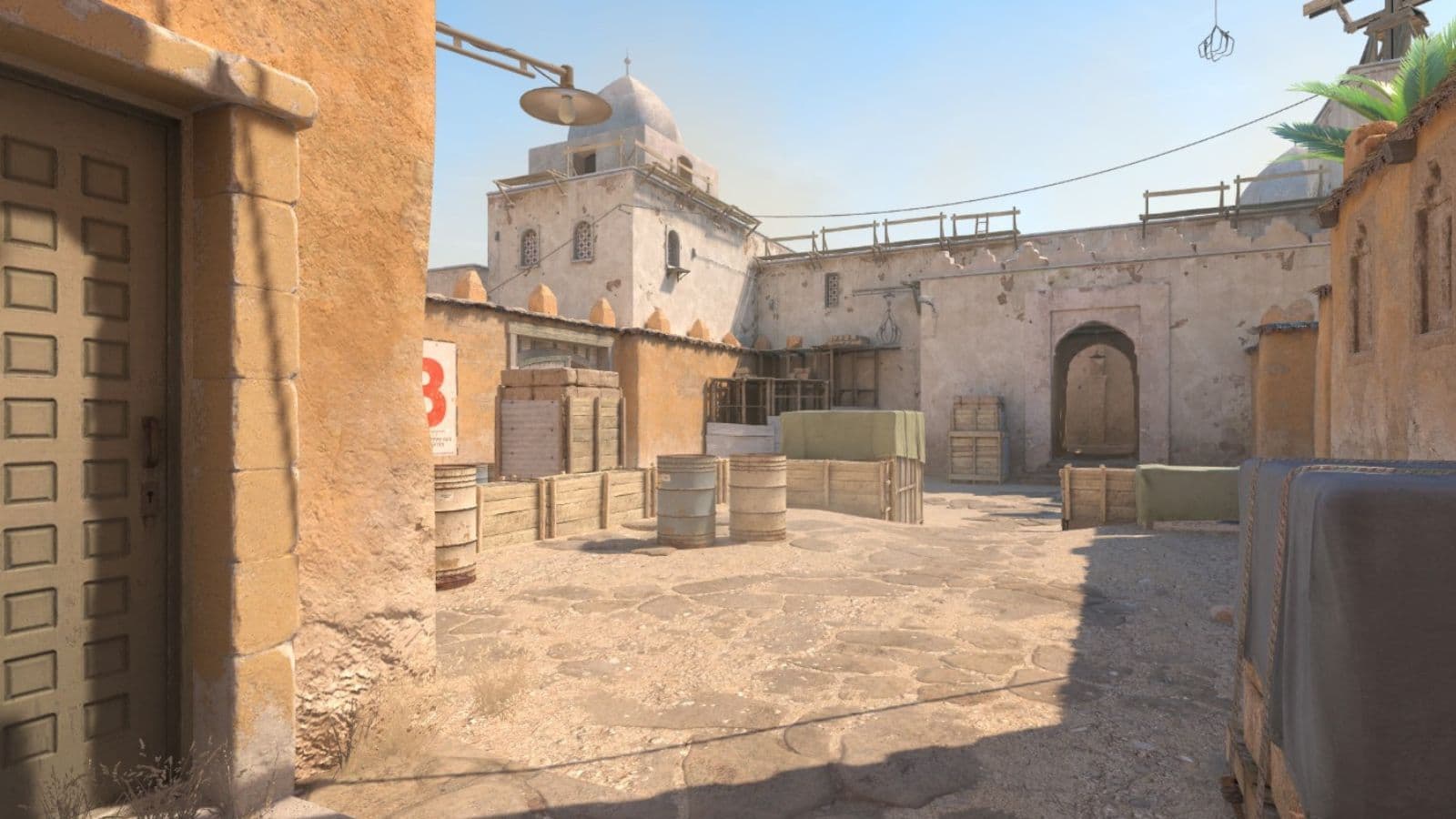
CS2 is a very fun game, until it starts to lag. When FPS drops, the game can feel heavy, delayed, or uneven, and that can ruin duels even if your ping looks fine. Valve also recommends using the highest refresh rate your display supports because smoother motion helps you read the game better. If you are having issues with performance and want to boost FPS in CS2, keep reading!
Why is my FPS in CS2 so low?
Low FPS in CS2 usually comes from a few common causes. In most cases, the problem is not just one setting. It is often a mix of heavy graphics options, background programs, wrong GPU selection, or a PC that cannot keep up with your target frame rate.
Another reason is that players often chase visual quality when they really need stability. In a competitive shooter, stable frame time matters more than pretty shadows or effects.
If your system struggles, even small drops during fights, smokes, or utility-heavy moments can make the game feel inconsistent.
How to boost CS2 FPS
If you want more FPS, start with the changes that have the biggest impact.
Keep the process simple and test the game after each major tweak.
Lower your video settings first
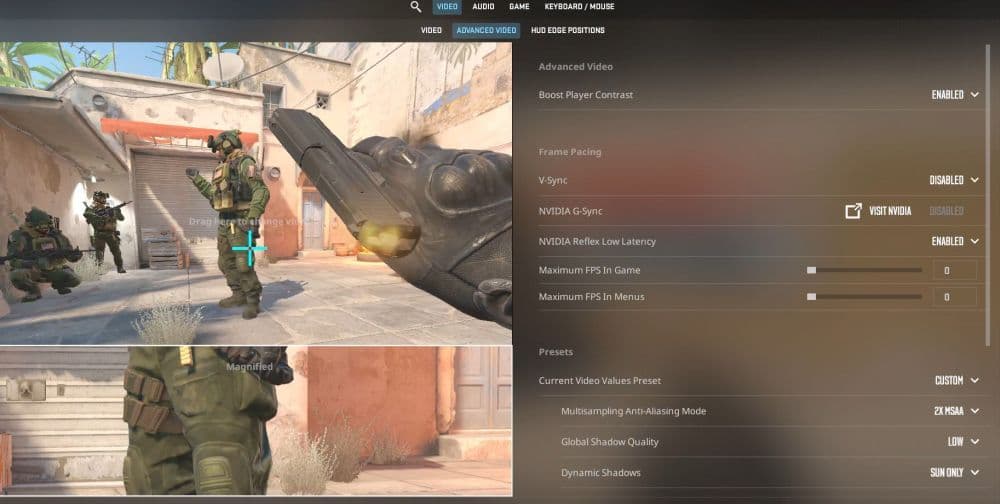
This is the easiest place to start. Lower demanding settings in the video menu and focus on performance over visuals.
- Open Settings in CS2.
- Go to Video and then Advanced Video.
- Lower demanding effects and visual extras.
- Keep testing after each change.
- Stop when the game feels smooth and clear enough for you.
Make sure CS2 uses the high-performance GPU
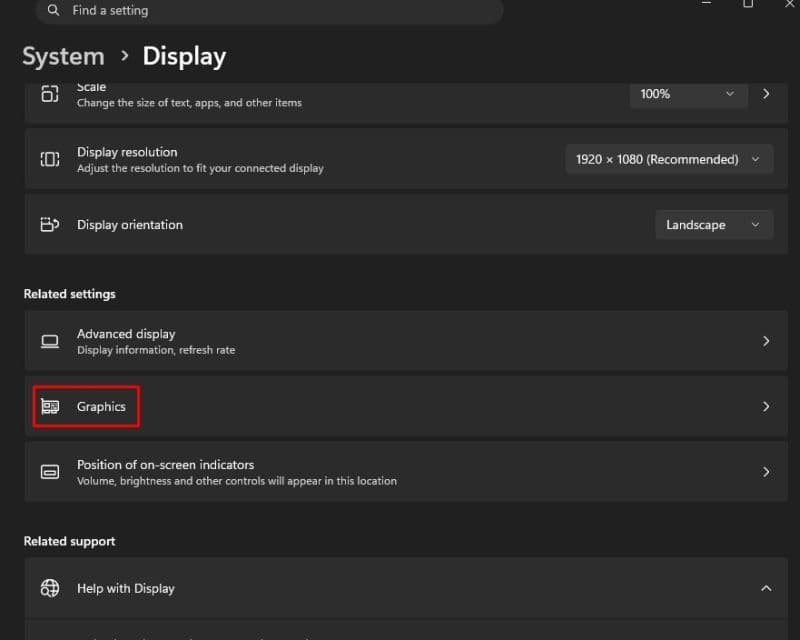
This matters most on laptops and systems with more than one graphics processor. Windows lets you force a game to use the stronger GPU.
- Open Settings in Windows.
- Go to System > Display > Graphics.
- Find CS2 in the app list.
- Open Options.
- Choose High performance.
- Save the setting and restart the game.
Microsoft says Windows graphics settings let you assign a game to the high-performance GPU, which can improve game performance on systems with multiple graphics processors.
Turn on Game Mode and close background apps
Background tools can eat CPU, RAM, and disk speed. Browsers, launchers, overlays, and recording tools can all hurt performance.
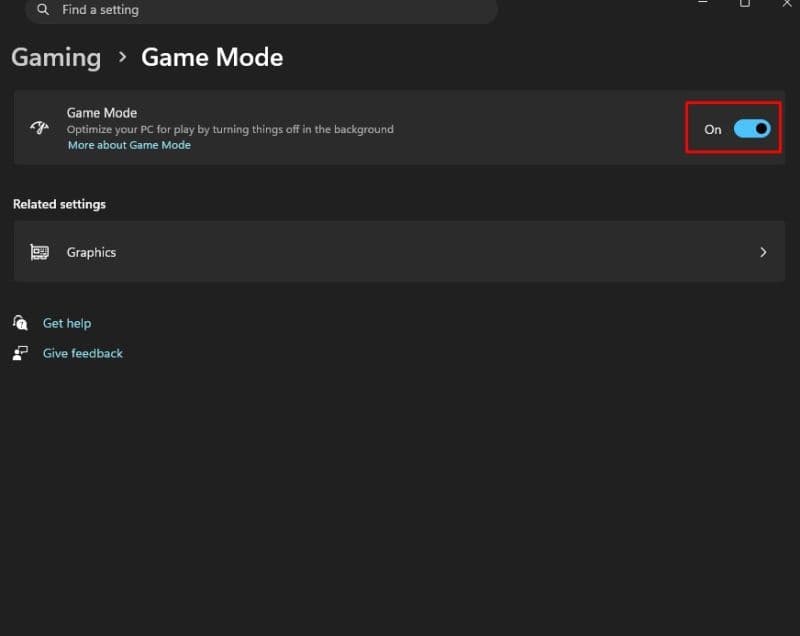
- Search for Game Mode in Windows.
- Turn it on.
- Close browsers, downloads, and unused apps.
- Turn off extra notifications before you play.
Microsoft says Game Mode is built to optimize Windows for gaming, and it can help the system focus more resources on your game.
Use the right display setup
Set your monitor to its highest refresh rate. If your display runs at a lower setting than it should, the game will not feel as smooth even if the FPS number looks high.
Valve also recommends reviewing options such as V-Sync and G-Sync carefully, since they can change the feel of the game.
Enable NVIDIA Reflex if you use GeForce
NVIDIA Reflex helps reduce system latency in CS2. It is not a pure FPS boost, but it can make the game feel more responsive.
- Open Settings in CS2.
- Go to Video.
- Open Advanced Video.
- Turn NVIDIA Reflex Low Latency to Enabled.
NVIDIA’s official CS2 guide says Reflex reduces system latency, and that helps your actions appear on screen faster.
How to show FPS in CS2
There are two practical ways to check performance. Steam offers a built-in performance monitor, but you can also open it in the game.
Steam
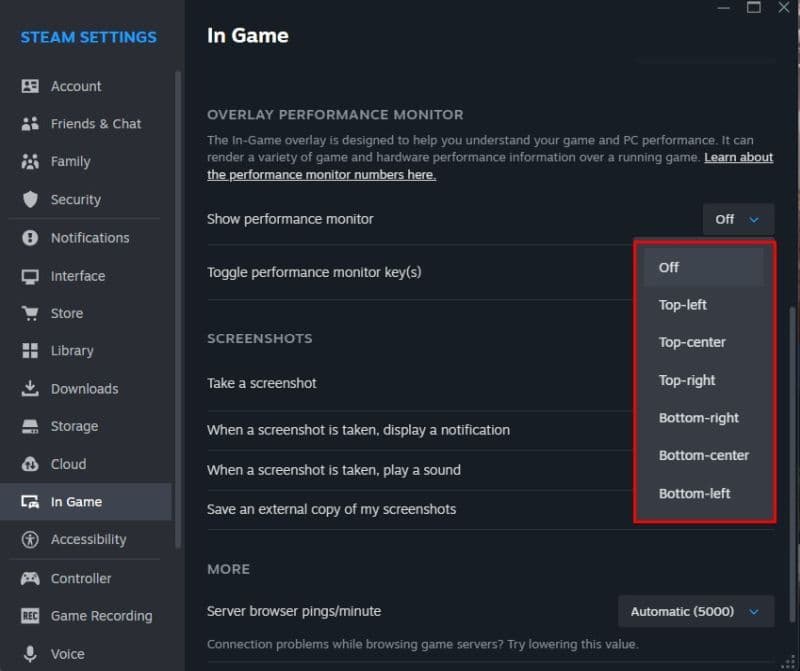
- Open Steam and go to “Settings.”
- Go to the “In Game” section
- Scroll down until you see “Show Performance Monitor.”
- Open the drop-down menu and choose where you want the FPS monitor to be placed in.
CS2
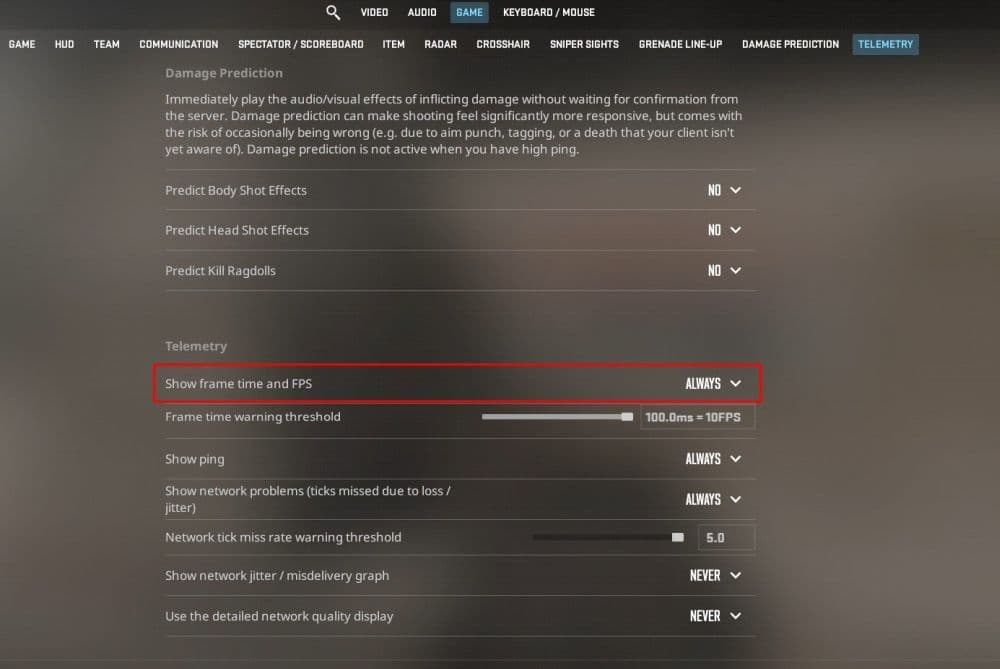
- In CS2, go to Settings.
- Then click “Game.”
- Scroll down until you see “Telemetry.”
- Ensure “Show frame time and FPS” is set to “Always.”
How to get 300 FPS in CS2
Getting 300 FPS in CS2 depends on your hardware, your resolution, and your settings. There is no magic switch for it. Lower settings can help a lot, but they cannot fully replace a strong CPU and GPU. If you want to stay near 300 FPS, you usually need competitive settings, a capable PC, and a monitor that can actually benefit from that frame rate.
This target also makes more sense if you use a high refresh rate display such as 240Hz or above. If your monitor is 60Hz or 144Hz, chasing 300 FPS is less useful than chasing stable and consistent gameplay.
Can human eyes see 200 FPS?
In gaming terms, yes, people can notice the difference between lower and higher frame rates. The benefit is not only visual. Higher FPS can improve motion clarity and lower delay, which helps in fast games like CS2. Many people believe that the difference is pretty big.
That does not mean every player will react the same way or need 200 FPS to play well. Still, smoother motion and lower latency are real advantages in a competitive shooter.
Is 40 FPS bad for gaming?
For CS2, 40 FPS is pretty bad. You can still move, shoot, and finish matches, but the game will feel less smooth and less responsive than it should. In a tactical shooter, that can hurt aim and timing.
If possible, 60 FPS should be the minimum target. From there, 120 FPS or more gives a better competitive experience, especially on higher refresh rate monitors. The main goal is not just a big number. It is stable performance that does not fall apart in fights, and especially in smokes, as many PCs struggle to ensure smoothness inside smokes.
We have more CS2 guides below:
- Everything about CS2 workshop map 1v1 commands
- Best CS2 aim training maps that can really improve your skills
- CS2 jumpthrow bind
- All CS2 roles and positions: How to play and improve each
- Explained: Best CS2 surf servers & maps
Featured Image Credit: Valve
All Related Guides
 How to do a 1v1 in CS2: Private matches, maps, and commandsLearn how to 1v1 in CS2 with friends using private Practice matches, Workshop maps, console commands, custom r...
 donk crosshair CS2: Current code and how to copy itWant to try donk’s crosshair in CS2? Check the current donk crosshair CS2 code and see how his setup works....
 How to change the HUD color in CS2Change your HUD color in CS2 with a few quick steps. See the available colors, command values, and which choic...
 How to make CS2 look like CSGOMiss the old CS:GO visuals? This guide explains how to adjust CS2 graphics, brightness, colors, HUD, and weapo...
 How to bind mousewheel to jump CS2Find the best CS2 mousewheel jump bind commands, learn how to set them up, and see how scroll jumping can supp...
 How to fix net jitter in CS2: Best solutions for packet loss, lag & rubberbandingLearn how to fix net jitter in CS2 with the best solutions for packet loss, lag, rubberbanding, and unstable c...
 How to scrape stickers in CS2Want to remove stickers in CS2? Here’s how scraping works, what it changes, and why full removal is permanent....
 ropz CS2 settings: Crosshair, viewmodel, and moreCopy ropz CS2 settings for mouse, crosshair, viewmodel, video, and radar, then adjust them to match your own a...
- 1
- 2
- 3
- 4