How to Fly in CS2: Noclip Command, Setup, and Controls
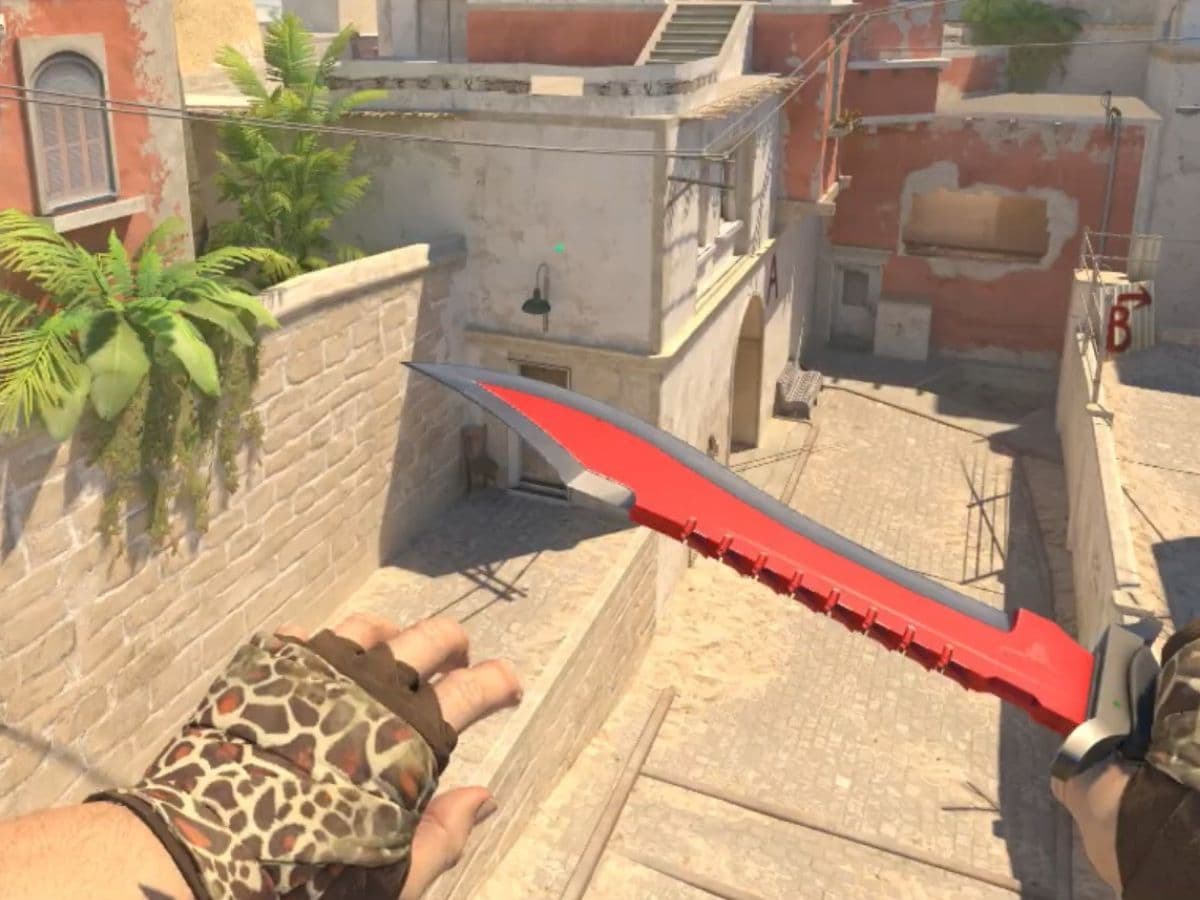
CS2 players know that they need hours and hours of practice to get better in the game, possibly reaching higher ranks in the game. However, being good at shooting is not enough on its own. Players need to use utilities effectively and be able to walk around the map with confidence, knowing which door or angle leads where.
That is where “flying” helps. CS2 does not give players a real flight mechanic, but it does support a cheat command that lets you move like a free camera. You can scan a map from above, pass through walls, and test ideas faster. You can also build better habits because you see why positions work, not just that they work.
Can you fly in CS2?
Yes, you can fly in CS2 in a practical sense. You use the noclip command, which removes collision and lets you move freely in any direction. You can travel through walls, floors, and props, so the game feels like it gives you flight.
This feature exists for practice and exploration. CS2 treats it as a cheat tool, so it only works in sessions that allow cheat commands, like workshop maps. You use it to learn maps, test utility, and create content.
If you don’t know how to, check out our guide on running custom maps!
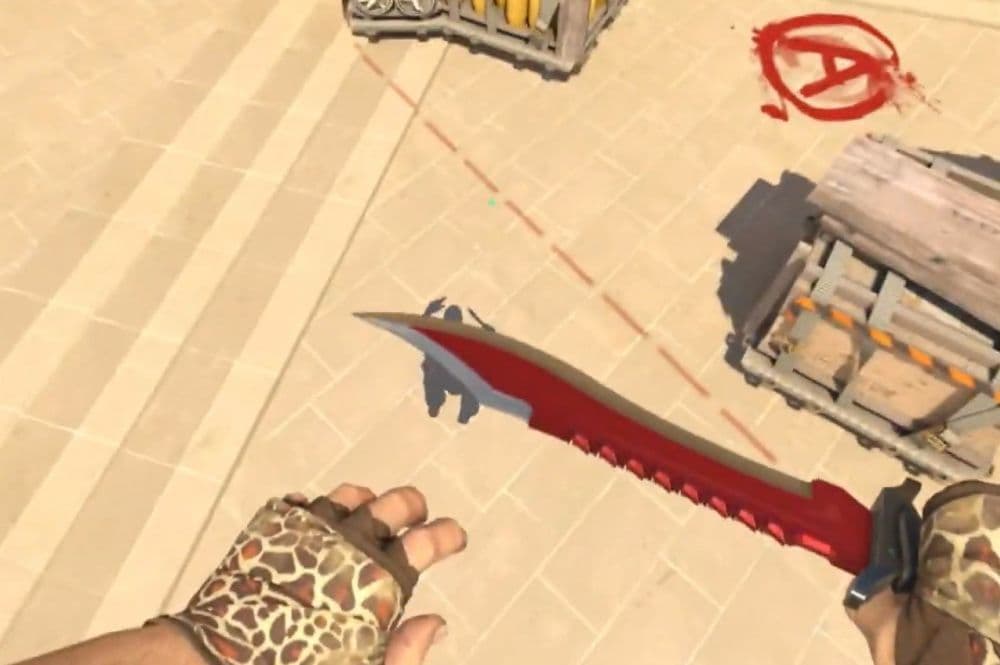
How to activate and fly in CS2
Use this flow once, and you can repeat it in seconds.
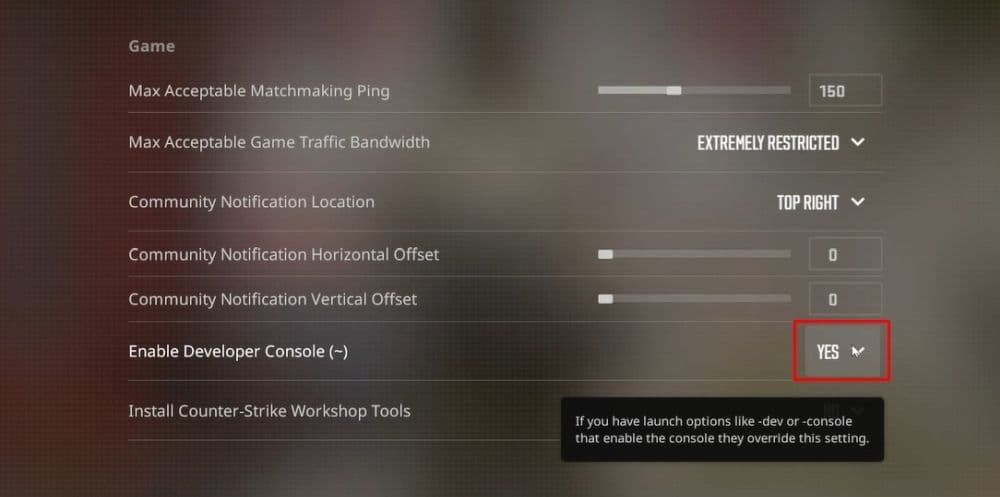
Step 1: Enable the Developer Console
- Open Settings.
- Go to Game.
- Set Enable Developer Console (~) to Yes.
- Press ~ / ` to open the console.
If your keyboard layout does not open the console with ~, set a console key in your keyboard bindings so you can access it quickly.
Don’t forget to check out our guide on CS2 console commands for more options!
Step 2: Launch a session that allows cheats
Noclip works in these scenarios:
- Offline practice sessions
- Private servers you control
- Community servers that allow cheat commands
If the server blocks cheats, the game ignores sv_cheats 1. Noclip will not work there.
Step 3: Turn on cheats, then toggle noclip
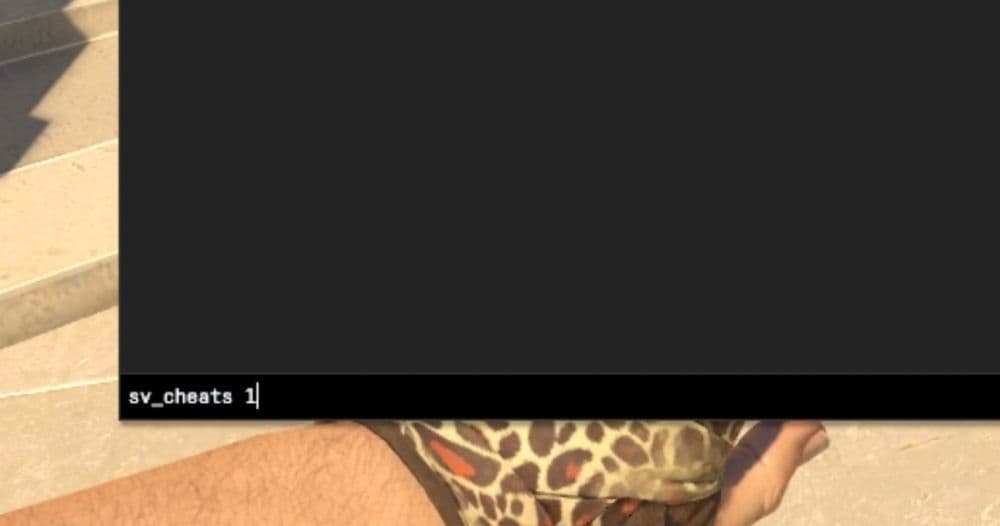
Open the console and run:
- sv_cheats 1
- noclip
When you type noclip again, the game toggles flight off. You can also use noclip 0 to force it off.
Step 4: Fly with simple controls
CS2 uses familiar movement:
- W / A / S / D moves you forward, left, back, and right
- Your mouse sets direction and camera angle
- You can stop at any point and pass through surfaces to inspect spaces
Tip for clean practice: slow down near angles and corners. Look at head height lines, common cover edges, and default crossfire lanes. This habit turns “exploration” into real map learning.
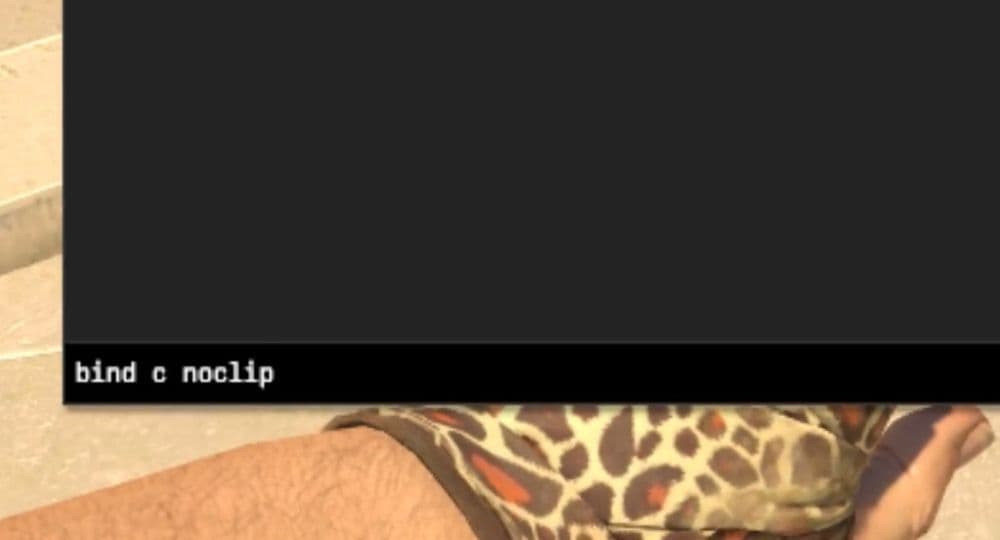
Step 5: Bind noclip to a key (optional but worth it)
A bind saves time, especially when you swap maps.
- Basic toggle: bind c "noclip"
- One-key setup: bind c "sv_cheats 1; noclip"
Pick a key you do not use for weapons, voice, or utility. You want zero mistakes during practice.
Optional: Use low gravity for jump and timing drills
Low gravity does not let you fly through walls, but it helps with movement testing.
- Default: sv_gravity 800
- Example: sv_gravity 400
Use gravity changes for jump arcs, ledge tests, and timing drills. Use noclip for true free movement and wall passing.
How flying helps in CS2
Noclip feels like a toy, but it supports real improvement when you use it with purpose. Even some of the best CS2 players use this feature to their advantage.
Map awareness and faster learning
You can trace rotations, spot cover chains, and understand how angles connect. You learn where sightlines overlap, so you avoid “dead paths” that expose you to multiple lanes.
Utility practice
You can jump between lineup spots in seconds. You can check where a smoke lands from above, then adjust faster. You can confirm if a flash pops behind cover or if it blinds teammates.
Strategy preparation
You can recreate common executes and see what they cover. You can identify gaps in smoke walls and weak points in post-plant setups. This view helps when you build your own defaults.
Content creation and clean camera work. You can capture overhead routes, smooth map tours, and clear lineup demos. You can also record “before and after” clips that show how a small angle change improves safety.
Can you fly in ranked games?
No. CS2 ranked and official matchmaking do not allow sv_cheats 1, so noclip does not work there. Use noclip only in offline practice, private servers, or community servers that allow cheats.
Why can’t I fly in CS2?
If you can’t fly in CS2? It is most likely because of one of these reasons below:
Cheats stay disabled even after you type sv_cheats 1
You play on a server that blocks cheats. Leave the server and switch to an offline practice session or a private server you control.
The console does not open when you press ~
You disabled the developer console in settings, or your keyboard layout uses a different key. Enable the console, then set a clear bind for it in keyboard settings.
Noclip works once, then stops after map changes
CS2 resets many settings when you restart a session. Use a noclip bind that also runs sv_cheats 1, or re-enter sv_cheats 1 after you load a new map.
Your bind does nothing or triggers another action
You created a key conflict. Pick a key you never use in normal play, then rebind it. Also remove old binds that share the same key, so CS2 does not prioritize another command.
Are you looking for more CS2 guides? We have plenty, you can start with the ones below:
- Everything about CS2 workshop map 1v1 commands
- Best CS2 aim training maps that can really improve your skills
- CS2 jumpthrow bind
- All CS2 roles and positions: How to play and improve each
- Explained: Best CS2 surf servers & maps
Featured Image Credit: KYXT on YouTube
All Related Guides
 How to scrape stickers in CS2Want to remove stickers in CS2? Here’s how scraping works, what it changes, and why full removal is permanent....
 ropz CS2 settings: Crosshair, viewmodel, and moreCopy ropz CS2 settings for mouse, crosshair, viewmodel, video, and radar, then adjust them to match your own a...
 How to remove screen shake in CS2How to reduce screen shake in CS2 using console commands, viewmodel settings, graphics tweaks, and autoexec co...
 How to trade up souvenir skins CS2 with the new updateCan you trade up souvenir skins CS2? Here’s the answer, plus the key rules, risks, and best collections to che...
 Valve introduced Animgraph 2 for CS2 and here are all of the changesAnimgraph 2 is now live in CS2. Here is what changed, how it affects weapon animations, and what players shoul...
 How to change FOV in CS2: Best viewmodel commandsChange your CS2 FOV the right way with simple console commands, viewmodel settings, and clear tips for better ...
 New CS2 music kits: Guide to NIGHTMODE II CollectionNew CS2 music kits guide: NIGHTMODE II collection, all tracks, MVP anthems, artists, and best kits for every p...
 nocries CS2 settings: The Faceit prodigyFind the latest nocries CS2 settings with his DPI, sensitivity, stretched resolution, viewmodel, and crosshair...
- 1
- 2
- 3
- 4