How to get more Portable Extractors in Fortnite
Never run out of Extractors again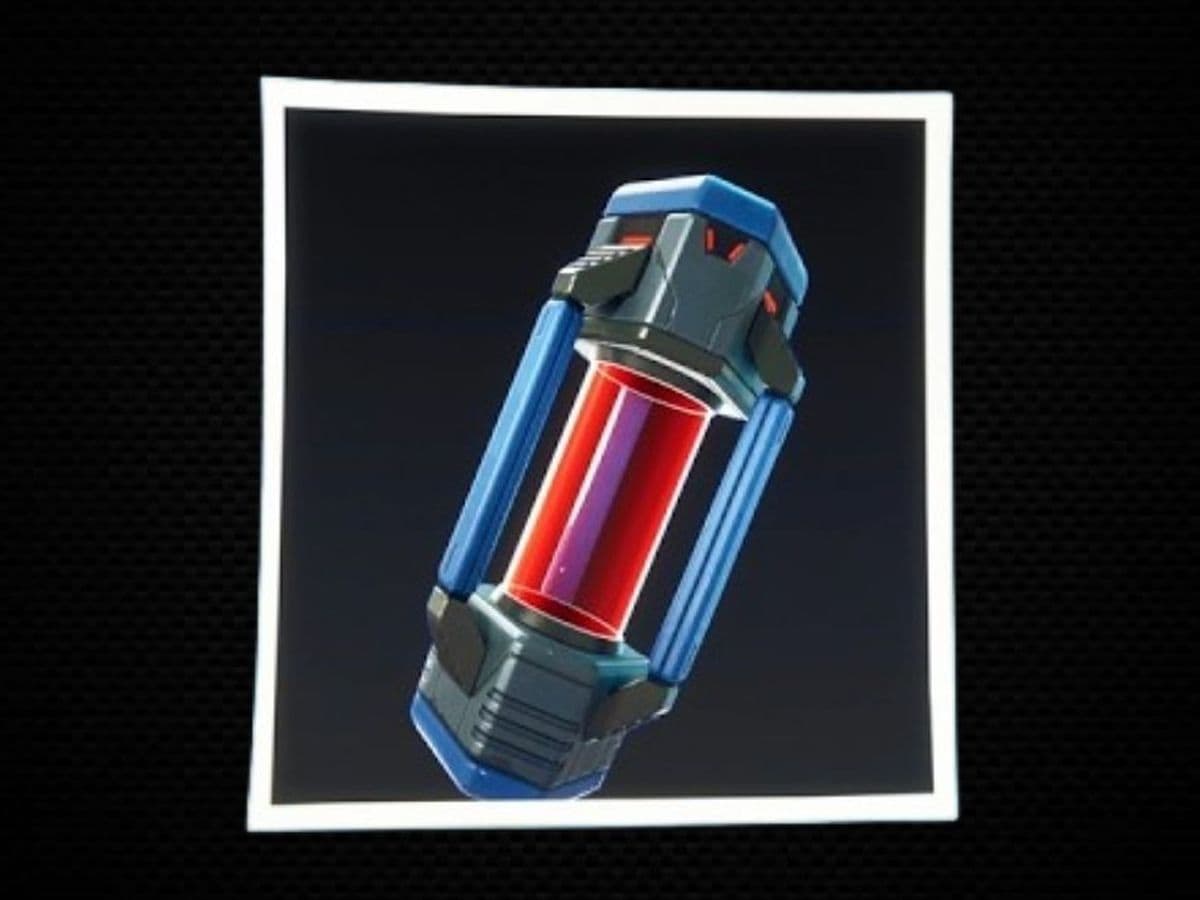
The fastest reliable way to get more Portable Extractors in Fortnite is to buy one each day from the Sprite Dust Services terminal at an Extraction Site. Each one costs 2,000 Sprite Dust. You can also earn additional Extractors when they appear in Bonus Goals or Sprite Mastery progression rewards.
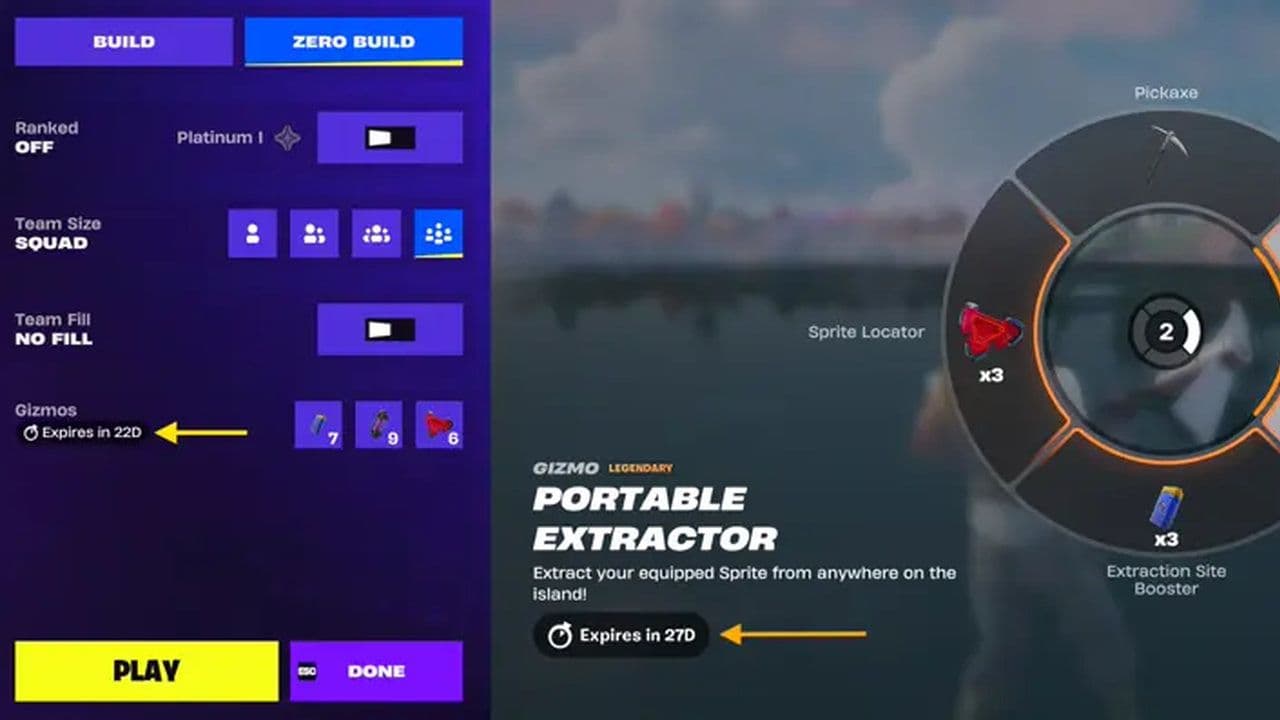
Portable Extractors are single-use Gizmo. They save the Sprite currently equipped on your back from anywhere on the island, letting you avoid a contested Extraction Site. They stack across matches and remain available until used, but all Chapter 7 Season 3 Gizmos expire when the season ends.
All 4 ways to get Portable Extractors
- Buy one from Sprite Dust Services: Visit an Extraction Site and spend 2,000 Sprite Dust at the service terminal. The purchase is limited to one per daily reset.
- Complete Bonus Goals: Check the Quests tab for a Portable Extractor icon. Bonus rewards rotate or change during the season, so complete the requirement only when the Extractor is visibly listed as the reward.
- Progress through Sprite Mastery: Some milestones in the Sprite Mastery track award Portable Extractors. Open the Sprites or Mastery screen in the lobby to see which unclaimed milestones still contain them.
- Claim limited event rewards: Special Sprite events or temporary quest chains can include extra Gizmos. Verify the reward icon in-game because event bonuses are not permanent.
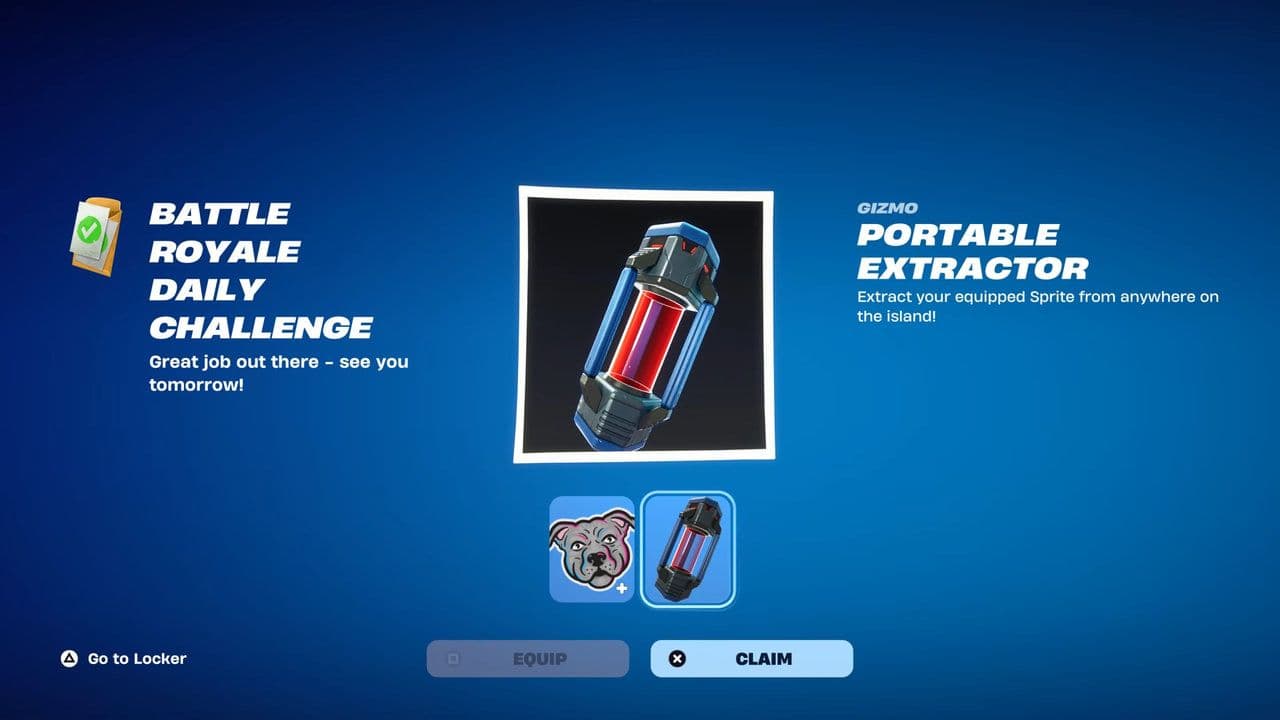
How to buy a Portable Extractor in Fortnite
- Enter Battle Royale or Zero Build.
- Travel to a marked Sprite Extraction Site.
- Find the Sprite Dust Services terminal near the main extractor.
- Interact with the terminal.
- Select Portable Extractor.
- Spend 2,000 Sprite Dust to complete the purchase.
- Check the Pickaxe/Gizmo slot to confirm your new total.
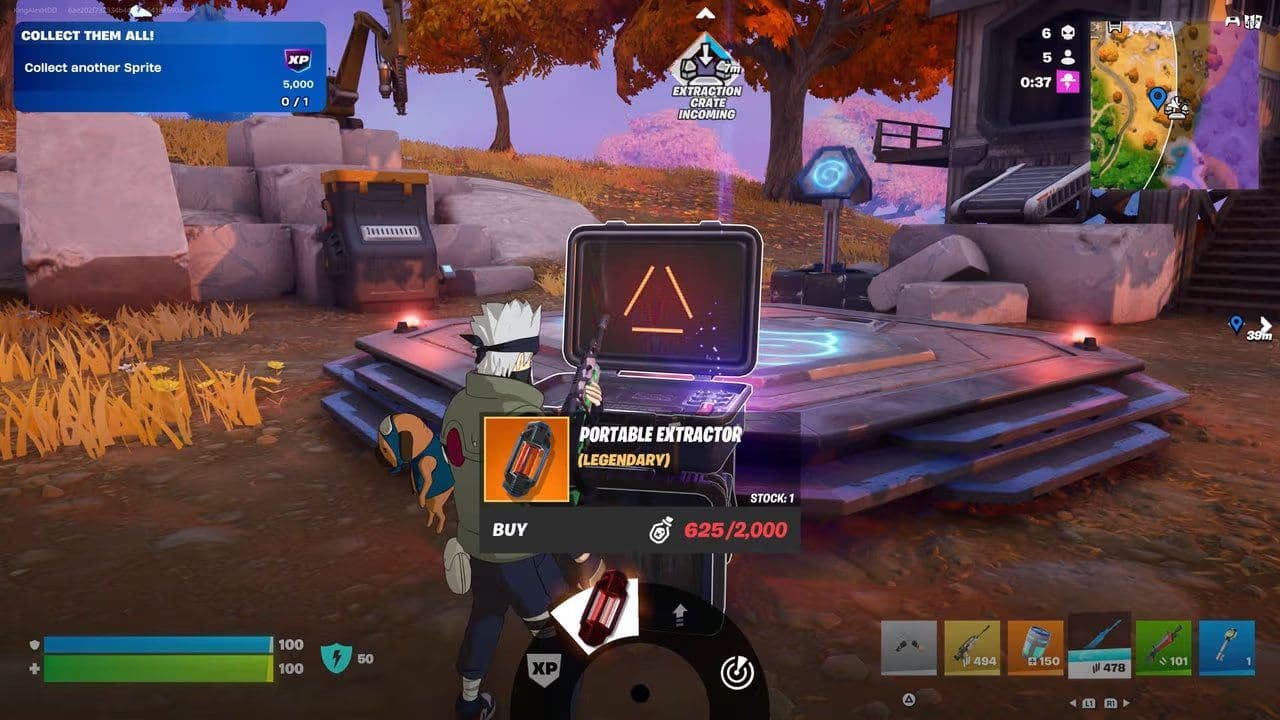
The terminal purchase has a daily limit. Visiting another Extraction Site in the same reset period does not provide a second purchase because the limit applies to the account, not each terminal.
Troubleshooting
- You already used the daily purchase. Wait for the next reset.
- You have less than 2,000 Sprite Dust. Extract more Sprites and avoid unnecessary summoning expenses.
- You are using the main Extraction terminal instead of Sprite Dust Services. Look for the separate service terminal at the site.
- The item or terminal is temporarily disabled. Check Fortnite Status or the current update notes if the option disappears from every Extraction Site.
Can teammates give you Portable Extractors?
No. Gizmos cannot be traded or dropped.
How to get more Sprite Dust
Extract Sprites at an Extraction Site. This is the standard way to convert successful extractions into Sprite Dust.

Use a Portable Extractor only for valuable saves. If an Extraction Site is safe, use the normal terminal and preserve your Portable Extractor for a rare variant, a high-level Sprite, or a late-game emergency.
Watch for Sprite events and active bonuses. Temporary events can increase Sprite Dust gains, but the exact bonus may change. Check the live event or quest description before planning a farming session.
Do not spend all your Sprite Dust summoning collected Sprites. Keep at least 2,000 available for the next daily Portable Extractor purchase.
What is the fastest way to get Portable Extractors?
Buy one per day for 2,000 Sprite Dust, then collect any available Bonus Goal and Sprite Mastery rewards.
Do Daily Quests still give Portable Extractors?
Not always. Earlier versions of the daily Bonus Goal awarded a Portable Extractor after completing the required objectives or Sprite extractions. That reward has changed during the season, and some players now see a different Gizmo or no Extractor in that slot.
Use the live Quests screen as the source of truth. If the reward preview shows a Portable Extractor, complete the listed Bonus Goal. If it shows an Extraction Site Booster, Lucky Locator, XP, or another reward, it will not give an Extractor.
How to use a Portable Extractor in Fortnite
- Equip the Sprite you want to save on your back.
- Switch to your Pickaxe.
- Use the on-screen Gizmo switch input to select the Portable Extractor.
- Activate it with the normal attack or use input.
- Wait for the extraction to complete.
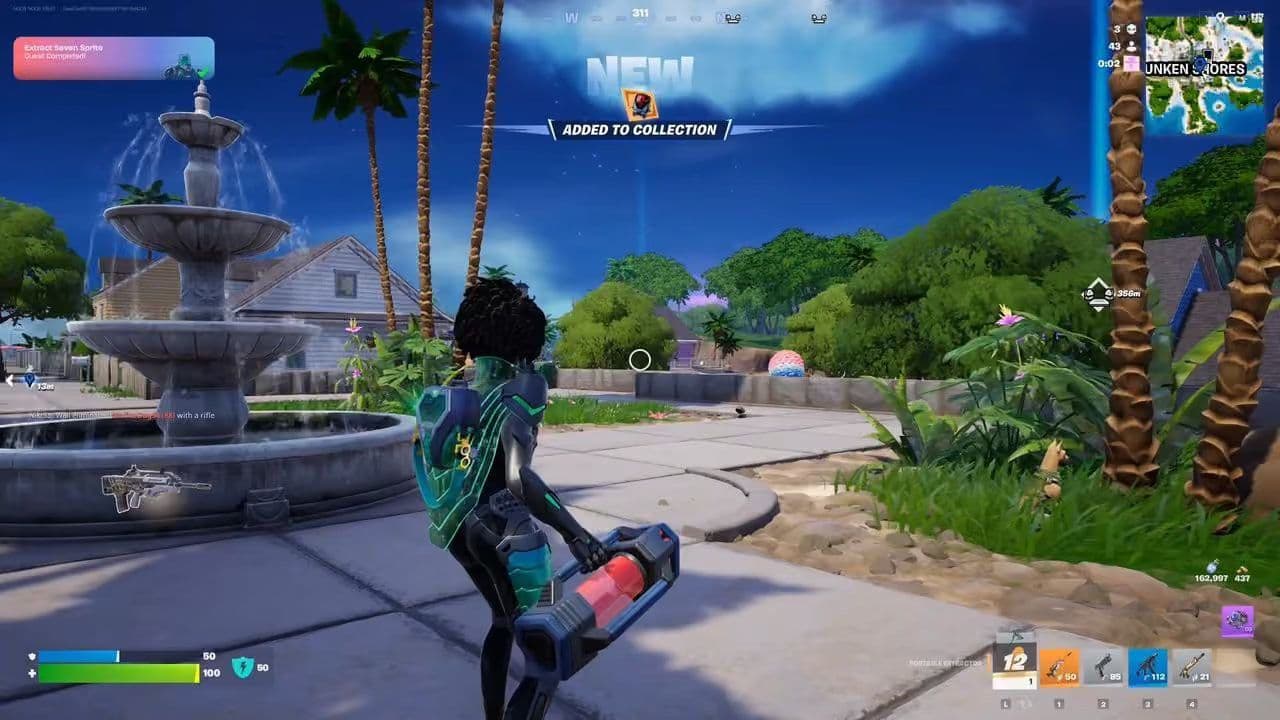
On a controller, holding the Pickaxe button usually opens or switches to the Gizmo. On keyboard, the default input may appear beside the Pickaxe slot; some players need to assign the Pickaxe/Gizmos binding manually in Settings.
The most important detail is that the Portable Extractor saves your equipped Sprite, not a Sprite sitting in a regular inventory slot. Confirm the correct Sprite is visible on your back before activating the Gizmo.
When to use a Portable Extractor
Keep an eye out for rare or missing additions to your collection, as those are always worth securing immediately with an extraction tool. They are also your best line of defense right after leveling up a Sprite—especially when a sudden Storm, an enemy team, or a chaotic Extraction Site turns standard survival into a gamble.
Just be smart with your inventory and skip using them on common duplicates you already own, unless you are actively trying to protect hard-earned Mastery progress. Most importantly, do not wait until you are downed and desperate; trigger the extraction while you still have enough health and breathing room to clear the animation safely.
Do Portable Extractors carry between matches?
Yes. Earned or purchased Gizmos persist across matches during the season and do not drop when you are eliminated. Using a Portable Extractor consumes one from your stored total.
Epic states that seasonal Gizmos expire when the season ends. Storing a large number indefinitely is therefore wasteful. Keep a small reserve, but use them when they protect a rare Sprite or important Mastery progress.
So, how to get more Portable Extractors in Fortnite
- Buy the daily Extractor first. Visit an Extraction Site early in a low-risk match and spend 2,000 Sprite Dust before forgetting the reset.
- Check Bonus Goals before queuing. If the reward is an Extractor, build the match around that objective. Do not assume yesterday’s reward is still active.
- Review Sprite Mastery milestones. Claim any completed rewards and target the nearest milestone containing additional Extractors.
- Rebuild your Sprite Dust reserve. Use normal Extraction Sites whenever the area is safe, then save Portable Extractors for situations where traveling to a site could cost the Sprite.
Keep a modest safety buffer on hand and use your Portable Extractors whenever a rare Sprite variant, high Mastery progress, or a hostile end-game circle demands a instant, guaranteed save.
That’s all for today! Looking for more Fortnite guides? Check out these:
- All Fortnite bosses & how to defeat them
- What are Accolades in Fortnite and how to get them
- Best Fortnite map codes with additional bonus maps
- How to start a custom game in Fortnite: Private 1v1, errors and fixes
- How to disable simple edit in Fortnite (PC, PlayStation, Xbox, Nintendo Switch, and mobile)
All Related Guides
 How to get the Ironmouse Sprite in FortniteLearn how to get the Ironmouse Sprite in Fortnite, where to find it, how to extract it, and the best way to fa...
 How to get a Lucky Locator in FortniteLearn how to get a Lucky Locator in Fortnite, unlock it at Sprite Mastery level 50, and use it to find a missi...
 Fortnite Lancehead clip quest explainedComplete the Fortnite Lancehead Clip quest fast. Find a Lancehead Pistol, learn how the thrown magazine works,...
 Fortnite Mastery Monday guide: Schedule, bonuses & moreLearn how Fortnite Mastery Monday works, including its weekly schedule, 2x Sprite leveling, double Sprite Dust...
 All Garden vs. Brainrot codes in Fortnite: Updated listLooking for Fortnite Garden vs Brainrot codes? Get every working code, learn how to redeem them, and boost you...
 Latest Fortnite Steal the Brainrot codes (August 2026)Find all active Fortnite Steal the Brainrot codes to summon Brainrot Gods and boost rewards fast....
 How to use a Gizmo in Fortnite (Sprite extraction tools)Learn how to use a Gizmo in Fortnite, activate the Gizmo Wheel, unlock Sprite tools, and complete the "Use a G...
 How to get Cube Sprites in Fortnite fastLearn how to get Cube Sprites in Fortnite fast with the best farming routes, Sprite Chest locations, boss drop...
- 1
- 2
- 3
- 4
- 5
- 6
- 7
- 8
- 9
- 10
- 11
- 12
- 13
- 14
- 15
- 16
- 17
- 18
- 19
- 20
- 21
- 22
- 23
- 24